



ACR presets and Profiles
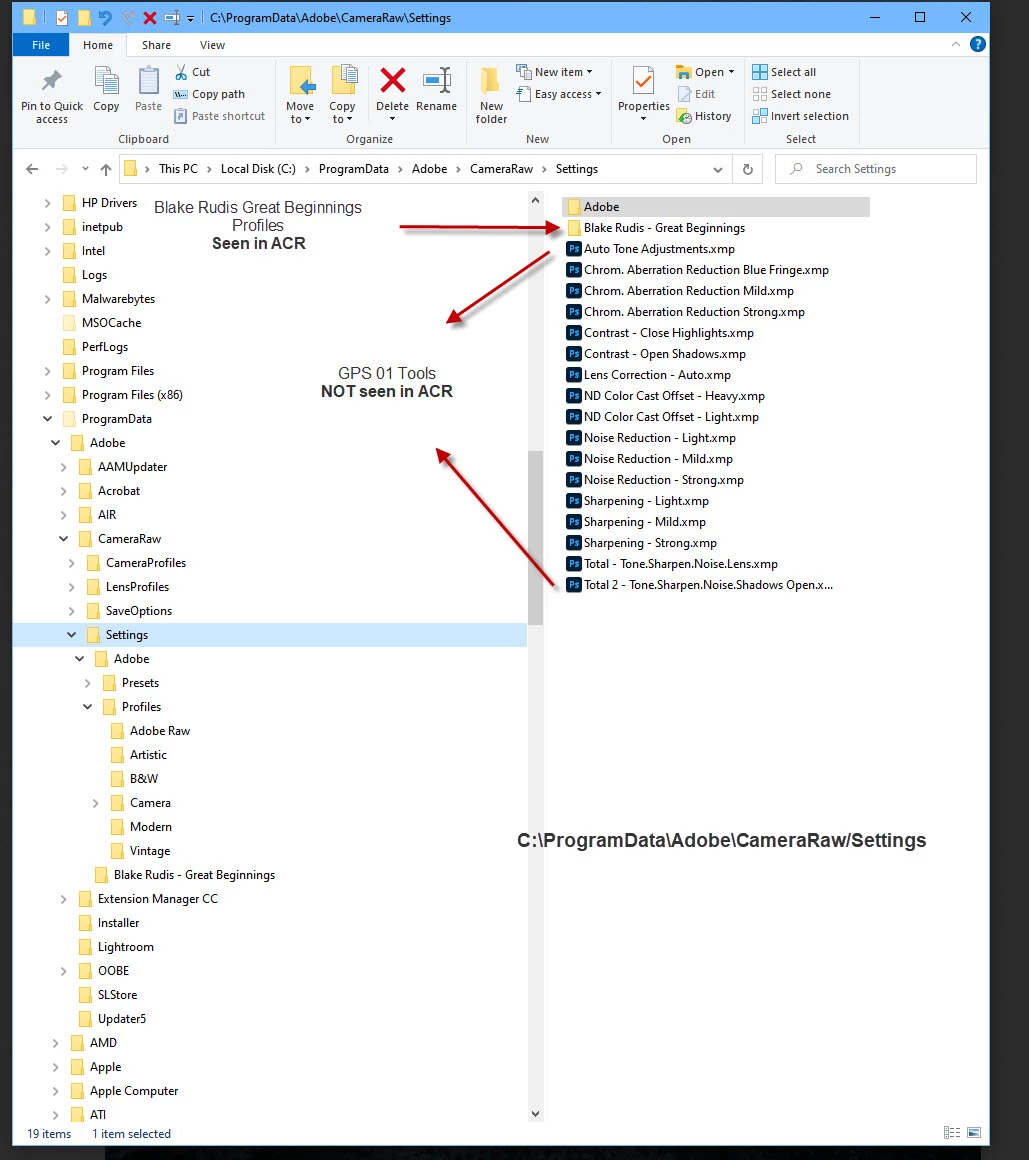
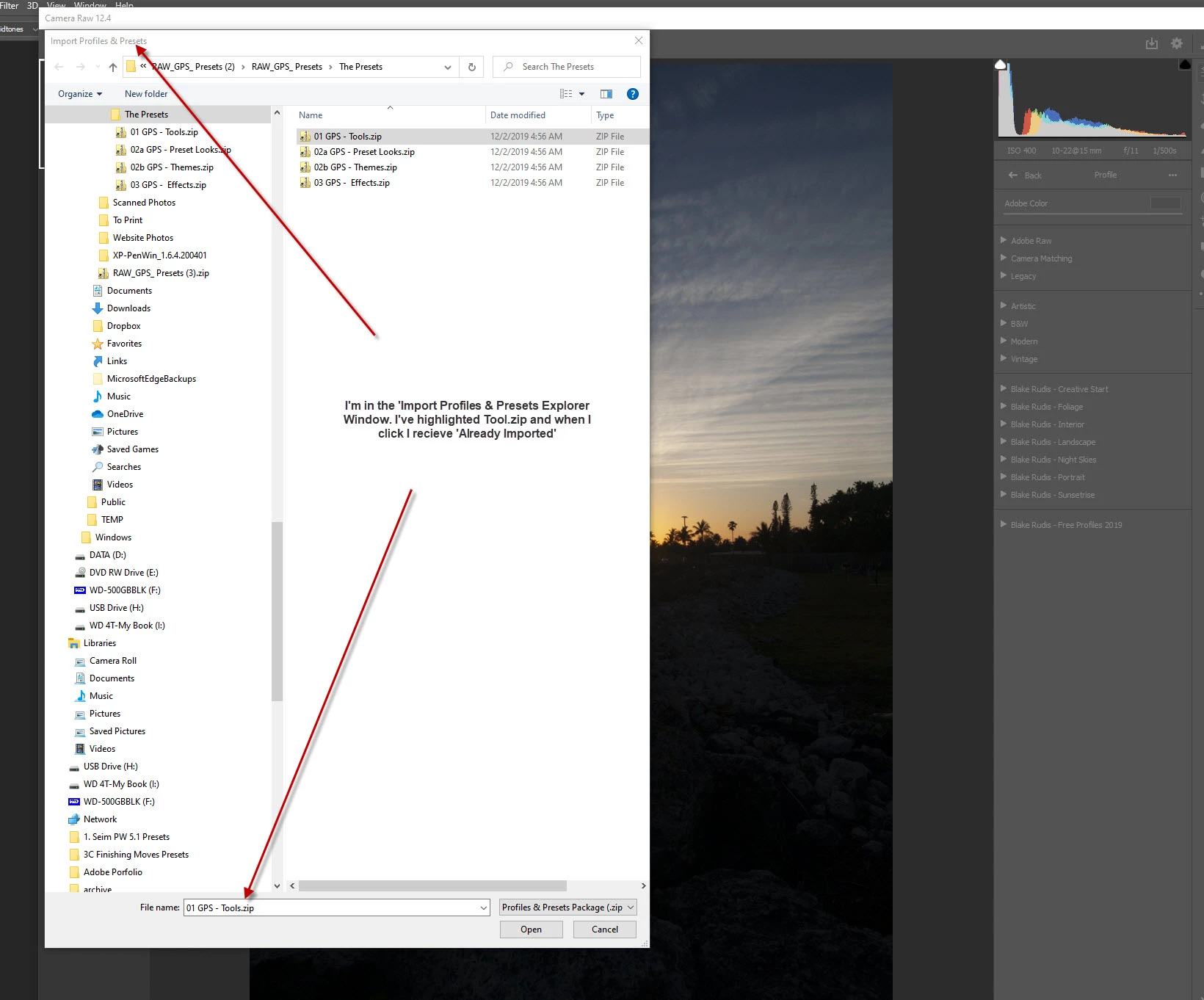
Hello again- I'm trying once moe to see if anyone can help. At the lst CC update I noticed some of my profiles and presets were missing. Upon some searching I discovered that some were in C:\ProgramData\CameraRaw\Settings and some were in C:\User\MyName AppData\Roaming\Adobe\CameraRaw\Settings. There were some profiles in the latter directory but did not show up in ACR! I've tried reinstalling those that didn't show up in ACR (without deleteing them from the directory) and got a message saying 'already installed'! Adobe help mentions I should use the AppData adress to install the xmp files into. Does anyone know if there is a place in Camera Raw to point to a certain address to install these files. Enclosed is a screen shot but I'm not sure if it will help. I think I may have to reinstall Photoshop and reinstall the Profiles and Presets. I just don't want to! 🙂 Thank You ion advance for anyone's help. Gary Fern BTW- Even though I know my way around the computer a bit, I don't know if it is a 'directory' or 'address' where the xmp files are located
 AdChoices