


gianguidog88288025
Participant
February 4, 2018
Answered

Adjustment brush

  • February 4, 2018
  • 1 reply
  • 509 views

Since yesterday, the adjustment brush does not apply any changes. If I select the preview mask instead of just seeing the portion touched with the brush I select everything and anyway it does not apply any changes. I have reinstalled RAW camera but the problem continues. Gradient and radial work normally.
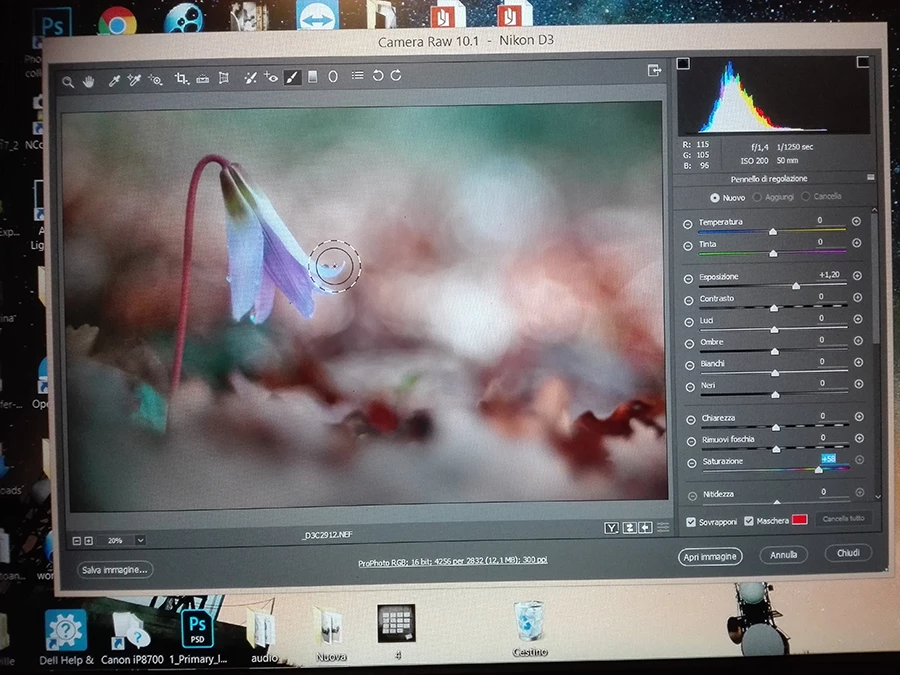
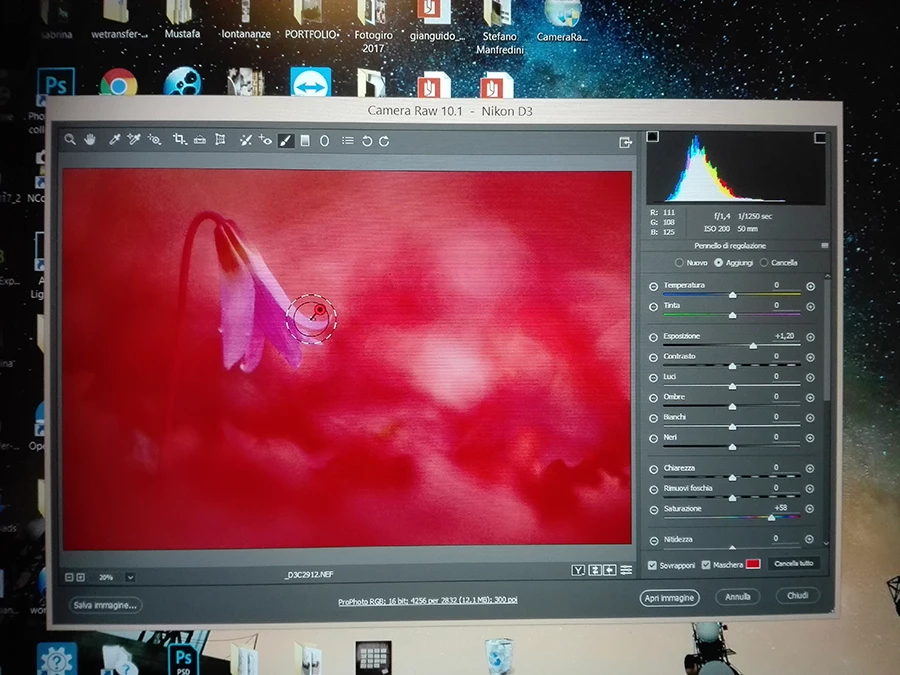
Sorry my English ... Gianguido

This topic has been closed for replies.
Correct answer gianguidog88288025

Thanks, solved by re-installing the graphics card driver.

1 reply

Chuck Uebele
Community Expert
Community Expert
February 4, 2018

Try resetting you preferences in Camera Raw. In Bridge, right-click on a file. Select "Open in Camera Raw" from the context menu. But as soon as you click on "Open in Camera Raw," press shift-ctrl/cmd-alt/opt. You should see a dialog box asking if you want to reset your preferences. If you don't see that, you didn't press the key combination fast enough.

gianguidog88288025
gianguidog88288025AuthorCorrect answer
Participant
February 4, 2018

Thanks, solved by re-installing the graphics card driver.