

Participant
August 1, 2022
Question

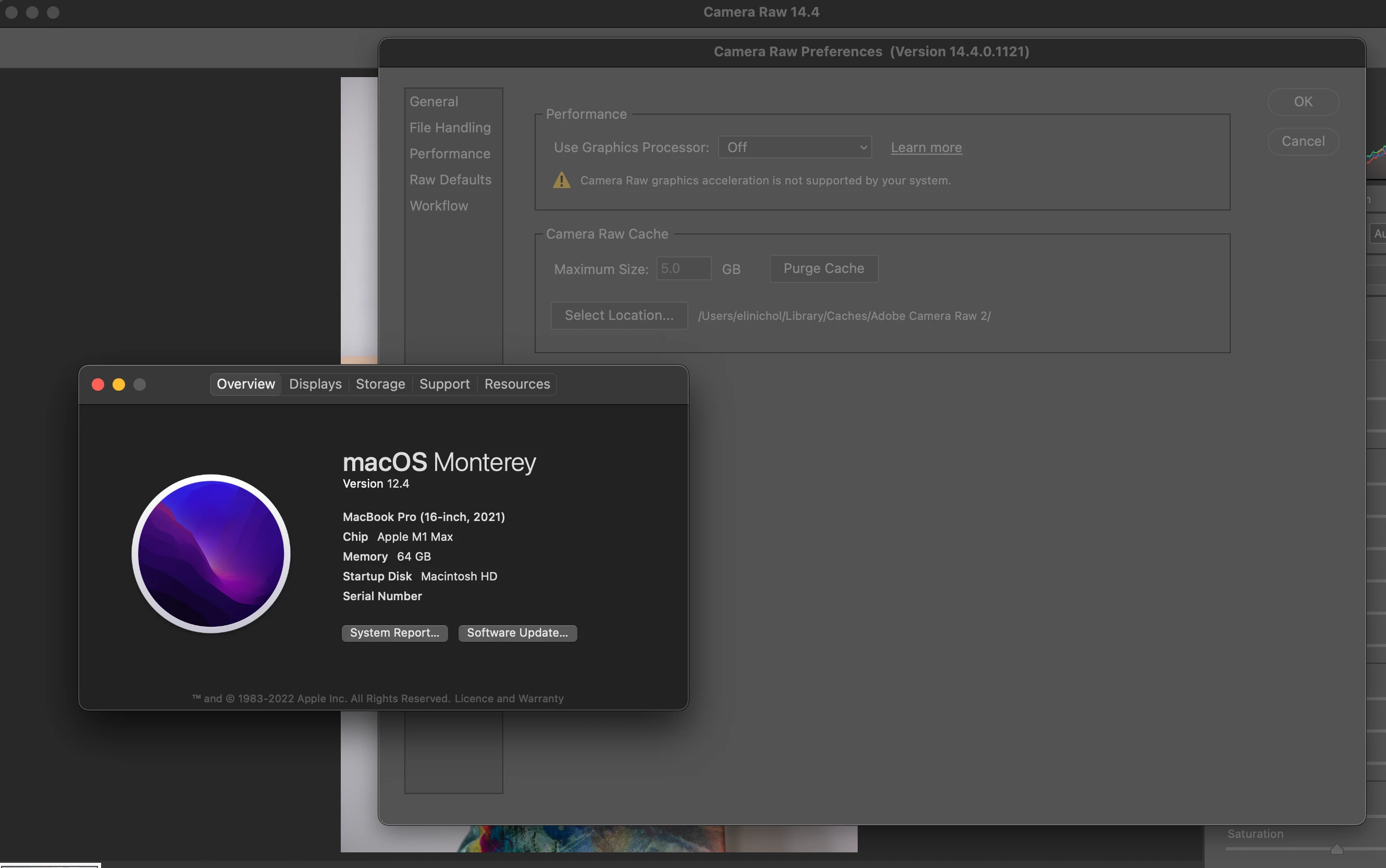
Adobe camera raw 14.4 not showing graphics processor for M1 Max 16 inch

  • August 1, 2022
  • 1 reply
  • 278 views

My 16 inch MacBook M1 Max is not showing the graphics processor in Camera Raw 14.4

Any ideas on how to fix?
 

This topic has been closed for replies.

1 reply

TheDigitalDog
Inspiring
August 1, 2022

See: https://helpx.adobe.com/camera-raw/kb/acr-gpu-faq.html

See some possible troubleshooting under: Solutions

Author “Color Management for Photographers" & "Photoshop CC Color Management/pluralsight"
Participant
August 1, 2022

The graphics processor is greyed out so I don't know what I can do? If you have any specific instructions that would be awesome. The crazy thing is is that it's working in photo shop but not in camera raw

TheDigitalDog
Inspiring
August 1, 2022

So not the same in Photoshop? Maybe a sign it's only an ACR issue.

Try resetting your ACR preferences, better? 

Hold down the Command key and select Photoshop > Preferences > Camera Raw (MacOS) or hold down the Ctrl key and select Edit > Preferences > Camera Raw (Windows).

Click Yes in the dialog that asks "Delete the Camera Raw Preferences?"


Author “Color Management for Photographers" & "Photoshop CC Color Management/pluralsight"
