


Inspiring
April 18, 2022
Answered

AI Selection model cannot be loaded

  • April 18, 2022
  • 2 replies
  • 3116 views

Hi everyone,

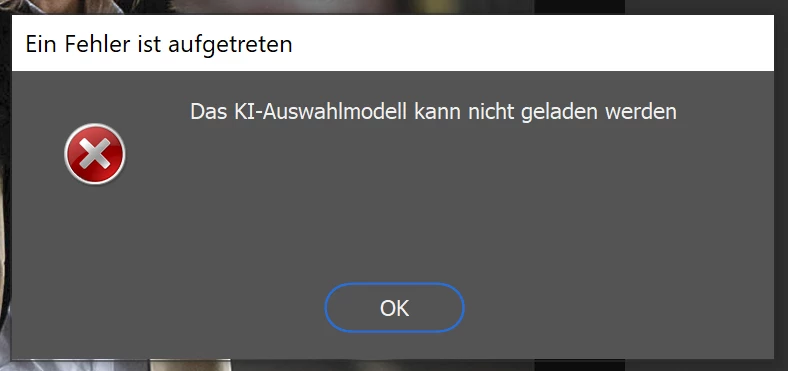
I'm using Photoshop and ACR with my Microsoft Surface Pro (2017) with 8GB RAM. But everytime, when I want to use the subject selection tool in ACR, I get an error pop-up, which says "An error occured: The AI selection model cannot be loaded". Is this due to the lack of enough RAM? The minimum requirements are met by the Microsoft Surface. The problem is also existent in the latest version of ACR.
Attached you can find the system info file from Photoshop.

Thanks in advance and best regards,

Jens


This topic has been closed for replies.
Correct answer Mister_M3780

I think, the topic can be closed... In my opinion it's the lack of enough RAM. I now have a Samsung Galaxy Book3 Pro 360 with 16GB DDR5 RAM, which works flawlessly.

But the RAM consumption of Photoshop increased tremendously with the Creative Cloud versions... The CS6 outperforms the later versions in this regard with ease.

2 replies

Mister_M3780AuthorCorrect answer
Inspiring
March 21, 2023

I think, the topic can be closed... In my opinion it's the lack of enough RAM. I now have a Samsung Galaxy Book3 Pro 360 with 16GB DDR5 RAM, which works flawlessly.

But the RAM consumption of Photoshop increased tremendously with the Creative Cloud versions... The CS6 outperforms the later versions in this regard with ease.

TheDigitalDog
Inspiring
April 18, 2022

Try resetting your ACR preferences, better?
Hold down the Command key and select Photoshop > Preferences > Camera Raw (MacOS) or hold down the Ctrl key and select Edit > Preferences > Camera Raw (Windows).
Click Yes in the dialog that asks "Delete the Camera Raw Preferences?"

Author “Color Management for Photographers" & "Photoshop CC Color Management/pluralsight"
Inspiring
April 18, 2022

Hi and thanks for your quick answer.

I tried to reset the preferences and also updated the GPU (Intel HD 620) to the latest driver version.

Unfortunately the error still occurs.

Best regards

Participating Frequently
November 26, 2022

did you solve your problem? I installed camera raw 15 just, and this is not working for 20,21 and 22 photoshop versions