Participant
September 5, 2021
Answered

Alt key when sharpening in ACR not working

  • September 5, 2021
  • 1 reply
  • 243 views

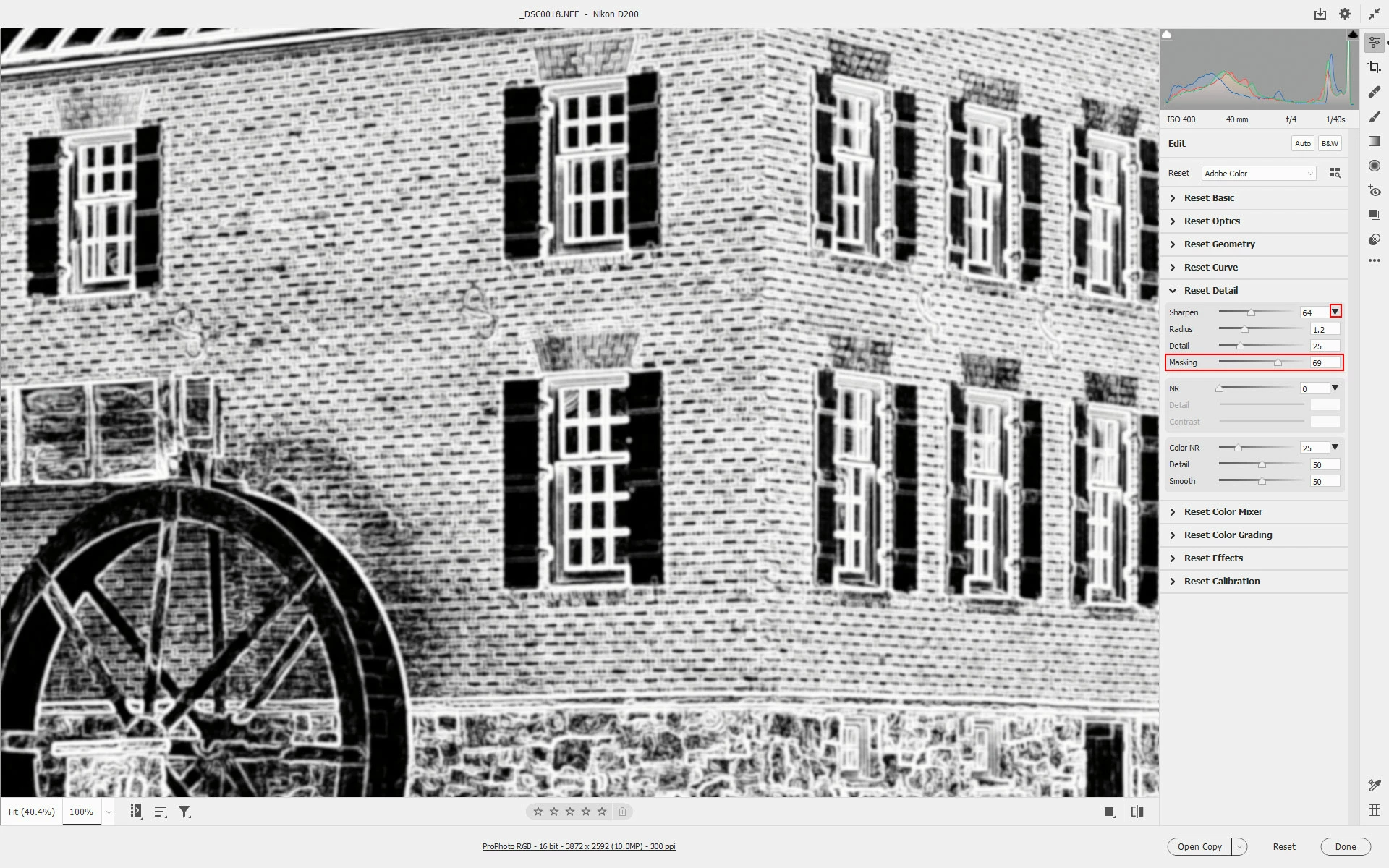
When I used to use the ALT key when using the sharpening slider in ACR I used to get a mast which showed which edges where being sharpened.  Now when I press the ALT key and the sharpening slider all I get is a B&W converted image.  Can someone help me.  I want to revert to the way it used to be.  I am using all the latest versions of the software on a PC.  Thanks

This topic has been closed for replies.
Correct answer Jeff Arola

You most likely need tp click on the small downturned arrow to reveal the Masking slider, which you then press the Alt key while moving to show the edges.


1 reply

Jeff Arola
Community Expert
Jeff ArolaCommunity ExpertCorrect answer
Community Expert
September 6, 2021

You most likely need tp click on the small downturned arrow to reveal the Masking slider, which you then press the Alt key while moving to show the edges.


Participant
September 12, 2021

That was the problem.  Thanks so much for the help.  I really appreciate it.


Best,

Bruce