


Amount slider in Masking breaks when moving too fast
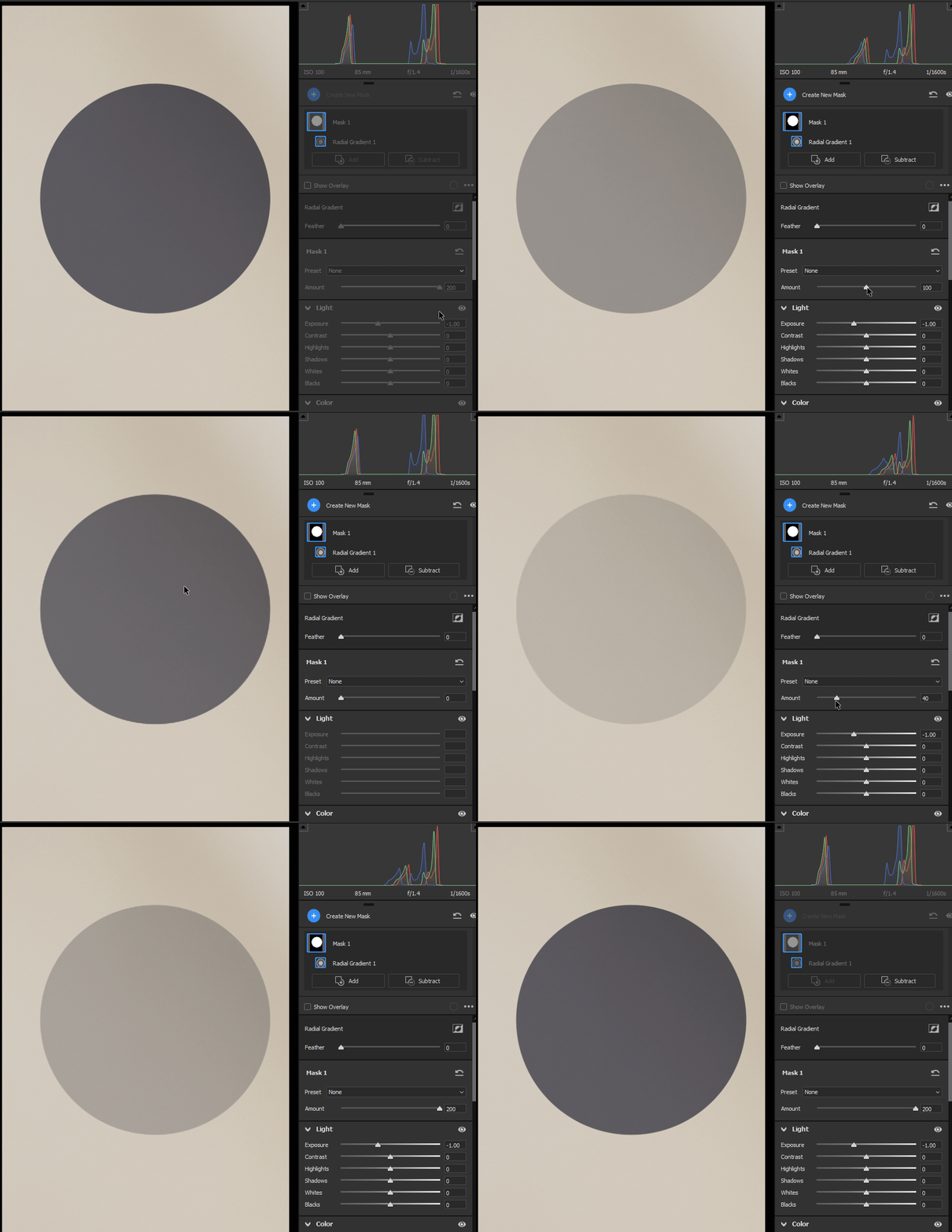
Amount slider in Masking doesn't update the picture when moving too fast, while holding down left mouse button.
Windows 10, x64, ACR 16.2.1.1767 / PHSP 25.6.0 20240312.r.433 2bfcbf1 x64
Resetting the Camera Raw preferences made no difference.
I was able to reproduce this issue on a different Windows 10 machine, ACR 16.2.0.1763 / PHSP 25.5.0 20240214.r.375
Steps to reproduce:
Create any mask (let's say radial), set exposure to -1, Feather 0 for better visibility.
The Amount slider should be in the "100" position.
Click and hold the Amount slider. Move the mouse pointer fast to the left. Don't release the mouse button. The slider position reads "0" but the mask effect is still visible. Release the mouse button - the mask effect updates on the image. The same goes for fast movements to the right (beyond the "200" position).
You have to move the slider really fast to see this issue.
Expected behavior: the mask effect visible on the photo should be constant with the slider value, even when a mouse button is not released.
(repost, since the previous post was not tagged as a bug)
 AdChoices