


Answered
Annoying symbol on top of histogram
Hi,
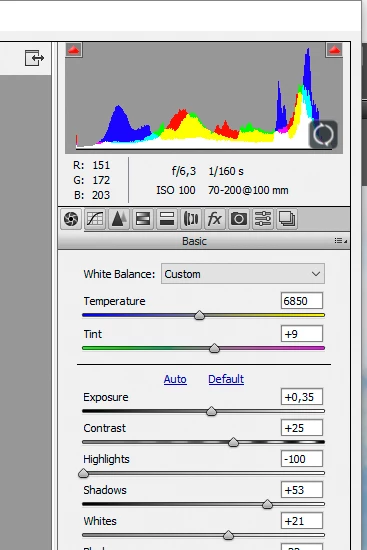
I've just noticed that when I open Camera Raw 9 from Bridge, the histogram has a syncing symbol on top of the histogram (see screen capture below) just where the highlights are, and I find this very annoying. Sometimes the symbol changes to "pause" and goes back to syncing. After editing the image and closing Camera Raw back to Bridge, the image preview will have this icon on the bottom right, although it didn't show before sending the image to Camera Raw. What do these syncing/pause icons mean? How can I get ride of them? I don't remember having them before...
Thanks for helping!

 AdChoices