Ian Antonio0D4D
Participant
November 29, 2021
Answered

Bridge appears to be corrupting RAW files

  • November 29, 2021
  • 1 reply
  • 777 views

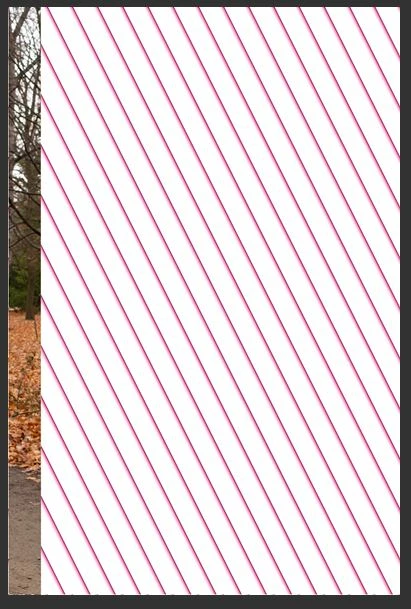
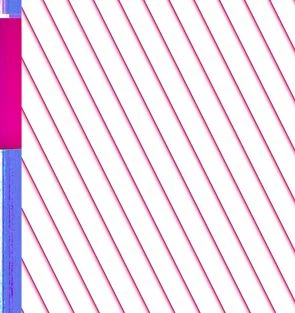
Hello everyone. Is anyone facing this issue? It appears that Bridge is somehow corrupting my RAW files. They appear to be ok at first then they only show up as the image attached.


Viewing of the files is possible in other programs, but I cannot work them in bridge.


This topic has been closed for replies.
Correct answer Ian Antonio0D4D

Thanks. That is a very good question. I suspect that there might have been an error of some kind during copying. I have adjusted some data mgmt and performance preferences (in PS and camRAW), and freshly coppied directly from camera - and slowly the files affected seem to be "un-corrupting" themselves. I have no idea how the camera manufacturers software reads the files. Greets.

1 reply

Legend
November 29, 2021

Are you talking about Camera RAW? Neither Bridge nor Camera RAW make any changes to your files.

Most likely is that the embedded JPEG preview is fine but the RAW file corrupted. What happens when you open these files in the camera maker's software?

Ian Antonio0D4D
Ian Antonio0D4DAuthorCorrect answer
Participant
November 30, 2021

Thanks. That is a very good question. I suspect that there might have been an error of some kind during copying. I have adjusted some data mgmt and performance preferences (in PS and camRAW), and freshly coppied directly from camera - and slowly the files affected seem to be "un-corrupting" themselves. I have no idea how the camera manufacturers software reads the files. Greets.

@iAntonio.media + @EnglishCoachPodcast
Legend
November 30, 2021

Which means your first copy was corrupted and the second was ok. Sounds like a winner.