


Inspiring
December 14, 2017
Question

Camera Raw 10.1 does not look right...?

  • December 14, 2017
  • 6 replies
  • 2139 views

After updating Bridge opening a photo in Camera Raw 10.1 results in this:
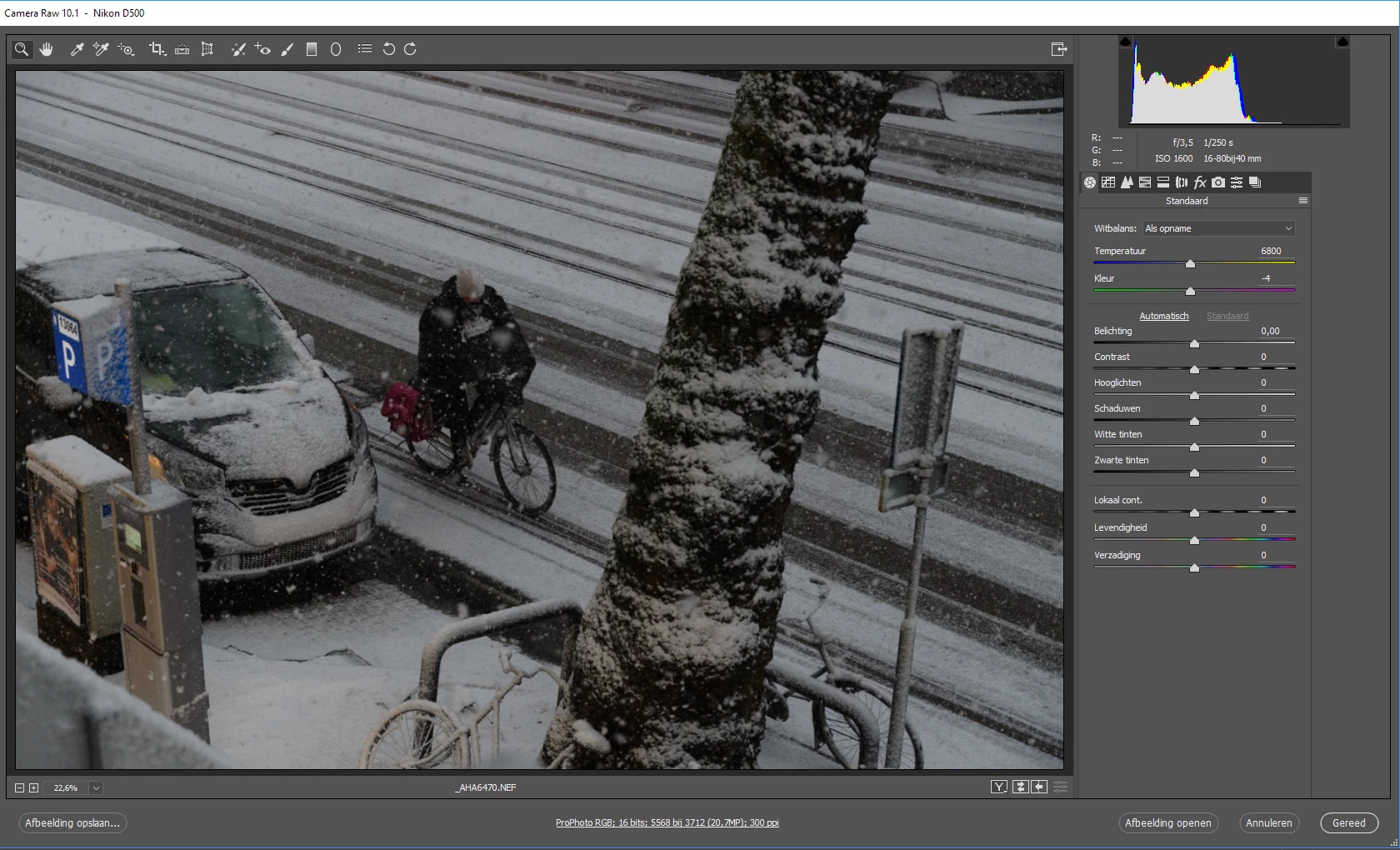
The edit panel does not fill into the frame anymore. When opening a file in Camera Raw 10.1 from Photoshop it looks normal.

This is occurring on both my machines where I installed the programmes. Both are recently updated Windows 10-machines. Checked it on a third machine with another account on it and got the same result.

Everything is working ok, but it just is a bit irritating.

greetings

Anton

This topic has been closed for replies.

6 replies

Chuck Uebele
Community Expert
Community Expert
December 22, 2017

Seems to be an issue with certain languages. Portuguese has a real problem with this issue, and Adobe is aware of the issue, and will hopefully fix it soon.

December 23, 2017

Thank you very much Chuck Uebele.

I installed the English version and the program is fine.

December 20, 2017

It was with the same problem, but then I downloaded the camera raw 9.12.1 and installed the problem was due, but I got the old version of the plugin

Inspiring
December 18, 2017

And sorry guys for not coming back to the topic sooner. Been in the field a lot... But thank you all again!

Participant
December 20, 2017

Same problem too :-(

December 23, 2017

Instala a versão em inglês PGrilo que resolve o problema até eles corrigirem a verão em português.

FabioPoço
Participant
December 14, 2017

I´m having the same problem,

i already try the solutions that Chuk and Richard gave, but nothing works.

Inspiring
December 18, 2017

Wow! Yours is even looking worse than mine!

Chuck Uebele
Community Expert
Community Expert
December 14, 2017

Have you tried resetting the preferences? In bridge, right click to open an image in ACR right after you click okay, quickly press ctrl/cmd-alt/opt-shift. You should see a dialog asking if you want to reset the preferences. If not, you didn't press the keys fast enough.

Inspiring
December 18, 2017

Thanks, Chuck. I tried and succeeded in resetting the preferences like you described. It didn't solve the issue.

Inspiring
December 14, 2017

I don't see it on mine - try unchecking use graphics processor in preferences?

Richard Southworth

Added by edit - my suggestion probably doesn't make sense, given that you tried it on 3 systems.  Perhaps it is a resolution issue, my display is 2550x1440?

Inspiring
December 18, 2017

Thank you for your suggestion, Richard! The three machines have all different resolutions. So I don't think that will be the problem. Especially as the problem did not exist before the last update of Bridge.