Participant
November 22, 2019
Answered

Camera raw 12.0 adjustment brush issues mask all - Windows OS

  • November 22, 2019
  • 2 replies
  • 1276 views

Hi 

Since camera raw 12.0 update 

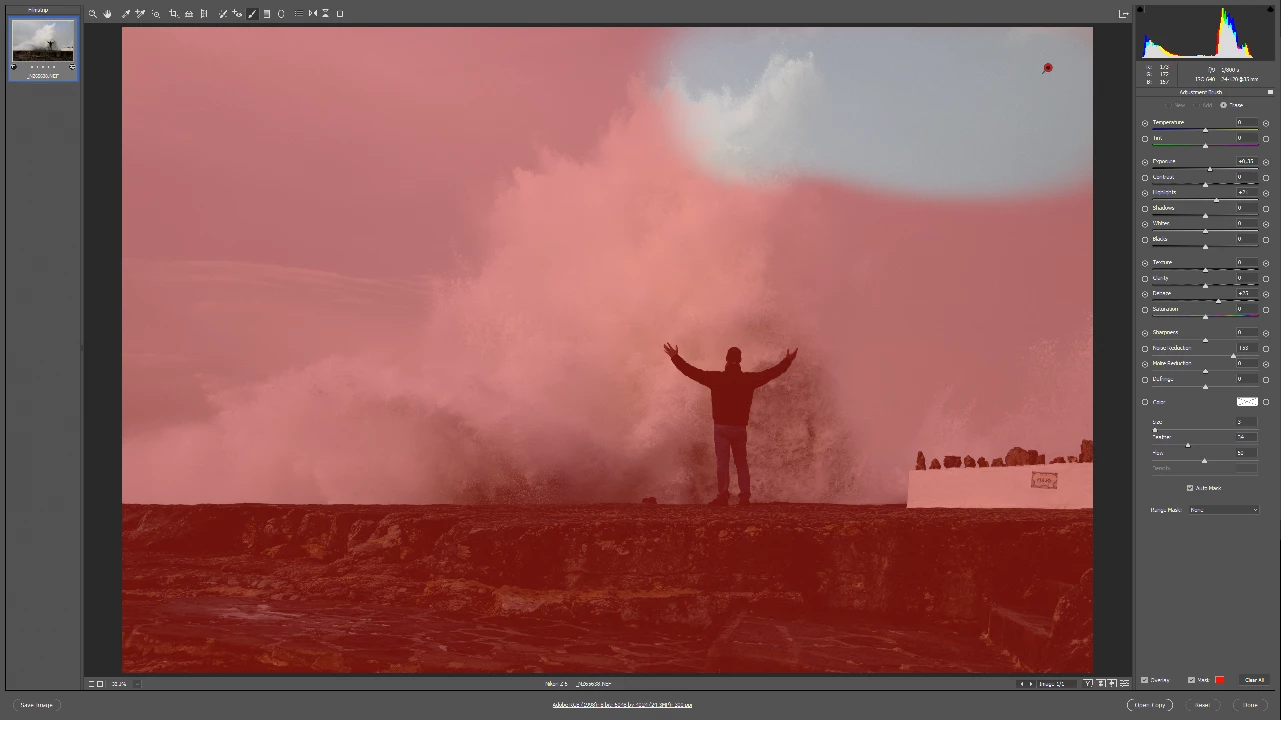
when I go into adjustment brush and want to create a new pin and select mask 
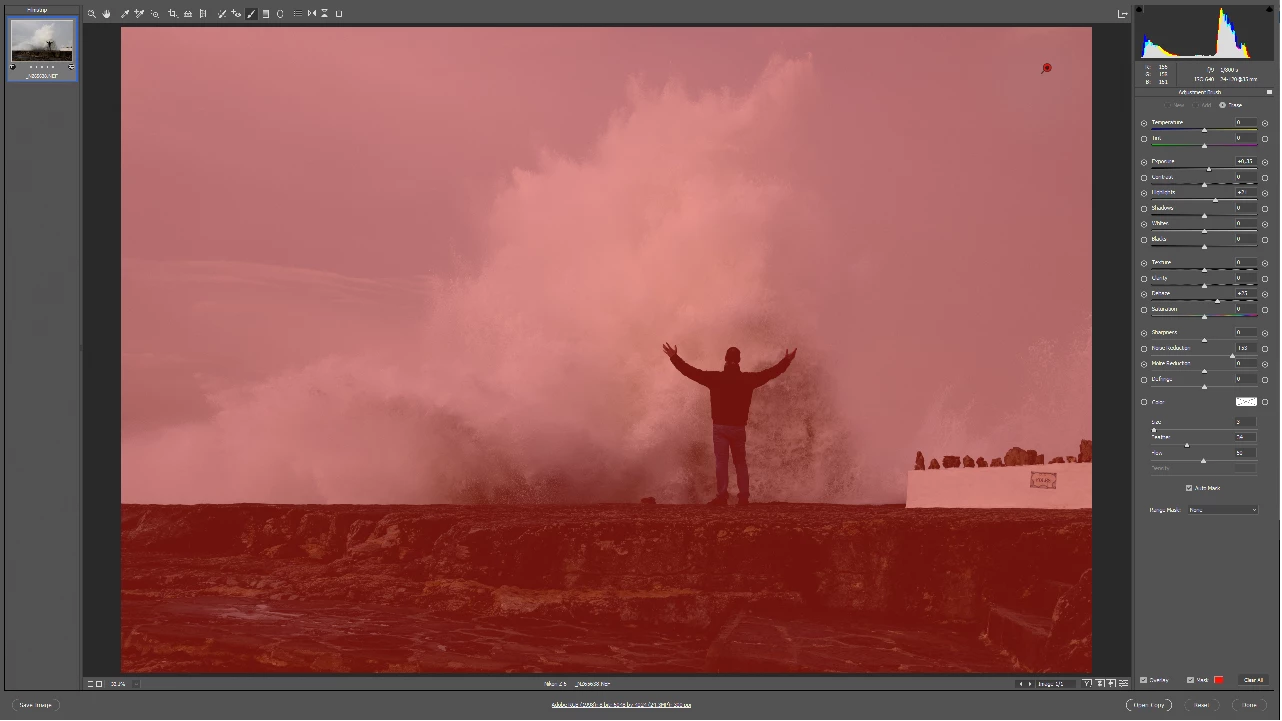
all is masked and then it remove the mask when I draw is there a way to switch it back again 
so it mask what I draw and not turn everything red and then erase the mask 
 

{Thread renamed by moderator}

This topic has been closed for replies.
Correct answer Sahil.Chawla

Thanks for the info Lars, I believe we can resolve this issue by changing one setting.

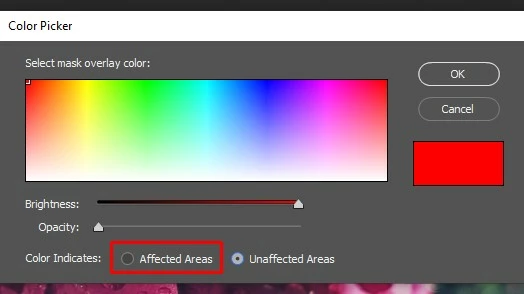
You need to click on the Red Color square located near the word Mask and then change the setting to say Affected Areas and Click OK.

Let me know if it helps.

2 replies

January 2, 2020

Thank you, Thank you, thank you sooooooo much i have have been having issues with this for a full 24 hours and it seriously disrupted my work. it seems so simple now but in the grand scheme of the amount of settings in camera raw and photo shop i seriously struggled here. Thank you again. 

Sahil.Chawla
Adobe Employee
Adobe Employee
November 23, 2019

Hi Hanno,

Sorry to hear about the issues with the Camera Raw plugin, could you please try reinstalling it from here and let us know if it helps? https://helpx.adobe.com/in/camera-raw/kb/camera-raw-plug-in-installer.html


Regards,
Sahil

Hanno97Author
Participant
November 25, 2019

Hi Sahil 

that sadly didn't fix my issue it still mask all red and then erase when I draw 
I can see that the part that is not red after I draw with the pen is still where the effects are applyed 
so that part still works but it would have been nice the old way 🙂


Regards 
Lars

Sahil.Chawla
Adobe Employee
Sahil.ChawlaCorrect answer
Adobe Employee
November 25, 2019

Thanks for the info Lars, I believe we can resolve this issue by changing one setting.

You need to click on the Red Color square located near the word Mask and then change the setting to say Affected Areas and Click OK.

Let me know if it helps.