


Camera Raw 13.4 almost unuseable
Hi, everyone. I've searched this community and the web at large and most of the solutions to speeding up ACR within PS point to disabling Acronis True Image, which I do not have.
I have an 18-month old Windows 10 PC with an i7 processor, 32 GB RAM, PS installed on a 2TB SSD with 1.5TB free; 70% available for scratch on that same SSD, a 6 GB NVIDIA RTX 2060 Graphics card with current drivers. Both PSCC and ACR are up to date. 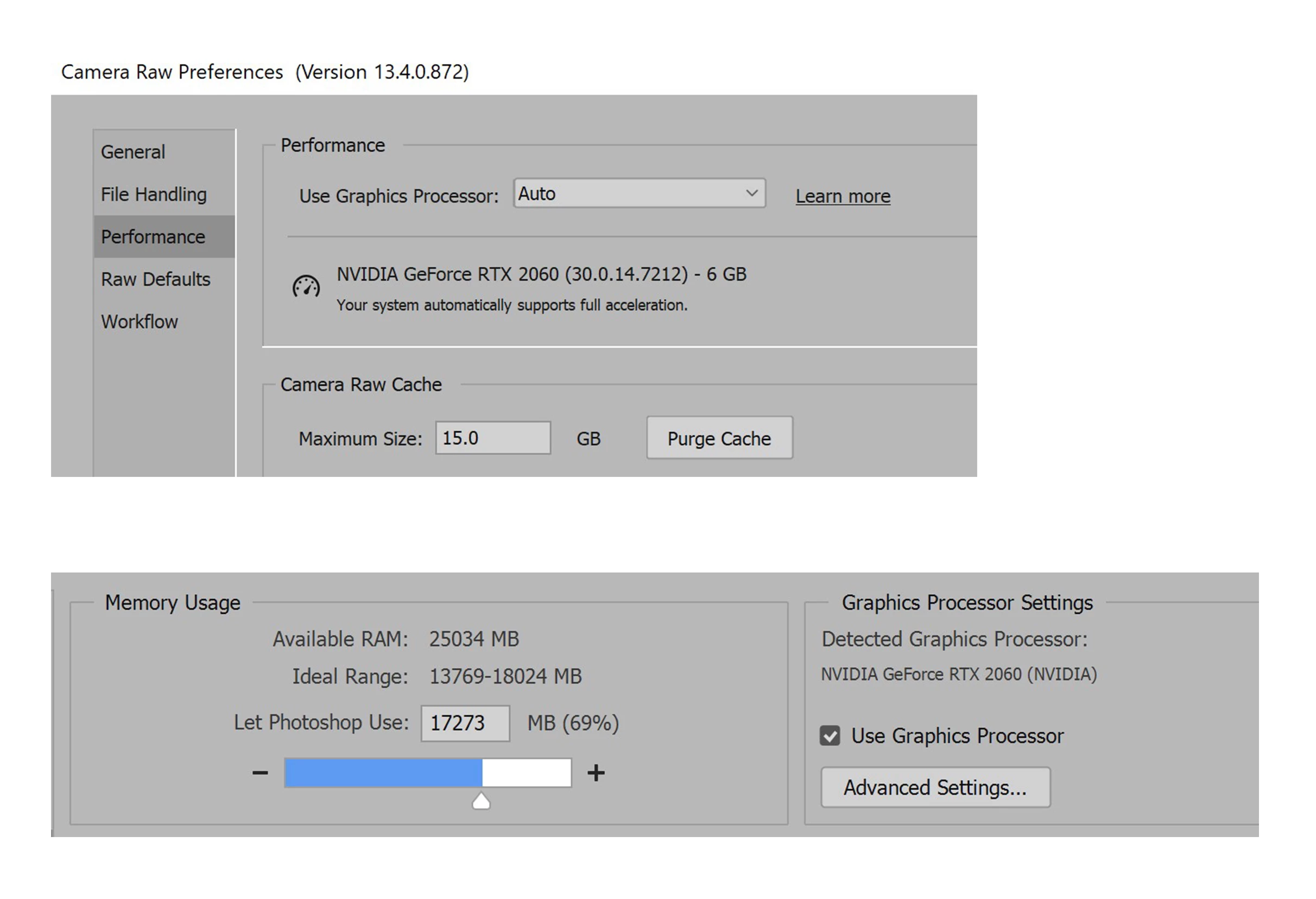 I just timed 4 different .cr3 files and each took nearly one minute to open in ACR; two using File > Open and two just dragging into the interface. This is ridiculous. I've purged the ACR cache, upped the max cache size to 15 GB, tried all three settings of my graphics card (Auto, Custom and Off), to no avail. My graphics cards displays that my system automatically supports full acceleration.
ANY ideas??? Sliders are laggy, switching between "tabs" (Basic, Curve, etc.) is laggy, using the adj. brushes is painfully slow. I can't think of anything else to check. Help!
 AdChoices