


Inspiring
April 27, 2021
Answered

Camera Raw 13.x "low" quality (smash colours, not sharp) of .ORF (Olympus RAW files)

  • April 27, 2021
  • 6 replies
  • 3468 views

After some times (several months) once I get new version of Camera Raw plugin 13.1 I observed that when I process my images in LrC required a lot sharpening and contrast adjusting. First times I thought that was the quality of original photo, therefor I try more attention when I take the photo (light condition, camera settings). So, after some period of times I observed that doesn't meter if the photo are near to ideal.

The I compared to original software from Olympus (Olympus Workspace) and I found a huge difference between sharpest, contrast and fine details. There are difference in colours, but I understand this as each application has its "colour space" - the technics how the colours are recovered and processed by application.


The samples of crop from applications:
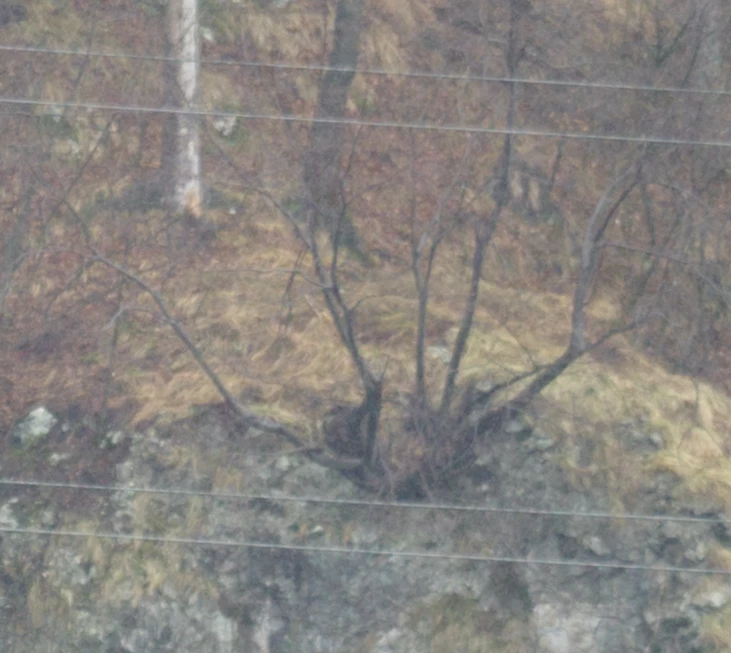
Crop from LrC Develop space. 100 % crop, 1:1
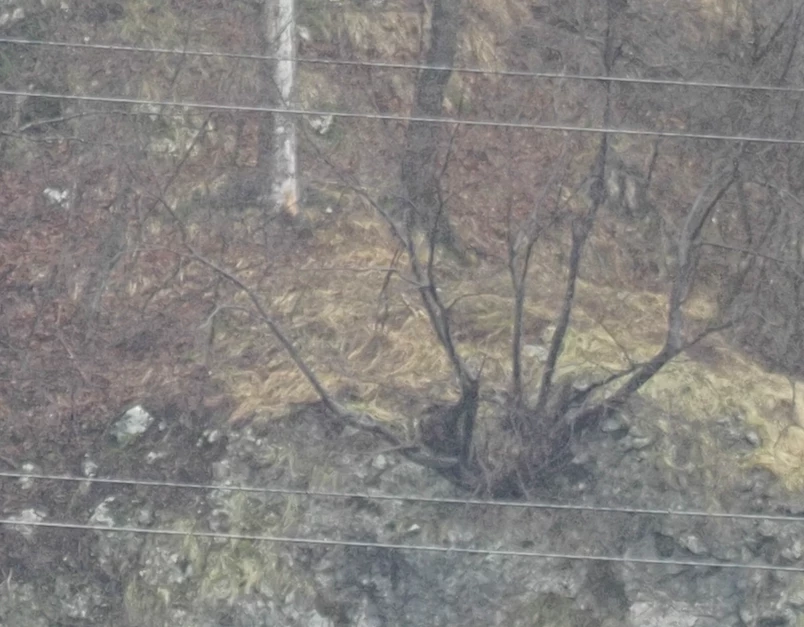
 

Crop from Olympus Workspace. 100 % crop, 1:1


The samples of JPEG files generated by applications:
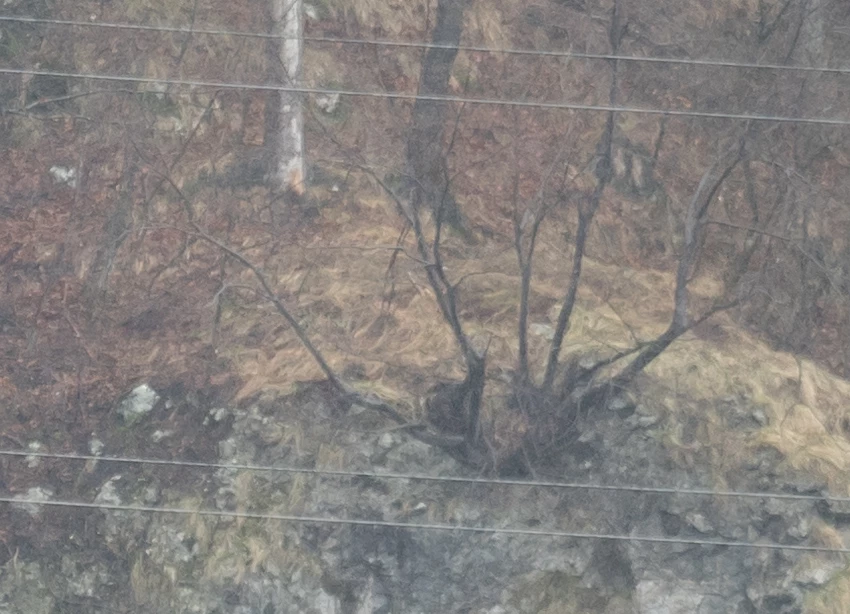
Crop from Windows 10 Photos application of jpeg file generated by LrC with 100% quality and sRGB colours.
100 % crop, 1:1
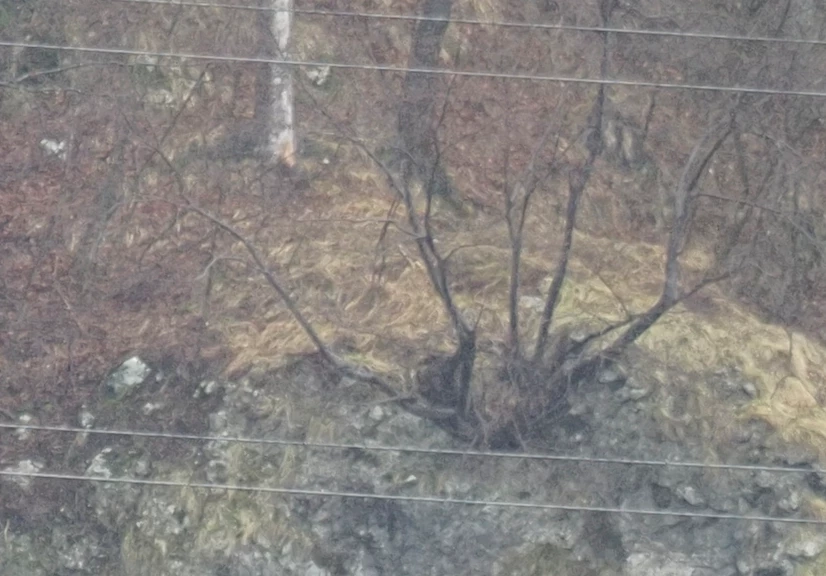
 

Crop from Windows 10 Photos application of jpeg file generated by Olympus Workspace with superfine settings.
100 % crop, 1:1

I downgraded the LrC version to about 1 year ago (some version around december 2019, when I start to use Adobe products). But I doesn't observed any differences, the images remains shash and not sharp.

Today I downgraded the Camera Raw plugin to version 12.4 and finally recovered the view of my images: sharp and clean.
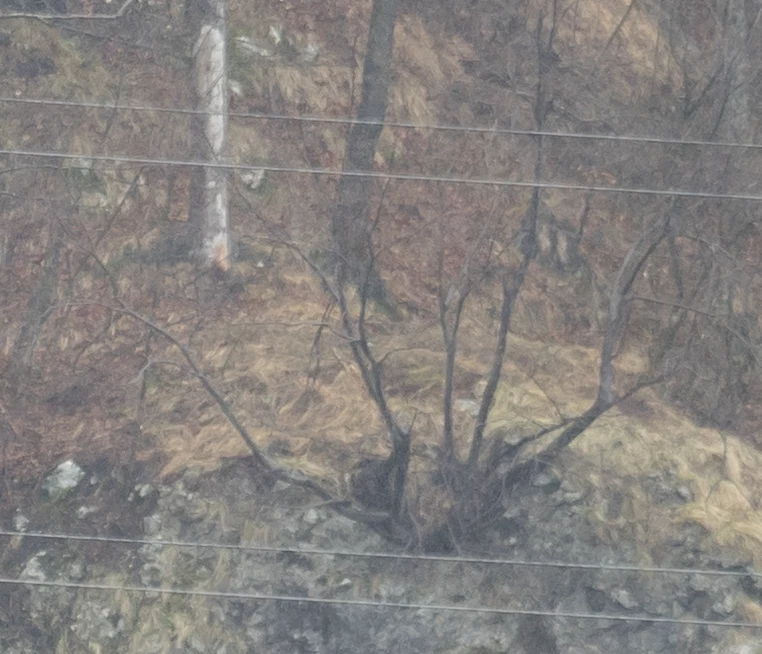
Crop from LrC Develop space with downgraded Camera Raw to version 12.4.

100 % crop, 1:1

The view of images from Camera Raw 13.x are not admissible for me. So, will be great if this will be fixed in near future.
Thanks!

p.s.: All samples are without any additional editings or changes settings. Just opened in applications as is, then crop or export.
This topic has been closed for replies.
Correct answer Scorpan5FBD

So, I did an extended test and I concluded that my suspicion was wrong and LrC works correctly or works as before. Camera RAW version also doesn't influence the image quality, either on rendering or preview.


Anyway I started to get a little blurry image more often than before, but I should look for this in other possible sources. Inclusive one of the sources can be myself too.


I should explain a bit why I started to suspect LrC or Camera Raw plugin.

What I found is that, for example, the LrC good enough to resolve raw data for .ORF files when the subject and light conditions are contrast enough. In more flat conditions the image looks more washed and harder to distinct the details.

In comparison with original software Olympus Workspace, where the same image looks cleaner from more points of view: sharp, colours, ... . Like @ssprengel  also wrote and present a example, by adjusting the sharpening can be achieved close enough results with image from Olympus Workspace, but this adds additional noise. By resolving the noise, image looks more plastic. I'm still learning the LrC, but at the moment I didn't achieve close enough results as Olympus Workspace for "trouble" images.

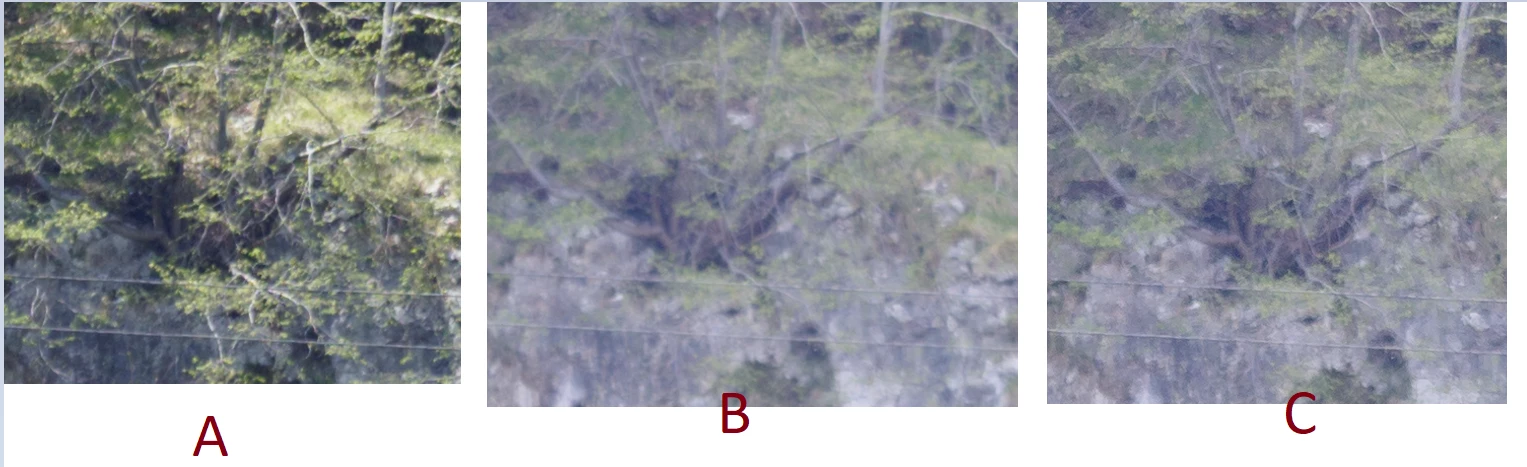
A sample of images:

Snapshots from LrC, all snapshots zoomed to 100%, all images was taken with camera mounted on tripod, shutter with 2 seconds delay, image stabilization on, focal length 150mm on MFT (300mm on 35mm sensor equivalent), distance to the subject is estimated to about 1km.

Image A - is when the light condition was contrast enough, direct sunlight at angle about 60 degree. Details about sharpening is "Amount: 0". Exposition info: ISO 200, 1/1000, F2.8. Focus - manual.

Image B - is when the light condition was flat, a dense cloud covered the sun. Details about sharpening is "Amount: 0". Exposition info: ISO 200, 1/1000, F2.8. Focus - manual (was the same as image A, because image was taken sequentially ).

Image C - is the same as B, but with added sharpening: Amount - 40; Radius: 1.0; Detail - 25; Masking - 35


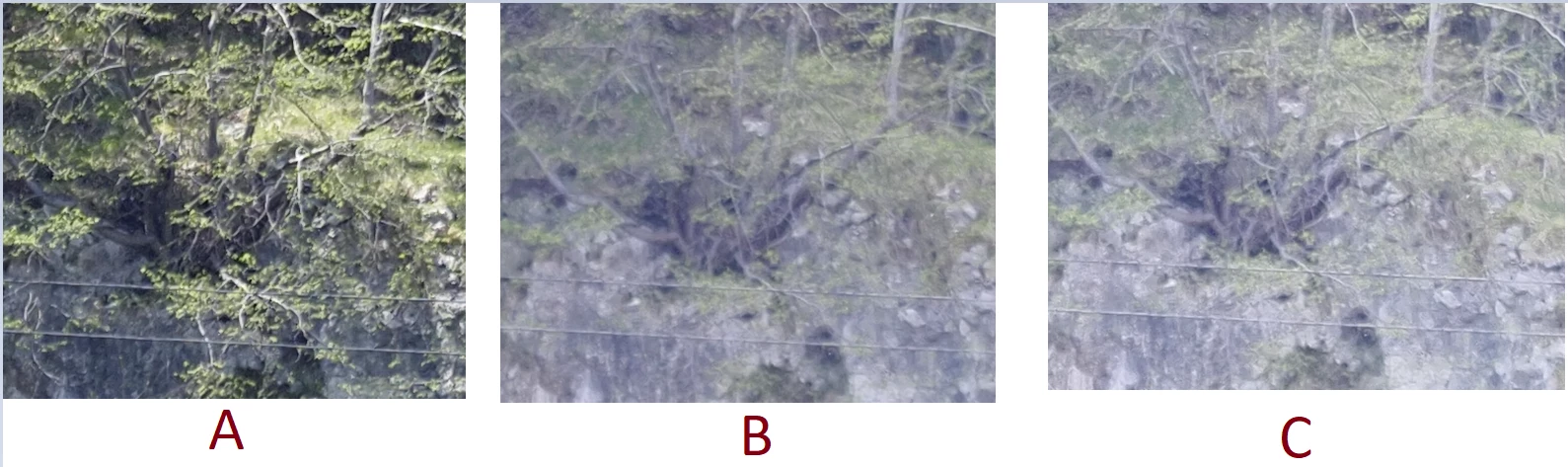
For comparison the similar snapshots from Olympus Workspace

A, B, C images are the same A, B, C described in LrC snapshots (the same .ORF files). The zoom is 1:1.

Image A - is the same Image A described in LrC snapshots

Image B - is the same Image B described in LrC snapshots

Image C - is the same Image C described in LrC snapshots, with sharpening adjustments: Color grading - AUTO, Sharpness - +0.8


Looks that confused me the images were taken in flat light conditions, where in LrC looks not good enough by default. But adjusting the details of the images can be changed to be at some acceptable conditions. Where the original raw processing software by default (without any adjustments) looks more acceptable from the beginning.


Thanks very much to all who tried to help me to understand and to resolve my issue. I didn't expected that I will get so quick response from issue, so I appreciate a lot for so quick response.

Again, thanks to all who tried to help and to guide me through my issue.


I will close the case, as my issue looks like it is not related to the Adobe Workflow.

6 replies

Scorpan5FBDAuthorCorrect answer
Inspiring
May 12, 2021

So, I did an extended test and I concluded that my suspicion was wrong and LrC works correctly or works as before. Camera RAW version also doesn't influence the image quality, either on rendering or preview.


Anyway I started to get a little blurry image more often than before, but I should look for this in other possible sources. Inclusive one of the sources can be myself too.


I should explain a bit why I started to suspect LrC or Camera Raw plugin.

What I found is that, for example, the LrC good enough to resolve raw data for .ORF files when the subject and light conditions are contrast enough. In more flat conditions the image looks more washed and harder to distinct the details.

In comparison with original software Olympus Workspace, where the same image looks cleaner from more points of view: sharp, colours, ... . Like @ssprengel  also wrote and present a example, by adjusting the sharpening can be achieved close enough results with image from Olympus Workspace, but this adds additional noise. By resolving the noise, image looks more plastic. I'm still learning the LrC, but at the moment I didn't achieve close enough results as Olympus Workspace for "trouble" images.

A sample of images:

Snapshots from LrC, all snapshots zoomed to 100%, all images was taken with camera mounted on tripod, shutter with 2 seconds delay, image stabilization on, focal length 150mm on MFT (300mm on 35mm sensor equivalent), distance to the subject is estimated to about 1km.

Image A - is when the light condition was contrast enough, direct sunlight at angle about 60 degree. Details about sharpening is "Amount: 0". Exposition info: ISO 200, 1/1000, F2.8. Focus - manual.

Image B - is when the light condition was flat, a dense cloud covered the sun. Details about sharpening is "Amount: 0". Exposition info: ISO 200, 1/1000, F2.8. Focus - manual (was the same as image A, because image was taken sequentially ).

Image C - is the same as B, but with added sharpening: Amount - 40; Radius: 1.0; Detail - 25; Masking - 35


For comparison the similar snapshots from Olympus Workspace

A, B, C images are the same A, B, C described in LrC snapshots (the same .ORF files). The zoom is 1:1.

Image A - is the same Image A described in LrC snapshots

Image B - is the same Image B described in LrC snapshots

Image C - is the same Image C described in LrC snapshots, with sharpening adjustments: Color grading - AUTO, Sharpness - +0.8


Looks that confused me the images were taken in flat light conditions, where in LrC looks not good enough by default. But adjusting the details of the images can be changed to be at some acceptable conditions. Where the original raw processing software by default (without any adjustments) looks more acceptable from the beginning.


Thanks very much to all who tried to help me to understand and to resolve my issue. I didn't expected that I will get so quick response from issue, so I appreciate a lot for so quick response.

Again, thanks to all who tried to help and to guide me through my issue.


I will close the case, as my issue looks like it is not related to the Adobe Workflow.

ssprengel
Inspiring
May 12, 2021

The example image I showed was using LrC defaults for this camera.

The default sharpening is 40, among other things.

Inspiring
May 12, 2021

It is true. The default import parameters for sharpening are: Amount - 40; Radius: 1.0; Detail - 25. But I overwrited it with: Amount - 0; Radius: 0; Detail - 0. Since for most my images looks a bit oversharpened and add a bit of noises. If it required, then I added this manually.

Inspiring
April 28, 2021

.ORF file used in my tests

_4120068.ORF

ssprengel
Inspiring
May 3, 2021

Using the latest LrC 10.2 (ACR 13.2) the image looks sharp like you want on my computer.

If your Detail panel settings aren't different, I'd suspect you are using less-than-fullsize Smart Previews somehow, or there is something wrong with your cache or graphics driver, but I don't think it's a universal problem with LrC, just something local to your computer.


It would be helpful for you to include your image-size, version of LrC, Basic and Detail settings, at least, so it's easier to tell what might be different:

Inspiring
April 28, 2021

Now when I tried to recheck the situation with notes and hints from @Per Berntsen I found that I did some errors during my previous tests and now I should do all retest from scratch.


I will come with details in about 1 week.

If somebody had or have simmilar experience with LrC, please share your case. If you found solution which helps, then I will be glad which one works for you.


Thanks!

Inspiring
April 28, 2021

Thank you very much for so quick feedbacks!


As my english is not native, may I didn't do good enough explanation of my issue.

As like resume of my issue: When I start to use LrC in my workflow (december 2019) I use the import of my .ORF files without any additional processing and almost times I didn't required any kind of sharpening or increase of details. Last time (about half year ago, it is hard to detect exact time) I observed that my photos in LrC required a lot of sharping and increase of details, which wasn't usual before. So, I tried to found the source of my issue therefor in my explanation is decribed the path how I come to the conclusion that Camera Raw plugin may the the source of my issue.

To check the render of raw in LrC before (when was ok) as sample is my last image from post.

And the render of raw in LrC after (when is not ok for me) as sample is my first image from post.


Olympus Workspace I added in description more like an additional comparison, rather than target which I like to achieve.


I described that downgraded of LrC to version 8.1 (original one when I started to use LrC), I doesn't see any changes in rendering of raw images. So the rendering was the wrong one or the one which I didn't like.

When I upgraded to LrC back to the lastest version (10.2), then I downgrade the the Camera Raw pluging to version 12.4.


@Per Berntsenbefore my manipulation with downgrading the LrC and Camera Raw, I tried also the solution of disable/enable GPU and the Purge Cache options. Even was some changes in rendering I didn't observe so major changes or the new rendering doesn't had my expectation. I achieve the desired results only when I downgrading the Camera Raw to version 12.4. Thanks that you remember once more again the LrC has embed Camera Raw. I will try somehow to do the clean reinstall of my Adobe products to the lastest vesion and I will come later with information of my results.


@TheDigitalDogThanks for raw rendering comparasion between different products, my case is more the comparation between raw rendering in LrC before and after. So, after some moment the LrC start to worst render my raw files.


Inspiring
April 28, 2021

Erata:

I described that downgraded of LrC to version 8.1

=

I described that downgraded of LrC to version 9.0

TheDigitalDog
Inspiring
April 28, 2021

This is what raw really looks like:

Each raw converter, as mentioned, interperates this and renders the image based on default (or user) settings so every converter does this differently. Just as if you handed a lab a color neg and asked for a color print; they would all differ. 

This may help:

Rendering the Print: the Art of Photography

Author “Color Management for Photographers" & "Photoshop CC Color Management/pluralsight"
Inspiring
April 27, 2021

p.s2: Sorry, I tried to upload the original file by different methods, but was insuccesfully: 1. "The attachment's _4120068.orf content type (image/ORF) does not match its file extension and has been removed."; 2. "The file type (.7z) is not supported. Valid file types are: ..."; 3 "The attachment's _4120068.raw content type (image/RAW) does not match its file extension and has been removed."

Per Berntsen
Community Expert
Community Expert
April 28, 2021

Different raw converters have different defaults for the initial conversion. Raw files are open to interpretation, and there is no "correct" rendering.

The Olympus software seems to be applying more sharpening by default, and is probably also applying sharpening settings from the camera, which LrC doesn't understand, and ignores. (Camera settings will be applied to jpgs when you set the camera to shoot jpg.) You should be able to achieve a similar result in LrC by adjusting the sharpening parameters.


The Camera Raw plugin is only used by Photoshop and Bridge – LrC har Camera Raw built in, and does not use the plugin.

So when you are referring to Camera Raw versions 12.4 and 13.1, I assume that you mean LrC versions 9.4 and 10.1.

If version 10.1 displays images less sharp than 9.4 with the same settings, you should first of all update to the latest version, which is 10.2. There were a lot of bugs in previous 10.x versions that were fixed in 10.2.


If you still have the problem after updating, try to disable the GPU. Edit > Preferences > Performance.

If that fixes the issue, make sure that your graphics driver is up to date, then try to turn the GPU back on.

If you have an nVidia graphics card, use the Studio driver (if available) rather than the Game ready driver.


Another possible cause of unsharp images in Develop at 100% is a corrupted Camera Raw cache, which contains the Develop previews. Try purging the cache in Preferences > Performance > Camera Raw Cache Settings > Purge Cache.

This will delete the previews, and new ones will be generated when you open images in Develop.