Inspiring
March 13, 2023
Question

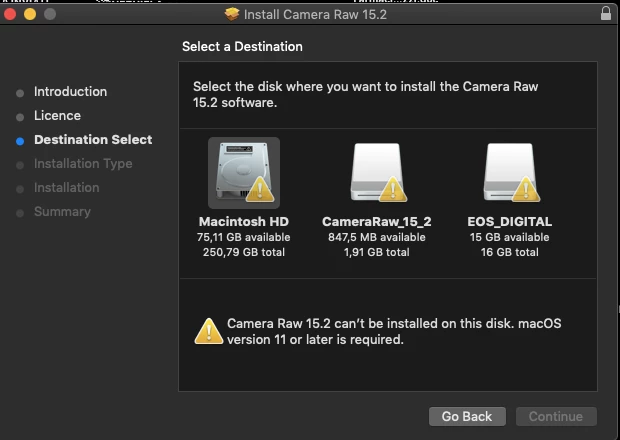
Camera raw 15.2 can't be installed on this disk

  • March 13, 2023
  • 3 replies
  • 312 views

Hi, I opened my last file from my Canon 5D Mark III a few months ago. I have a mac Mojave 10.14.6

So far I downloaded from herehttps://helpx.adobe.com/camera-raw/kb/camera-raw-plug-in-installer.html

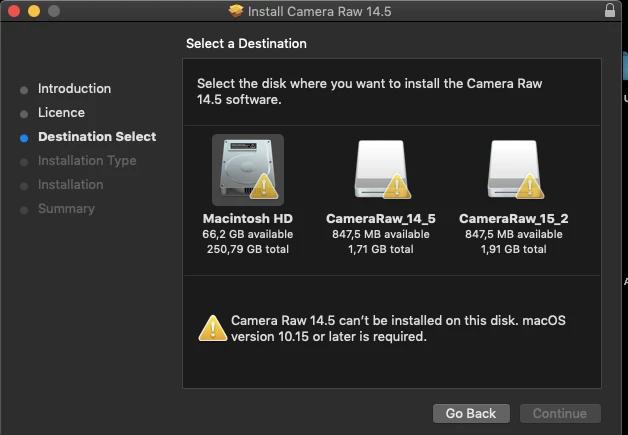
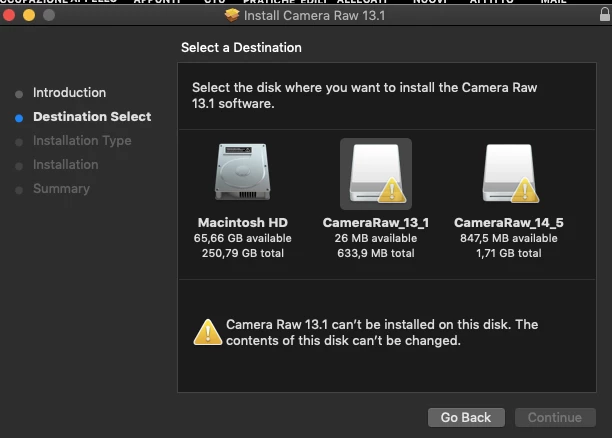
Camera Raw 15.2, 14.5, 13,1, where I am showing "can't be installed on this disk", for the first two, the content of this disk can't be changed, for the third.

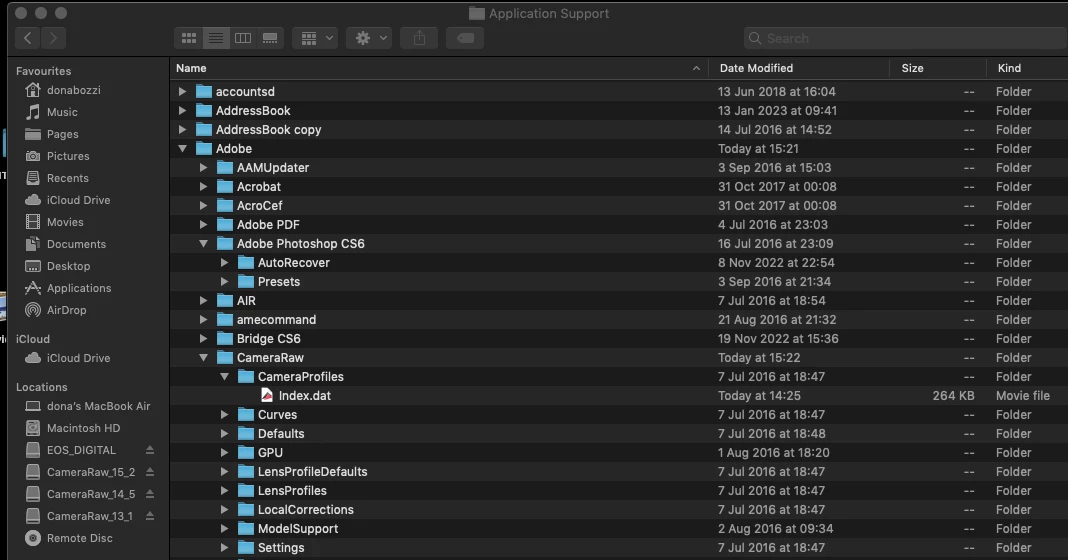
As for finding what version of camera raw I have installed presently, I went to library/adobe support, where Camera Raw shows Camera Profiles, but I can't find my version. I am starting to worry, thanks
 

This topic has been closed for replies.

3 replies

Jeff Arola
Community Expert
Community Expert
March 13, 2023

You have photoshop cs6?


In photoshop cs6 go to Photoshop>About Plug-in>Camera Raw and see what version you have.

Photoshop cs6 can only use up to camera raw 9.1.1, so none of those camera raw versions you installed will work with cs6.


The Canon 5D Mark III requires camera 7.1 or later.


TheDigitalDog
Inspiring
March 13, 2023

System requirements for 15.X show macOS Big Sur (version 11) or later. So you can't use that on 10.X. Did you try Adobe Camera Raw 12.X which does show it's supported in that older OS? That said, Adobe Camera Raw 13.X should run:

https://helpx.adobe.com/camera-raw/system-requirements/2021.html

Could this be a permissions issue? Try running Disk First Aid (Disk Utility), and try again. 

Author “Color Management for Photographers" & "Photoshop CC Color Management/pluralsight"
Inspiring
March 13, 2023
Hi, I tried the dng converter and it works, thanks
Inspiring
March 13, 2023

I just tried the DNG converter 15.2 and it says as well "can't be installed on this disk"

Can't I use PS CS6 anylonger?

Thanks