


Inspiring
April 18, 2022
Answered

Camera raw as filter in photoshop is gone

  • April 18, 2022
  • 1 reply
  • 588 views

My computer crashed, after reinstalling Monteray iMac
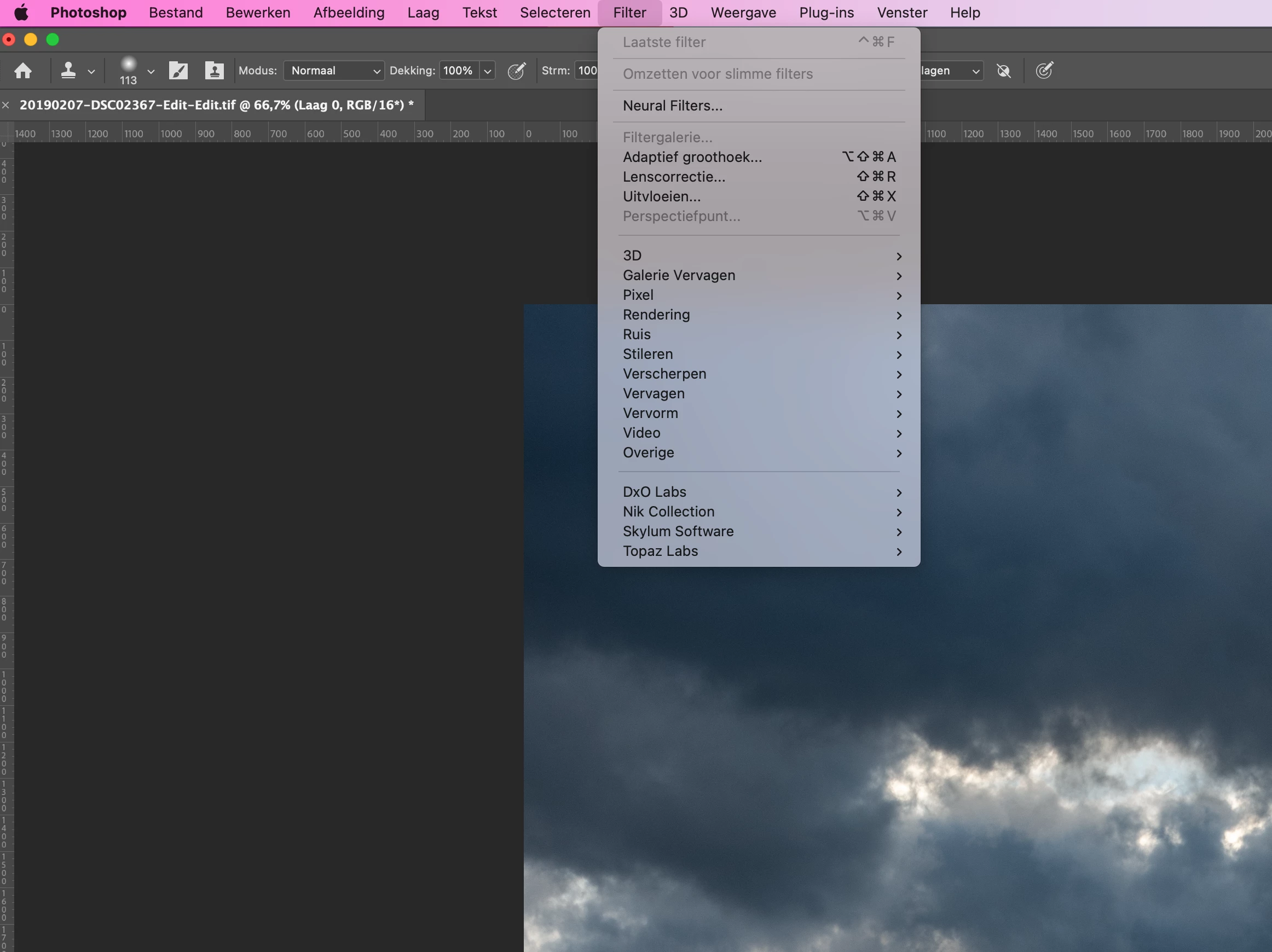
, Lightroom and Photoshop worked again, but camera raw was gone. And I don't see a possibility to reinstall Camera raw. What to do, anybody an idea?

This topic has been closed for replies.
Correct answer TheDigitalDog

Try using the Creative Cloud application to first uninstall Photoshop (keep preferences), then do a reinstall using this CC application. Any better?

1 reply

TheDigitalDog
TheDigitalDogCorrect answer
Inspiring
April 18, 2022

Try using the Creative Cloud application to first uninstall Photoshop (keep preferences), then do a reinstall using this CC application. Any better?

Author “Color Management for Photographers" & "Photoshop CC Color Management/pluralsight"
Inspiring
April 18, 2022

Thanks for your reaction. I’am looking in Creative Cloud for ‘uninstall’ but can’t find something to do so in Creative Cloud app, it states only ‘installing’. Is it possible to give some more advice?


Inspiring
April 19, 2022

Problem is solved, I only hit button 'install' Photoshop and it's working again with my preferences.

Thanks