


fabiankunz88
Participant
October 2, 2017
Question

Camera Raw does not work in Bridge

  • October 2, 2017
  • 1 reply
  • 474 views

Hi Community

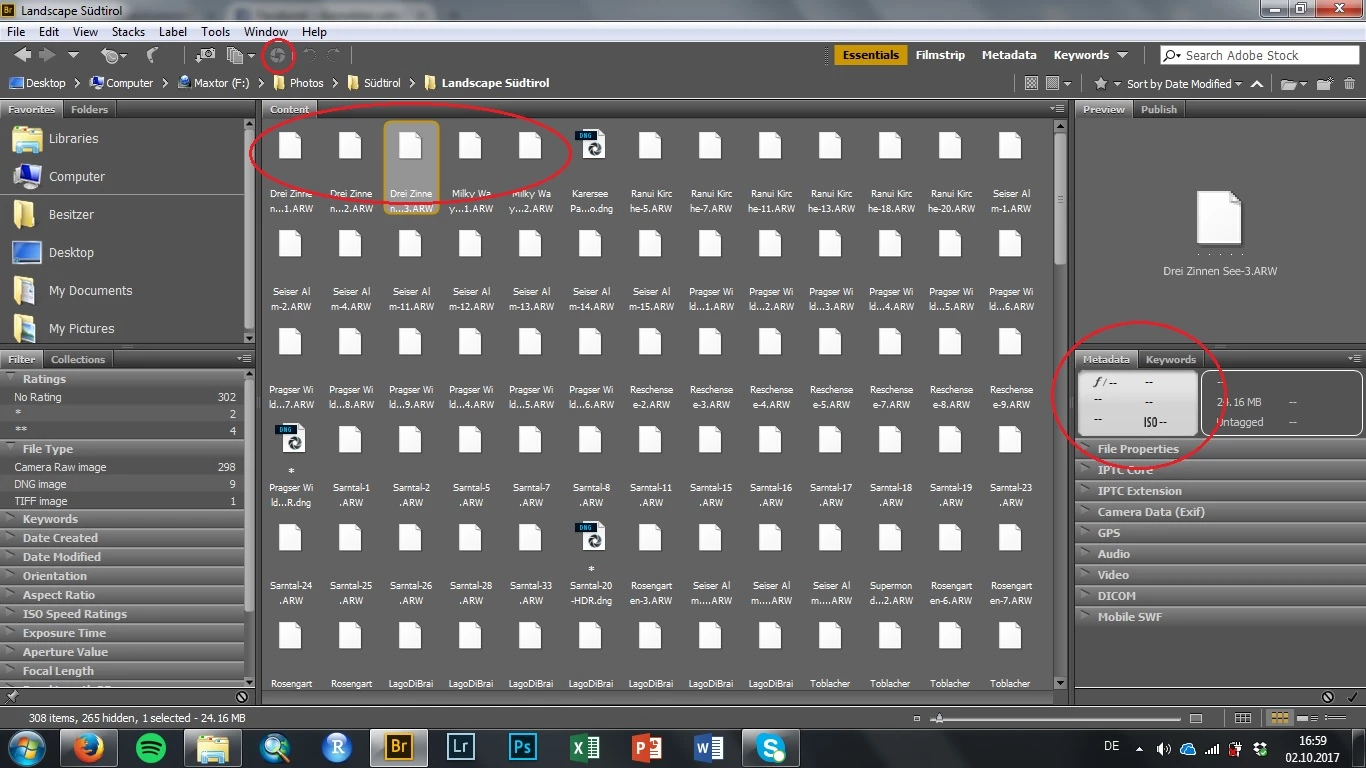
After Updating PS, LR and Camera Raw, CR does not work anymore in Bridge (it does in PS). All raw files in Bridge are shown as generic icon and the camera raw option is not available. Metadata is also not shown (see first screenshot)
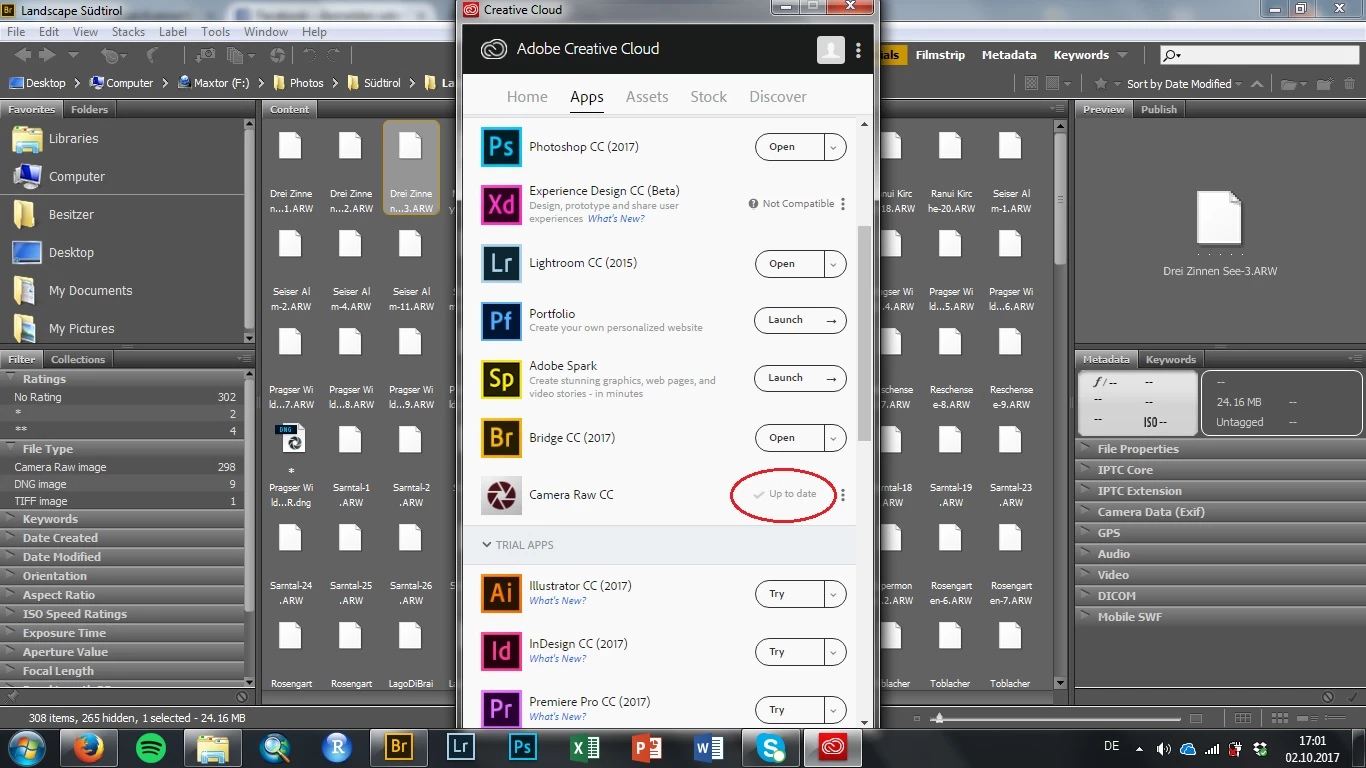
If I go to Help -> Updates it shows that all applications are up to date.
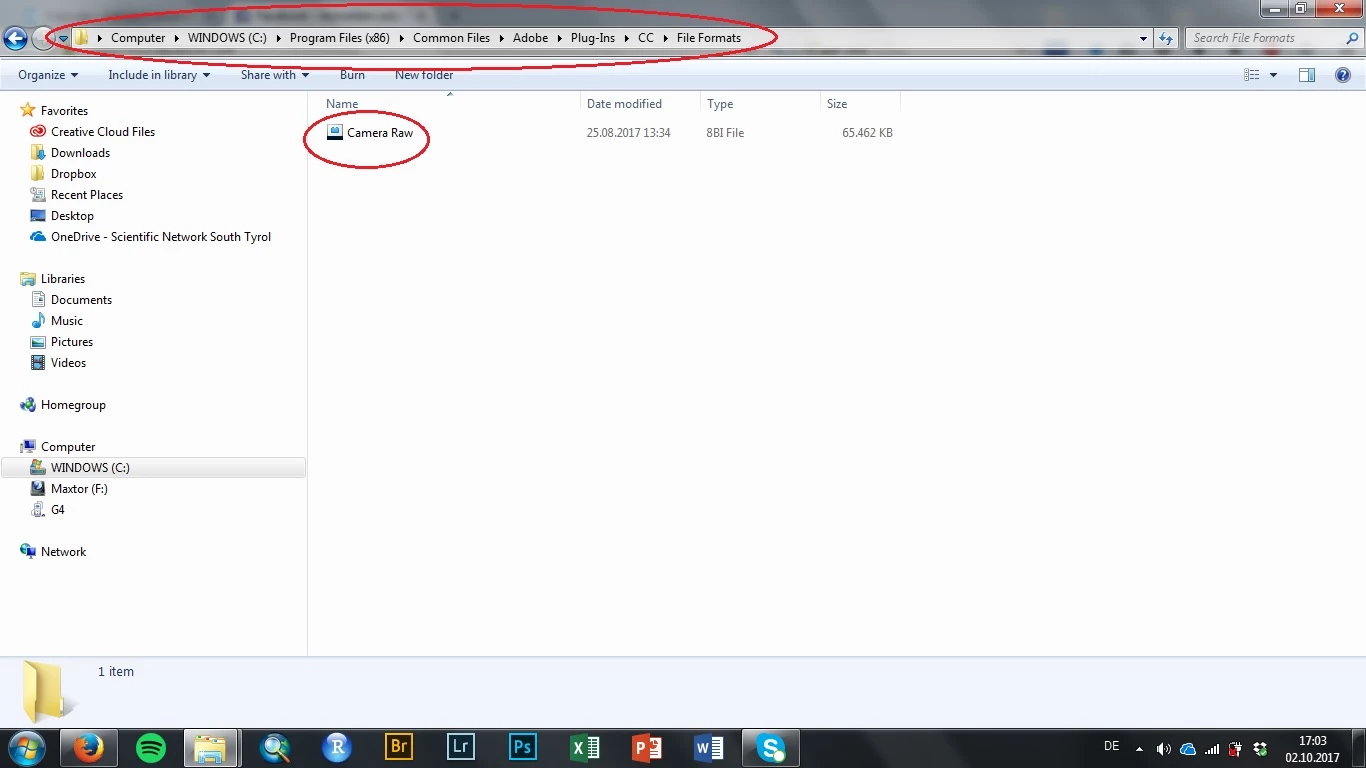
I have checked if the camera raw update is in the right folder. And it seems to be correct.
I also purged the cache of the folder but without any success.

I do not know what else I can do. Please help!

Fabian

This topic has been closed for replies.

1 reply

Sahil.Chawla
Adobe Employee
Adobe Employee
October 12, 2017

Hi Fabian,https://helpx.adobe.com/photoshop/kb/generic-icons-camera-raw-files.html

As your icons are generic in Bridge, could you please try solution 5 mentioned on this link and let us know if it helps: https://helpx.adobe.com/photoshop/kb/generic-icons-camera-raw-files.html

Generic icons | Camera raw files | Adobe Bridge

Regards,
Sahil

fabiankunz88
Participant
October 23, 2017

Hi Sahil

as shown above there is only one version in the right folder.

The other folders mentioned in solution 5 do not contain a camera raw plugin.

Any further advice?

Regards

Fabian