



Camera Raw edits not transferring properly during export
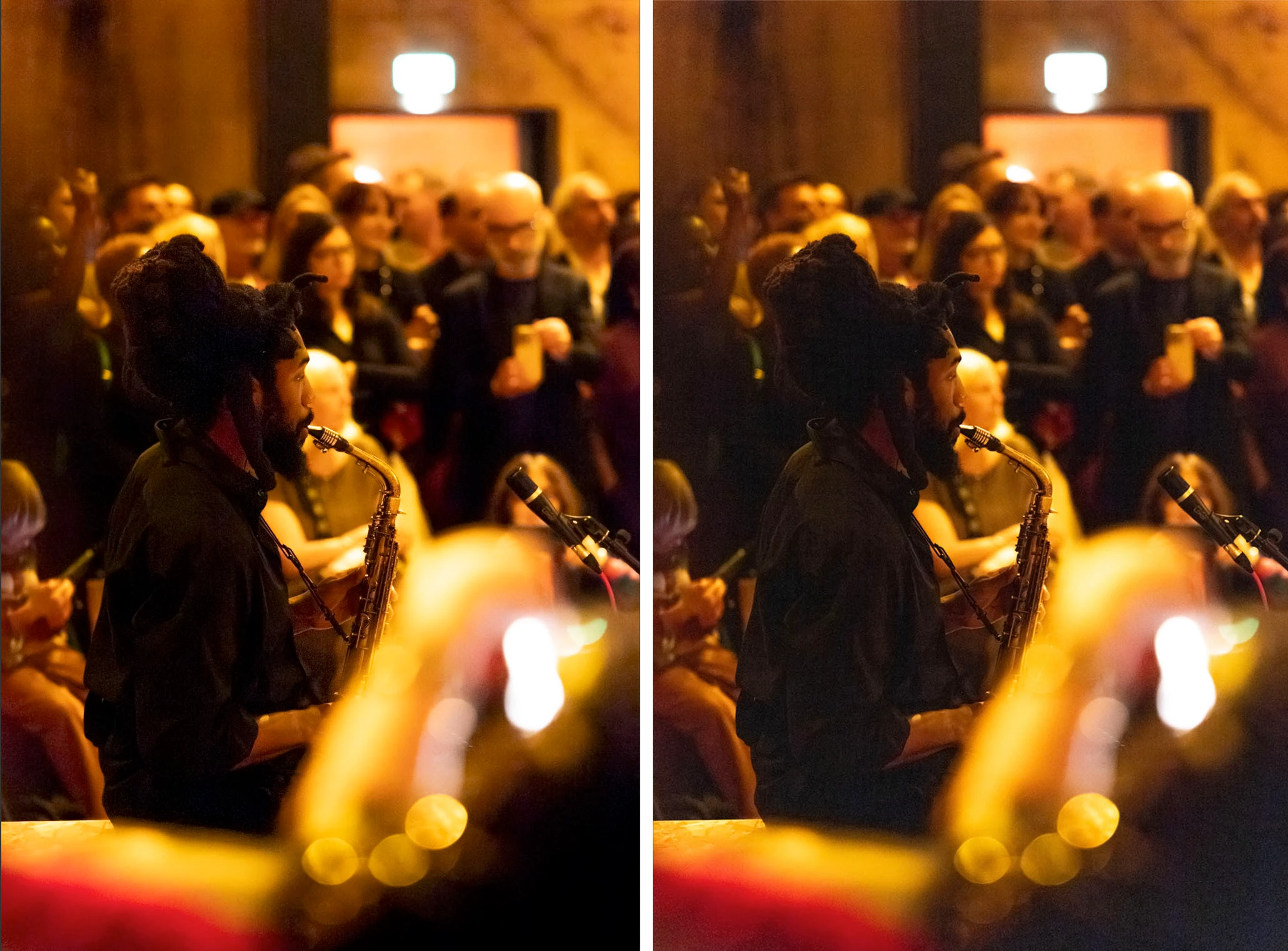
When I go to export my images after editing in CR, the Tiff files look completely different to how they do in CR. I have tried using the save button in CR and Photoshop Image processor, even just opening the files into Photoshop doesn’t work. The format I’m exporting to also does not affect the issue.
The edits themselves use masks and denoise, however I have tried exporting without the masks and the issue is still there.
What is more bizarre is each time I export, the file comes out slightly differently. I thought it may be a GPU issue and so reset the GPU support, but again to no avail.
To clafiy there are no compression settings being applied when exporting.
I’m running the latest updates of Photoshop, Raw and Bridge on Tahoe 26.5 with 32GB Ram
Any help would be hugely appreciated!
 AdChoices