


Participant
November 18, 2022
Question

Camera Raw Filter darkening image automatically

  • November 18, 2022
  • 2 replies
  • 296 views

I'm not sure if I'm asking this in the right place. Today, out of nowhere, when I open an image in the Photoshop Raw Filter, it immediatly crushes the blacks in the image. I use this filter every day on pretty much every image I edit and I've never had this problem. Does anyone have an idea on what to do?
The compression on this screenshot may make it too subtle to see here but the top image you can see into the shadows and the bottom one the blacks are completely crushed. This happens in Photoshop 2021 and 2023. Image is a 300dpi JPG that was first edited in LR.
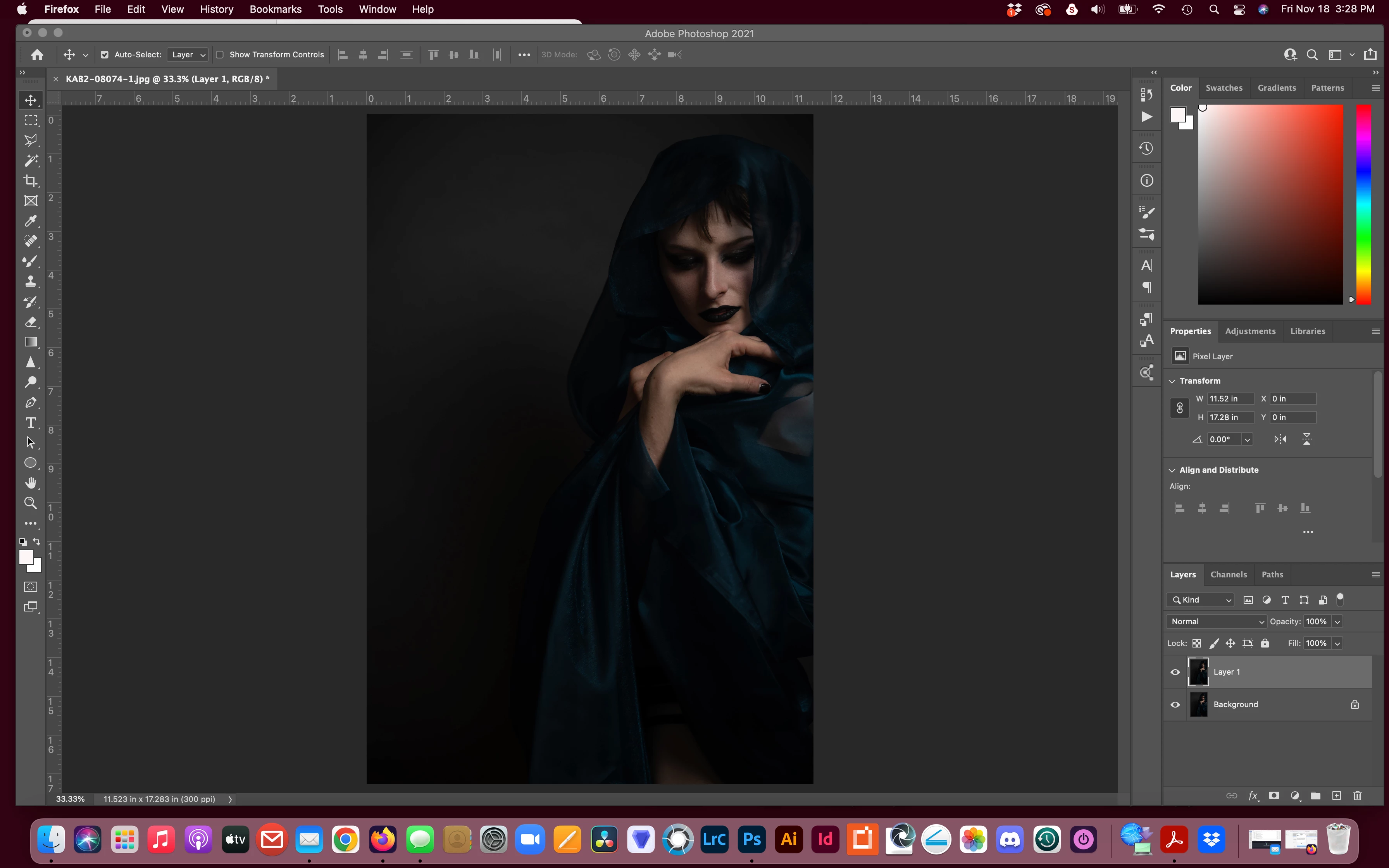
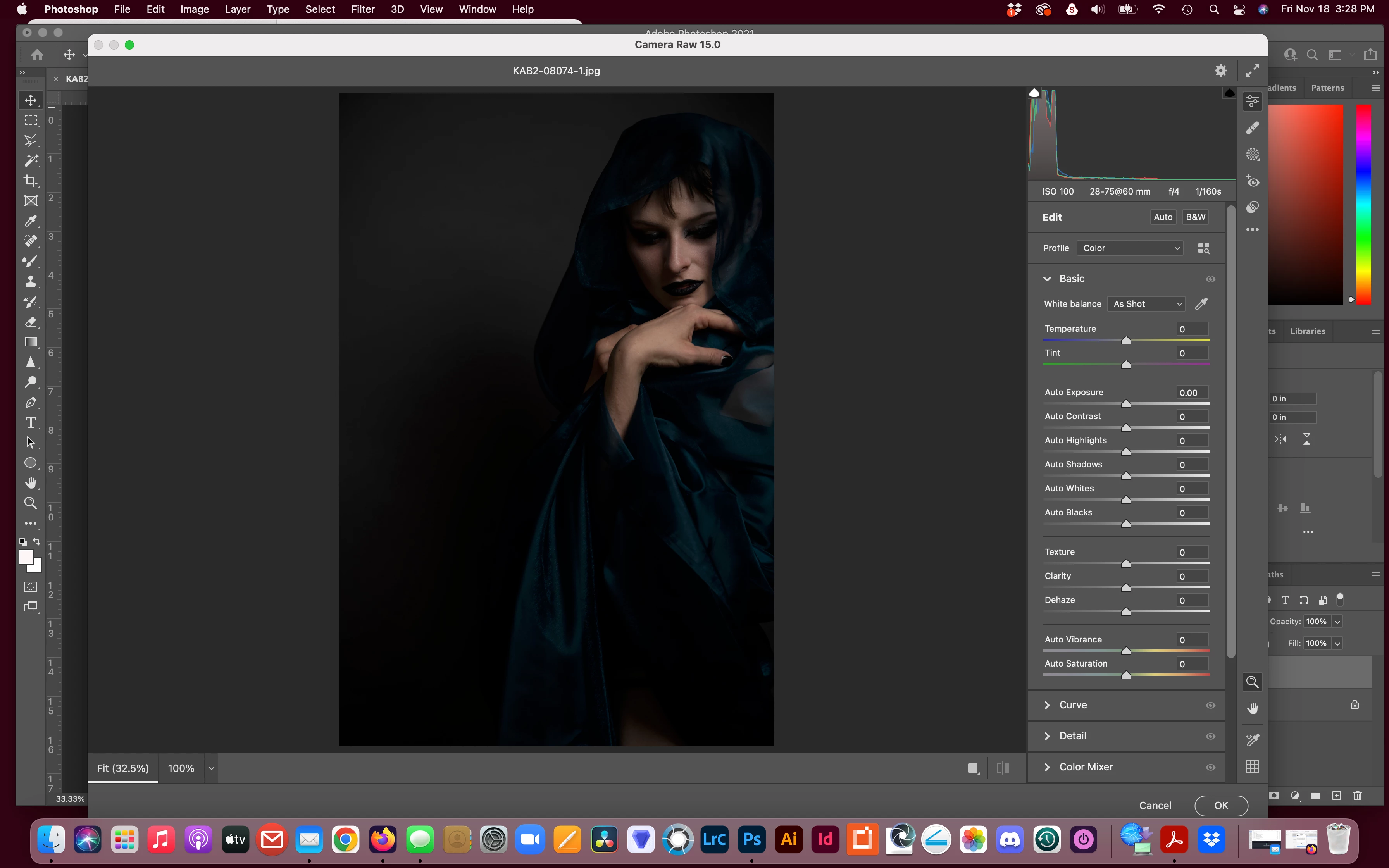
This topic has been closed for replies.

2 replies

TheDigitalDog
Inspiring
November 18, 2022

One more thing: Always view a comparison of the two at 100% zoom (not zoomed out). 

Can you post a screen capture of the two 'versions' at that zoom ratio? 

Author “Color Management for Photographers" & "Photoshop CC Color Management/pluralsight"
TheDigitalDog
Inspiring
November 18, 2022

To be clear, you're using ACR as a FILTER on an existing rendered image, not the plug-in to render raws? 

You may want to look here as your issue and this user may be the same, but we need a lot more data:

https://community.adobe.com/t5/camera-raw-discussions/dark-images-in-acr/td-p/13355135

What you might try is resetting the Camera Raw preferences:
Hold down the Command key and select Photoshop > Preferences > Camera Raw (macOS) or hold down the Ctrl key and select Edit > Preferences > Camera Raw (Windows).
Click Yes in the dialog that asks "Delete the Camera Raw Preferences?"
See also:
https://helpx.adobe.com/camera-raw/using/camera-raw-settings.html 

Author “Color Management for Photographers" & "Photoshop CC Color Management/pluralsight"