


Known Participant
April 26, 2018
Answered

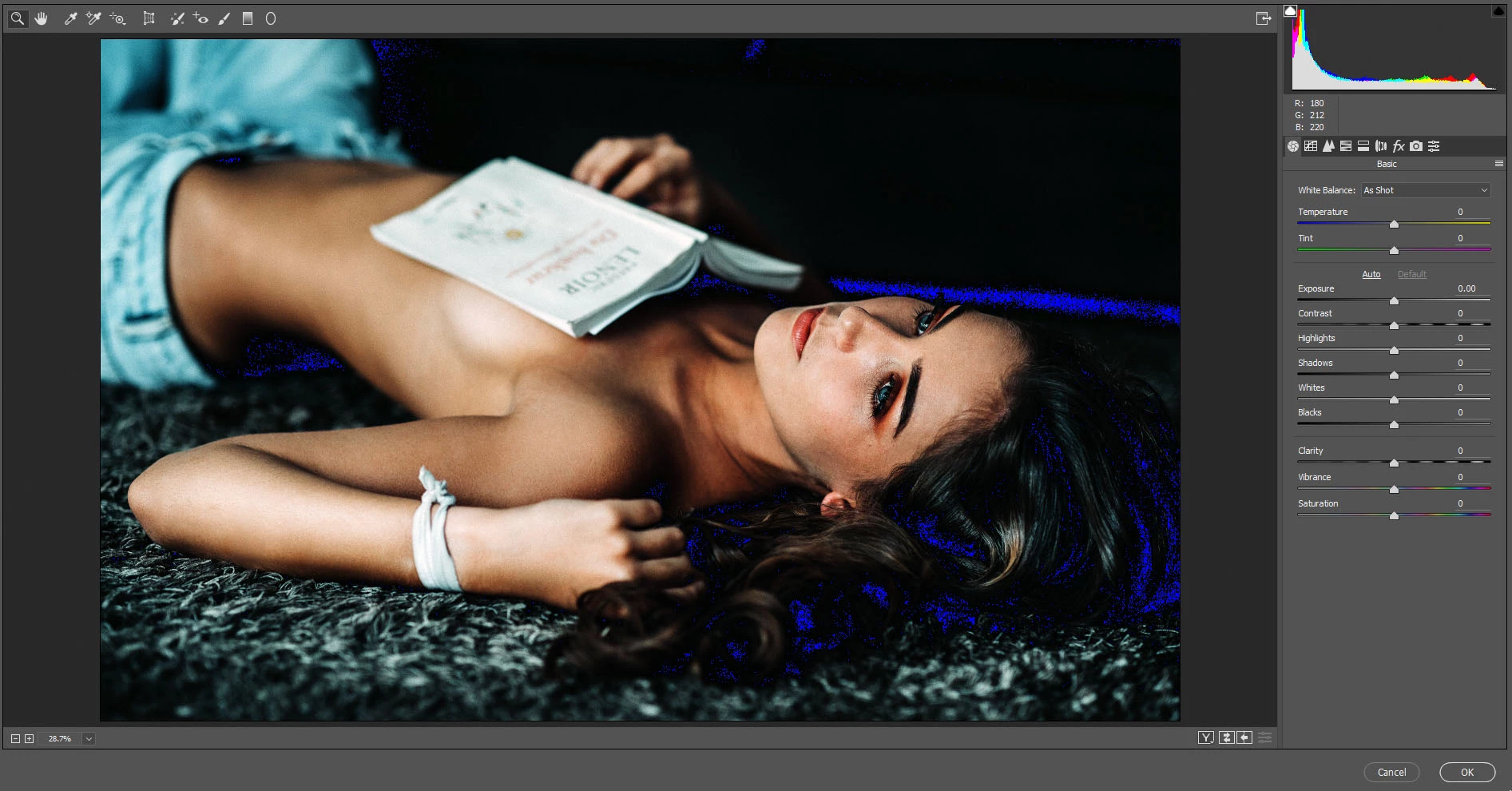
Camera Raw Filter Showing Blue Pixels

  • April 26, 2018
  • 1 reply
  • 6500 views

It just started today and since then I've updated both graphics cards, reset preferences, reset dialogues, and reset the workspace. I have zero plugins.

For a few of my photos (stock I've downloaded) I remove the color cast, merge the layers, convert to smart object, and open camera raw and this is what I'm presented with. It hasn't done this to ALL my photos, but quite a few of them. Can anyone tell me what's going on here? I'd really appreciate it.

Thanks.
Correct answer Chuck Uebele

That's the black clipping detector. If you want to turn in off click on the top left arrow of the histogram. The right triangle is the highlight clipping. You'll see red, when pixels are clipped on that end.

1 reply

Chuck Uebele
Community Expert
Chuck UebeleCommunity ExpertCorrect answer
Community Expert
April 26, 2018

That's the black clipping detector. If you want to turn in off click on the top left arrow of the histogram. The right triangle is the highlight clipping. You'll see red, when pixels are clipped on that end.

Known Participant
April 26, 2018

Thank you so, so much! I feel like such an idiot though lol

Participant
December 20, 2024

Your not alone! I had this too!! Since 2023, never knew why or what it meant... today i was busy with an assigment and i needed to edit some pic's in Camera Raw and got it again. I decided to seach it up, came out on your post and looked at the answerd and i feel like a complete idiot too... something that easy... 

thanks for posting it (in 2018)!! It helped me now!!
