

Participant
January 10, 2019
Answered

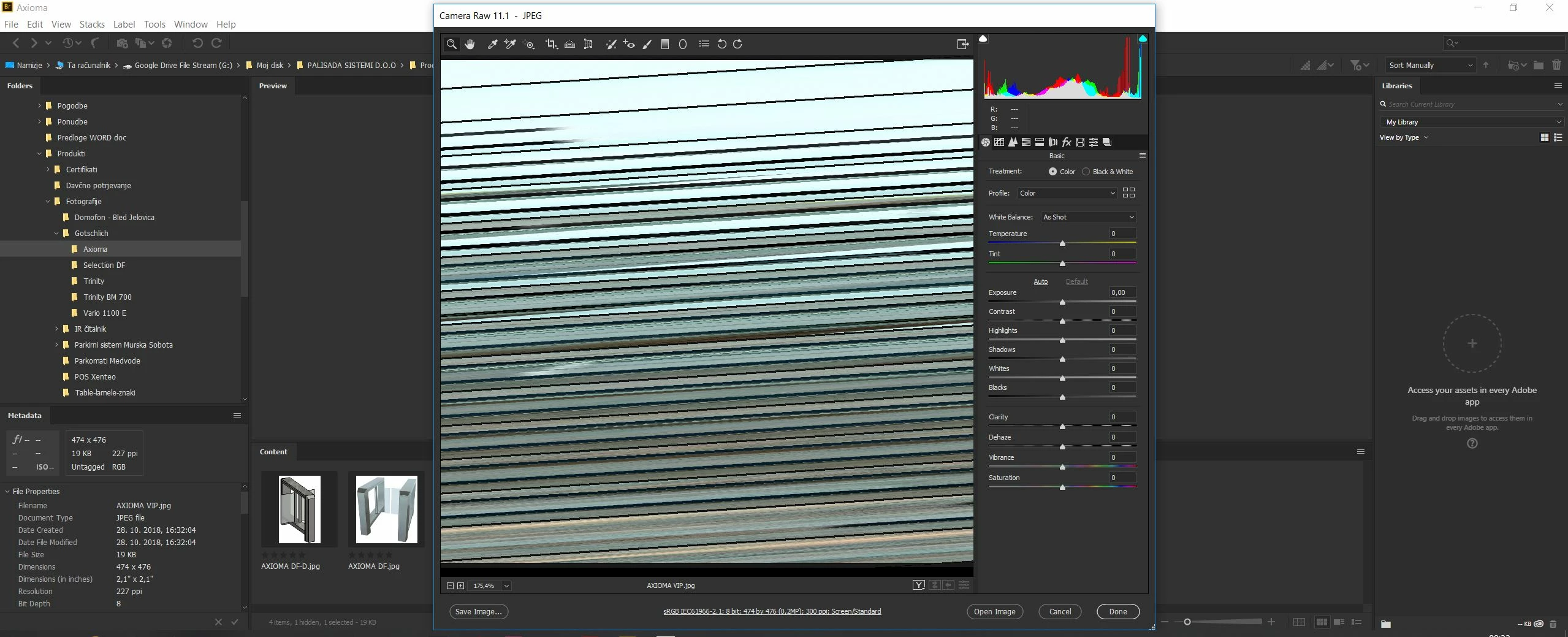
Camera RAW funny display
  • January 10, 2019
  • 1 reply
  • 445 views

Hi.

Is there anyone who ever had the same issue. I would be very thankfull for any help. Jernej

    This topic has been closed for replies.
    Correct answer Per Berntsen

    While in the Camera Raw window, press Ctrl+K to bring up preferences, then uncheck Use graphics processor at the bottom.

    Updating your graphics driver may make it possible to work with the graphics processor (GPU) enabled.

    1 reply

    Per Berntsen
    Community Expert
    Per BerntsenCommunity ExpertCorrect answer
    Community Expert
    January 10, 2019

    While in the Camera Raw window, press Ctrl+K to bring up preferences, then uncheck Use graphics processor at the bottom.

    Updating your graphics driver may make it possible to work with the graphics processor (GPU) enabled.

    Participant
    January 10, 2019

    Thanks Per. It works now.