


Participating Frequently
June 10, 2019
Question

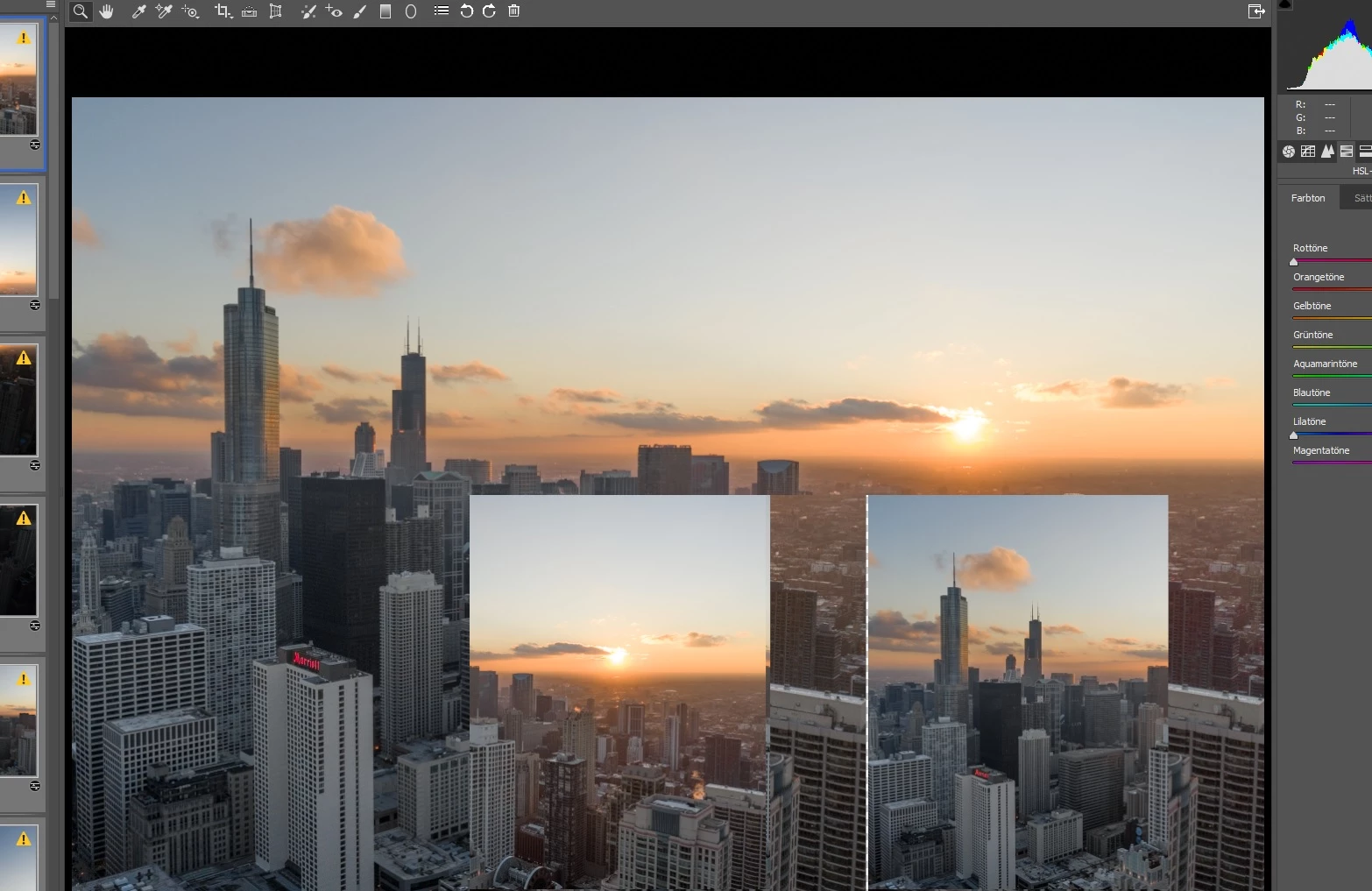
Camera Raw generating faulty live preview

  • June 10, 2019
  • 3 replies
  • 2552 views

Hello Community.

In another thread my question about the zoom functionality in Camera Raw has just been answered. The solution was to turn on graphics processor support in Camera Raw settings. After editing my first image  again however, I remember why I turned it off a few months ago. When sliding ANY slider to the left or right while multiple images are selected, Camera Raw creates weird images in the images until I move the slider again (images are flashing).

Can anyone help to resolve this issue?

I run the latest Version of Photoshop and Camera Raw on Windows 10 x64. It happens with any kind of raw images.
This topic has been closed for replies.

3 replies

Martin_Bns
Inspiring
June 10, 2019

Happening the same to me. It'a driver bug or graphics card bug. Are u on windows 10?

Participating Frequently
June 10, 2019

yes

June 10, 2019

Hi

Does this happen with Use Graphics Processor disabled?

Have you tried updating your GPU driver from the manufacturers website

Participating Frequently
June 10, 2019

drivers are all up to date, it doesn't happen with graphics driver support off. But when turned of, the behaviour of the zoom functions changes to a way that makes it annoying to use

June 10, 2019

You could try resetting Camera Raw preferences

How To: Reset Camera Raw Preferences - YouTube

D Fosse
Community Expert
Community Expert
June 10, 2019

Regrettably, the solution to this one is to turn it off again. This is a classic video driver bug.

Keep looking for updated drivers. When you find one that works, stick to it.

Participating Frequently
June 10, 2019

Turning it off only seems like a temporary solution and since this has been happneing for almost a year now there must be a better solution