Known Participant
December 11, 2019
Answered

CAMERA Raw GPU not supported when open via PSCC2020 preference CRaw...

  • December 11, 2019
  • 3 replies
  • 1195 views

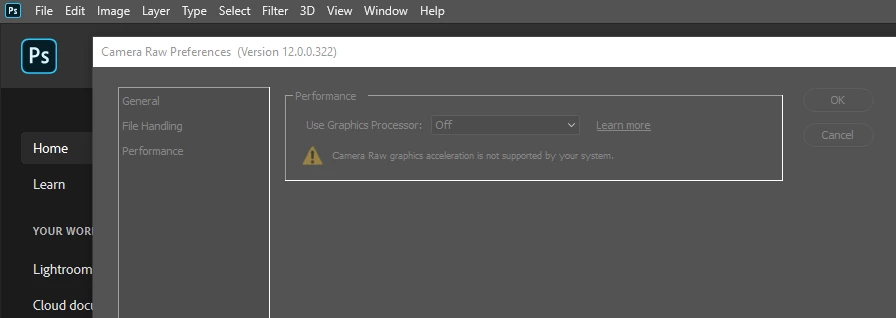
CameraRaw preference GPU not supported when Access  via PSCC2020 preference/CRaw...

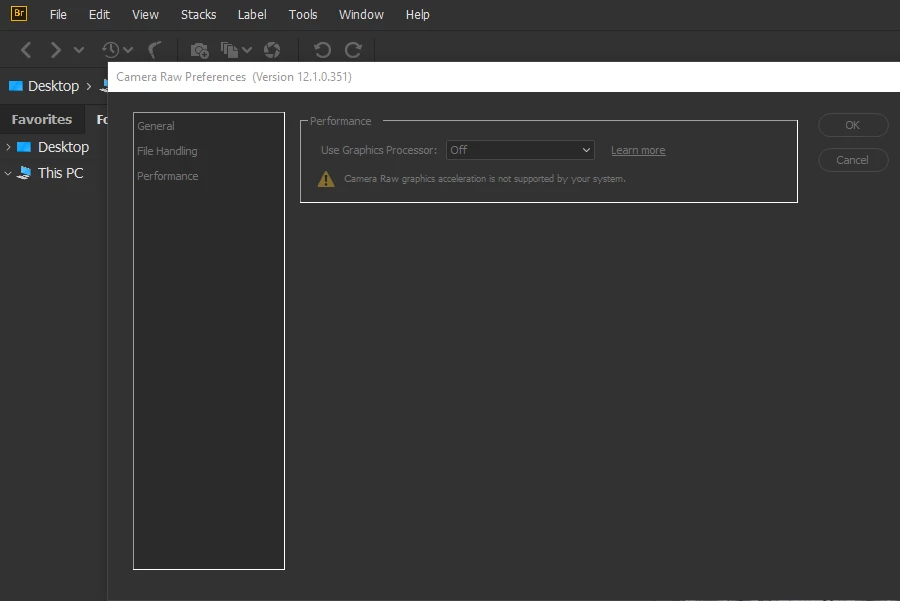
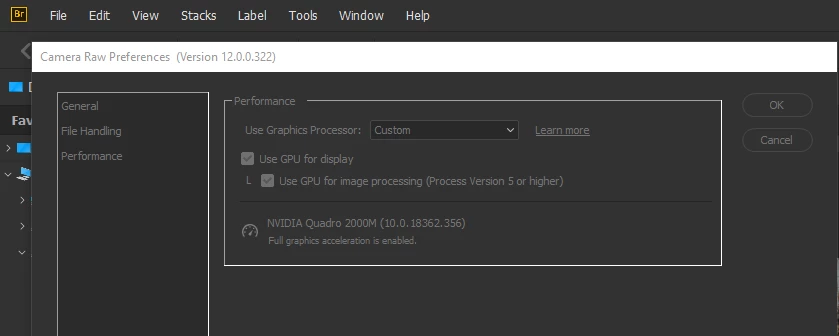
CameraRaw preference GPU  supported when Access via Bridge preference/CRaw...

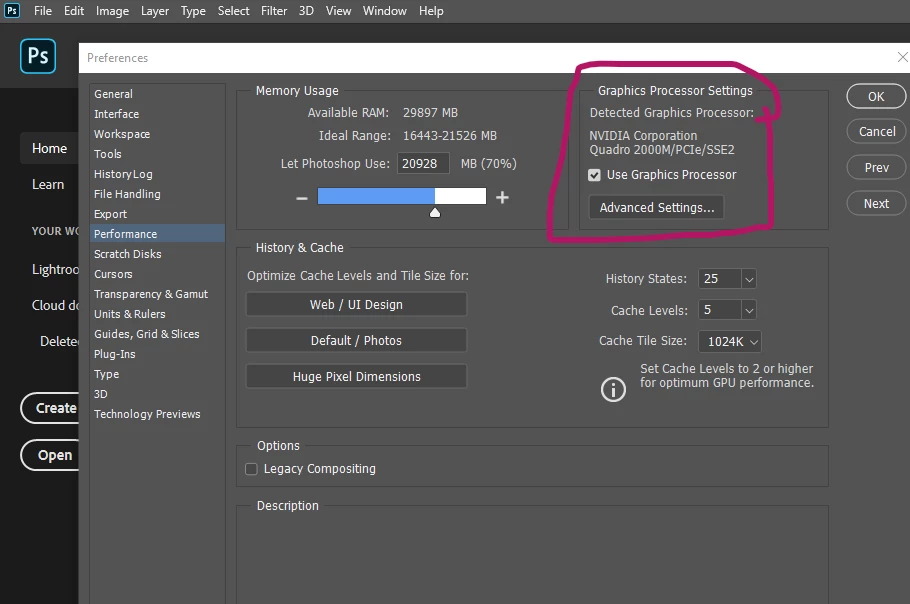
PSCC preference/performance/ GPU supported...


Why CameraRaw appears not supported when accessible via PSCC2020, but it's supported when accessible via Bridge ?    and PSCC2020 the GPU is supported... but not in CRaw ?


Windows 10 pro (latest update intall) 

All Adobe creative cloud apps have the latest update...
This topic has been closed for replies.
Correct answer Abambo

Windows 10 pro (latest update intall) 


It's always good to give the exact version numbers as "the latest update" will be untrue the very next moment when the new latest update is out...


You are posting screenshots with 2 different versions of Camera RAW...

3 replies

dfranzen_camera_raw
Adobe Employee
Adobe Employee
December 12, 2019

https://helpx.adobe.com/photoshop/kb/acr-gpu-faq.html


Please try the troubleshooting instructions provided on the Camera Raw GPU FAQ.


Thank you,

David Franzen

ssprengel
Inspiring
December 11, 2019

Why are there two different screenshots, the first and the last in the original message, showing Bridge / Preferences / Camera Raw... ?


Between those two screenshots, the versions of ACR are different and the number of expanded folders under My PC is different, suggesting two different computers.


What is the GLDriverDate in PS / Help / System Information:

Known Participant
October 9, 2021

thanks for your answer.

I still have the same issues. But since the latest update of Bridge, sometimes Bridge doesn't recognize the GP processeur. And Since then I can<t send any imaages from Bridge to Ps because bridge asking for the latest PS version 2021 !!!

Now :  Photoshop 2020 v 21.2.12.215   / CR preferences: v 13.4.0.872

Now : Bridge is 2021 v 11.1.1.185  /   CR preferences: v 13.4.0.872

thow different screenshoot to show the problem.

one shoot show CR access from Bridge   to show that CR preference\performance  GPU is recognize and in use

one shoot show CR access from Photoshop 21.2.12   to show that CR preference\performance  GPU is NOT recognize and not in use.

So the question was : why in Bridge  CR have access to the GPU and not in Photoshop ?

as you recall it's like that since a long time....


Adobe Photoshop Version: 21.2.12 20210906.r.215 2021/09/06: 42f819acb35 x64

glgpu[0].GLDriverDate="20180113000000.000000-000"


benoit Kapture foto
Abambo
Community Expert
AbamboCommunity ExpertCorrect answer
Community Expert
December 11, 2019

Windows 10 pro (latest update intall) 


It's always good to give the exact version numbers as "the latest update" will be untrue the very next moment when the new latest update is out...


You are posting screenshots with 2 different versions of Camera RAW...

ABAMBO | Hard- and Software Engineer | Photographer