Participating Frequently
October 2, 2022
Answered

Camera Raw Highlights slider not working correctly

  • October 2, 2022
  • 4 replies
  • 647 views

everything updated to the latest version of Camera Raw and Photoshop on Windows 10 x64.

opening Camera Raw as filter or plugin for RAW files doesn't matter.
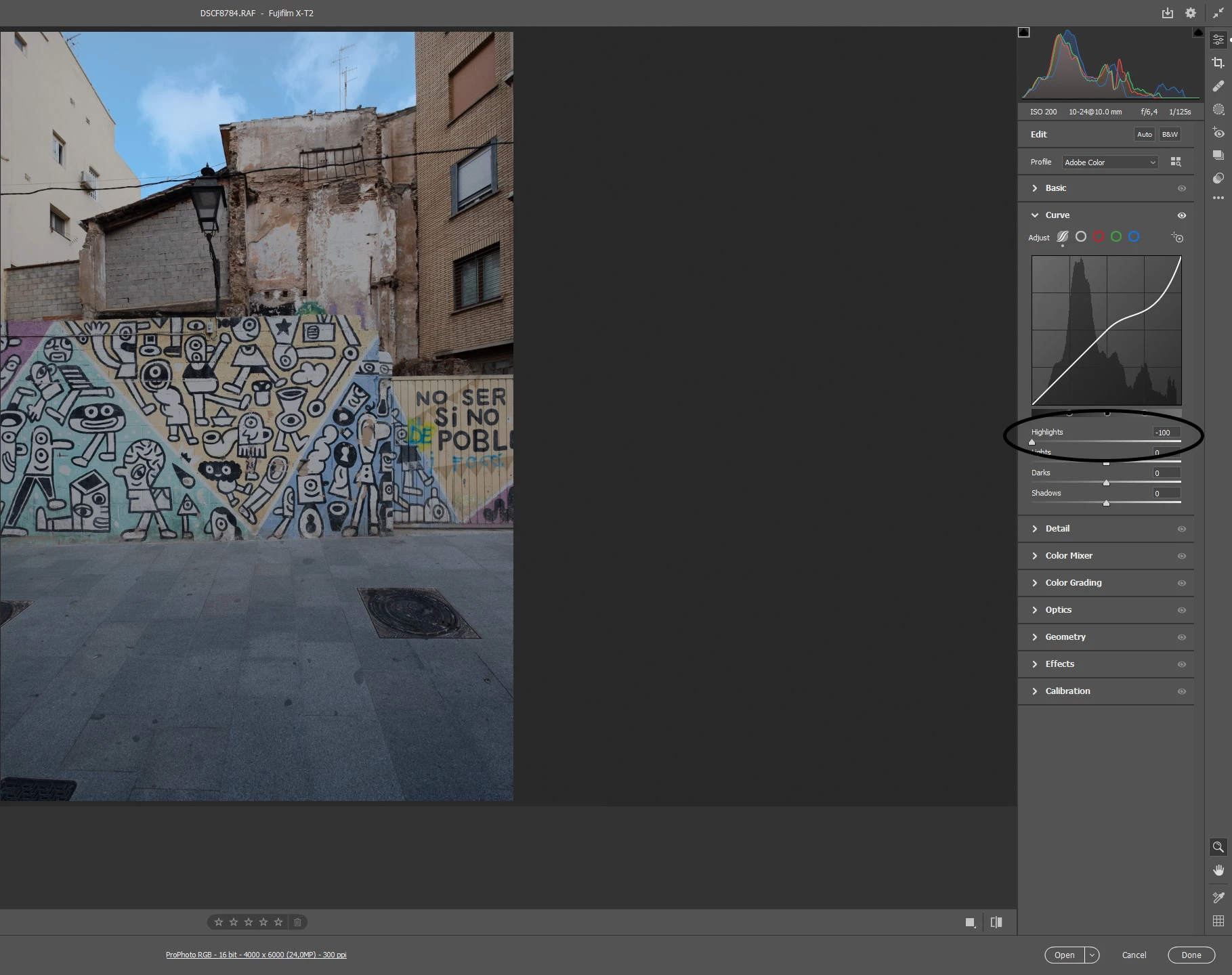
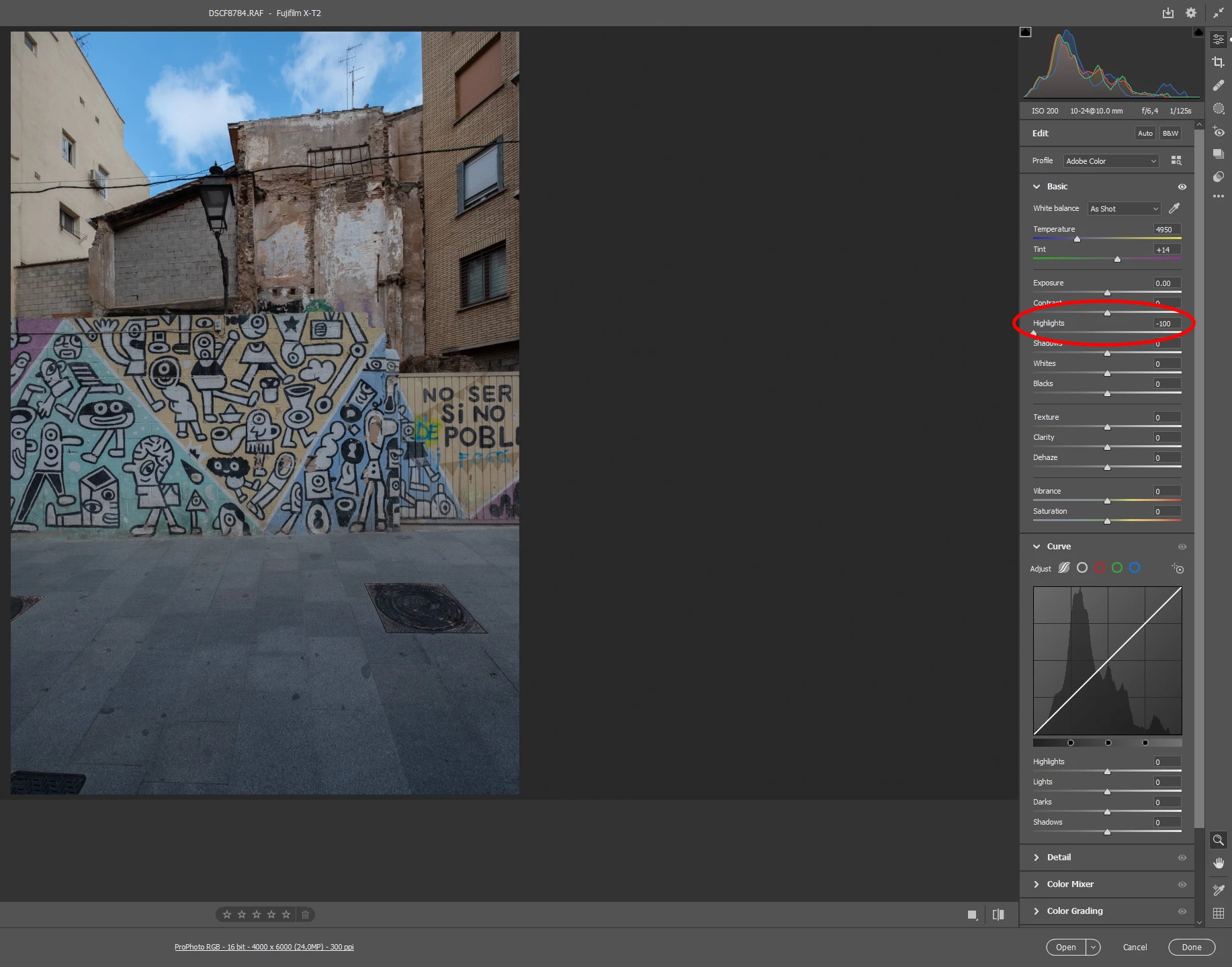
the Highlights slider under Basic tab has a strange behaviour, like moving the midtones too instead of only the Highlights, you can see the difference from the Highlights under the Curve tab.

you can notice also the Histogram way more to the left when using the Basic/Highlights slider.

is it me or something went wrong from the last update?

This topic has been closed for replies.
Correct answer TheDigitalDog

It seems better, still taking down a little bit the exposure but not as much as before.
What happened?
i never messed around with this setting.


What happened (appears to have happened) was a preset applied with the profile. You can further tweak any settings desired and create a preset to apply to a default setting. See the URL provided.

4 replies

TheDigitalDog
Inspiring
October 2, 2022

Show us a screen capture of the Raw Defaults for the raws that show this. 

https://helpx.adobe.com/camera-raw/kb/acr-raw-defaults.html

Author “Color Management for Photographers" & "Photoshop CC Color Management/pluralsight"
IronFlyAuthor
Participating Frequently
October 2, 2022

IronFlyAuthor
Participating Frequently
October 2, 2022

Sorry wrong screenshot in the previous post, this is the good one:

TheDigitalDog
Inspiring
October 2, 2022

All raws or just this one raw? 

Author “Color Management for Photographers" & "Photoshop CC Color Management/pluralsight"
IronFlyAuthor
Participating Frequently
October 2, 2022

I double checked and it did that behaviour on low contrast situations (or underexposed -1EV), especially with subjects on shadows; darks are untouched.
looking at the histogram, the highlights slider on Basic tab, move the exposure section too; other RAW  converters work as intended as the Highlights under Curve tab on Camera Raw.
Files are no compressed RAF (RAW) from a Fujifilm X-T2.

TheDigitalDog
Inspiring
October 2, 2022
quote

other RAW  converters work as intended as the Highlights under Curve tab on Camera Raw.
Files are no compressed RAF (RAW) from a Fujifilm X-T2.


By @IronFly

Other raw converters are moot; they all differ, and they all use their own unique proprietary settings, defaults etc. 

Author “Color Management for Photographers" & "Photoshop CC Color Management/pluralsight"
Chuck Uebele
Community Expert
Community Expert
October 2, 2022

Moved to the Camera Raw forum, from the Photoshop forum.

IronFlyAuthor
Participating Frequently
October 2, 2022

Sorry, forgot to attach pics of the issue.
Original file is Tiff 16bit ProPhoto