


Participating Frequently
January 23, 2017
Question

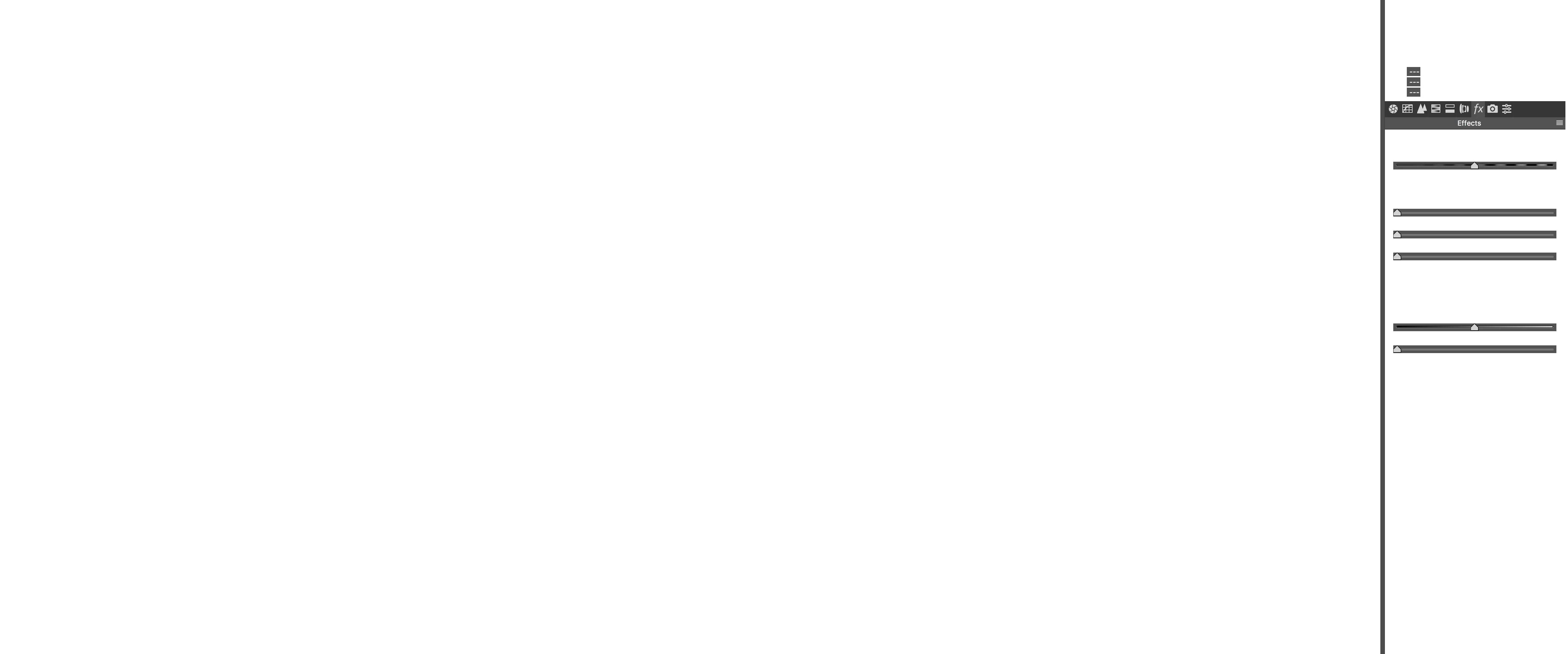
Camera Raw labels vanished....help!

  • January 23, 2017
  • 2 replies
  • 1149 views

Hey Gang,

I had this problem on my older MacBook Pro (2013 Retina), but I just got a new 2016 MacBook Pro and I have the same exact issue.  Camera raw labels are disappearing.  This is SO frustrating.  I have very little other software installed on this new machine.  There is nothing like "Clean my Mac" or any other app that recovers disk space.

Please help...I can't be the only one. 

Rob
    This topic has been closed for replies.

    2 replies

    Chuck Uebele
    Community Expert
    Community Expert
    May 22, 2020

    Moved to the Camera Raw forum, from the Photoshop forum.

    davescm
    Community Expert
    Community Expert
    January 23, 2017

    Have you tried unchecking Use Graphics Processor in camera raw preferences

    Dave

    rsiglerAuthor
    Participating Frequently
    January 24, 2017

    Why would I want to disable the graphics processor in a program that probably uses the graphics processor a lot?  Just curious?

    Rob

    davescm
    Community Expert
    Community Expert
    January 24, 2017

    You disable it to narrow down the problem you have reported you are seeing on screen. If it does not help - then re-enable and you may need to fully reset preferences or re-install.

    If it does help then you need to look further into the video drivers.

    Dave