


Participant
May 18, 2019
Question

Camera Raw load preset ERROR message

  • May 18, 2019
  • 1 reply
  • 707 views

Hello there,

I am using Photoshop 2018 on mac, my friend sent me a preset for me in .XMP of course, he uses PS 2017 on mac

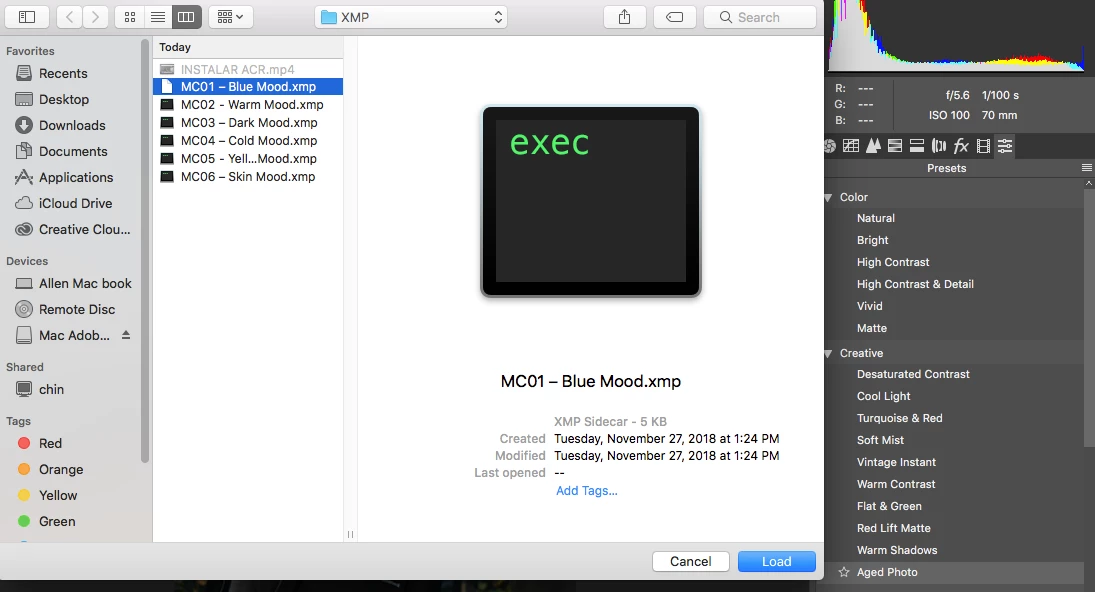
When I load my preset like pic below then will show up error message...
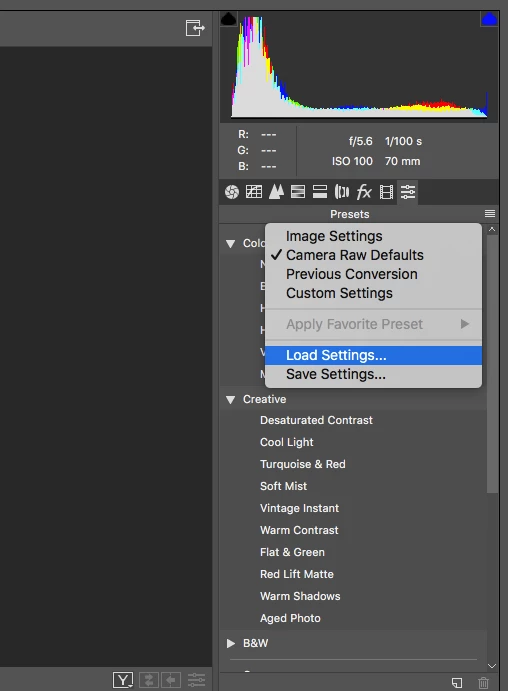
THESE ARE THE PRESETS
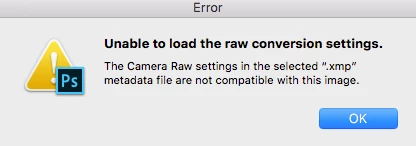
THIS IS THE ERROR Message!! Can you guys advice please?
ALSO PLEASE NOTE THIS PRESET I HAVE TRIED ON ANY PHOTOSHOP ON WINDOW ''IT WORKS PERFECTLY''

I don't know  why on my app doesn't work....

PLEASE HELP!

Thanks

    This topic has been closed for replies.

    1 reply

    Akash Sharma
    Legend
    May 20, 2019

    Hi Allen,

    Sorry that you're getting an error message "unable to load the raw conversion settings" while loading a preset you got from one of your friends.

    Could you please take a look at the below similar discussions and check if mentioned suggestions help resolving the issue?

    UNABLE TO SAVE THE RAW CONVERSION SETTINGS

    Camera Raw: Unable to save raw conversion settings in Mac OS Mojave. | Photoshop Family Customer Community

    Let us know how it goes.

    On a side-note, you're using Photoshop CC 2018, but the latest version of Photoshop CC 2019(20.0.3) Have you tried using the preset in the latest app version? Keep Adobe Photoshop up to date

    Thanks,

    Akash