


Participant
March 4, 2023
Answered

CAMERA RAW Locks Bridge and PS

  • March 4, 2023
  • 1 reply
  • 386 views

When trying to launch ACR from Bridge or PS 24.2 It appears that ACR tries to launch, and I briefly get a pop up but then Bridge or PS freezes.  


This is what I get in task manager when it locks.
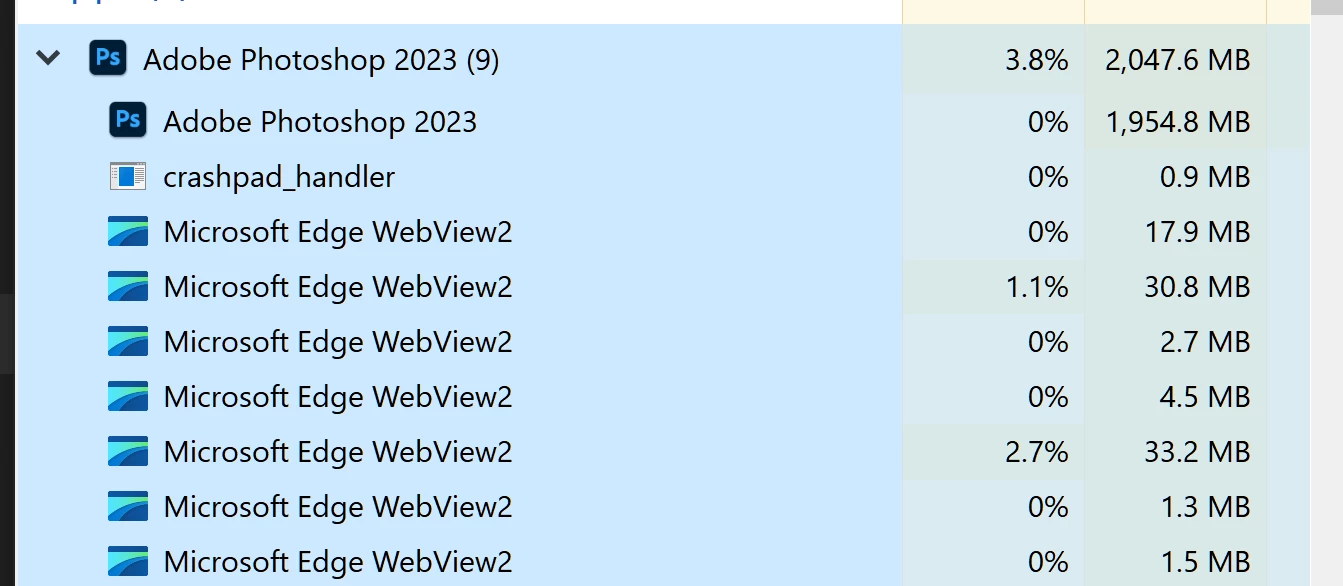


Windows 10

Geforce GTX 1050


Thanks,

Rob


This topic has been closed for replies.
Correct answer TheDigitalDog

Try resetting the Camera Raw preferences:
Hold down the Command key and select Photoshop > Preferences > Camera Raw (macOS) or hold down the Ctrl key and select Edit > Preferences > Camera Raw (Windows).
Click Yes in the dialog that asks "Delete the Camera Raw Preferences?"
See also:
https://helpx.adobe.com/camera-raw/using/camera-raw-settings.html


1 reply

TheDigitalDog
TheDigitalDogCorrect answer
Inspiring
March 5, 2023

Try resetting the Camera Raw preferences:
Hold down the Command key and select Photoshop > Preferences > Camera Raw (macOS) or hold down the Ctrl key and select Edit > Preferences > Camera Raw (Windows).
Click Yes in the dialog that asks "Delete the Camera Raw Preferences?"
See also:
https://helpx.adobe.com/camera-raw/using/camera-raw-settings.html


Author “Color Management for Photographers" & "Photoshop CC Color Management/pluralsight"
rgm1999Author
Participant
March 6, 2023

From Photoshop, when I go into Camera Raw Preferences, I do not see a dialog box for Delete the Camera Raw Preferences.  


TheDigitalDog
Inspiring
March 6, 2023
quote

From Photoshop, when I go into Camera Raw Preferences, I do not see a dialog box for Delete the Camera Raw Preferences.  


By @rgm1999

Because it's not there.

Author “Color Management for Photographers" & "Photoshop CC Color Management/pluralsight"