

Answered

Erik BloodaxeCorrect answer
Legend
March 14, 2025
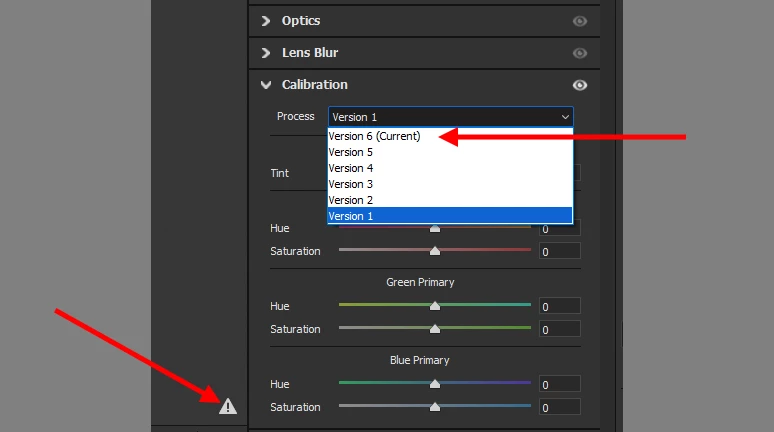
Click the warning triangle at bottom right to update to the current process version.
Alternativley , in the Calibration Panel, change the Process to Version 6 (Current).

Already have an account? Login
Enter your E-mail address. We'll send you an e-mail with instructions to reset your password.
 AdChoices