

Answered
Camera raw reds turn orange
Can anyone help? Recently updated CC apps and now in camera raw version 9.12.1 the reds are orange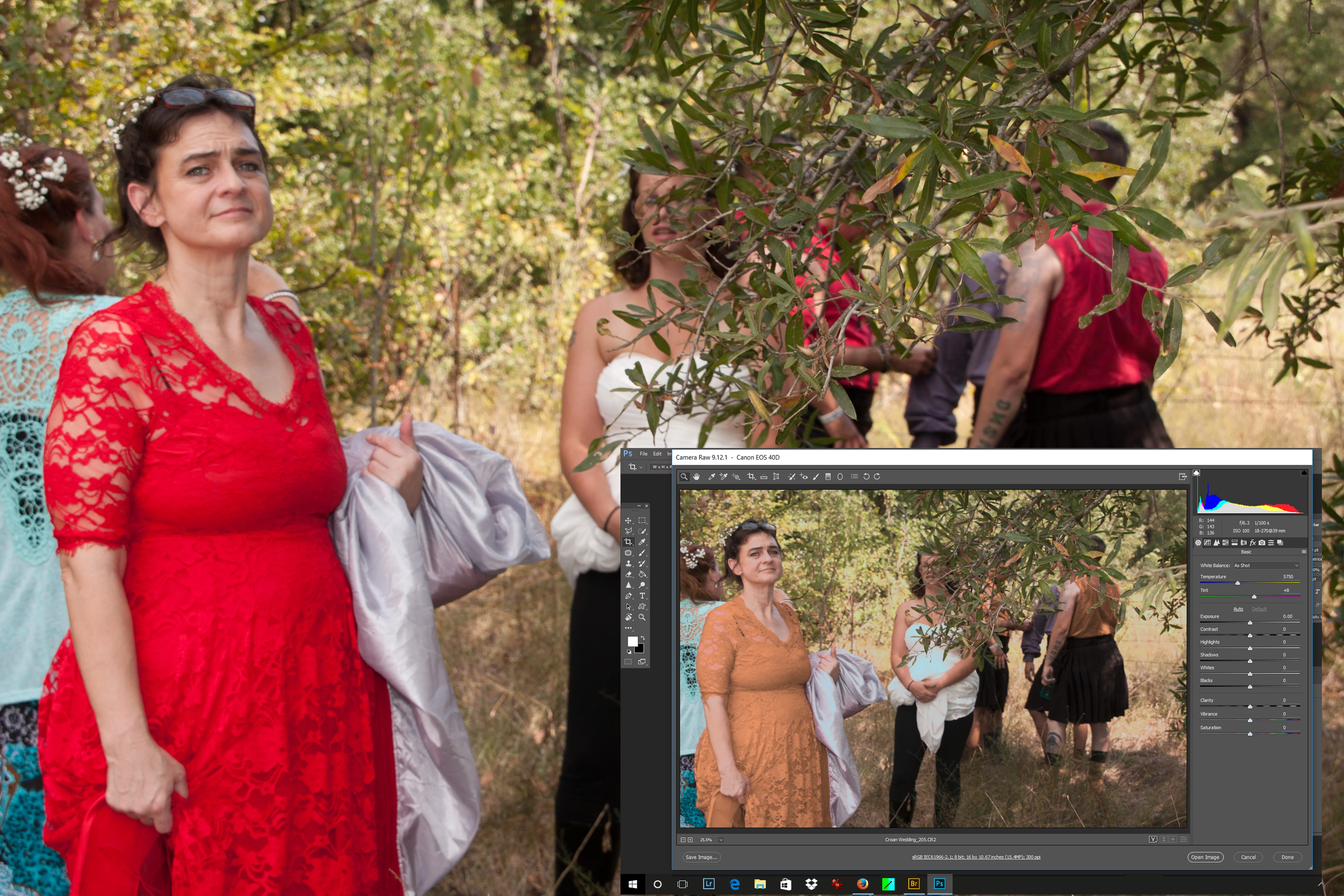 and highlights blown. They appear ok in bridge and photoshop.

Can anyone help? Recently updated CC apps and now in camera raw version 9.12.1 the reds are orange and highlights blown. They appear ok in bridge and photoshop.
Already have an account? Login
Enter your E-mail address. We'll send you an e-mail with instructions to reset your password.

 AdChoices