


Participating Frequently
May 28, 2018
Answered

Camera raw troubleshot on windows 7 pro 64bit

  • May 28, 2018
  • 1 reply
  • 1551 views

Hello everyone.

I've a big issue on camera raw since some month, and actually is going impossible to work with it.

Everytime that i open an image and i try to work on it, when i move any cursors i see some square (with the same image in it, or trasparent background, etc) that changes it dimension and position if i move again the cursor (see the video below)

I tried to re-install PS and CR, to update the drivers of my graphic card, to disable the GPU acceleration/support, but nothing works.

Someone could help me please?
This topic has been closed for replies.
Correct answer

Hi

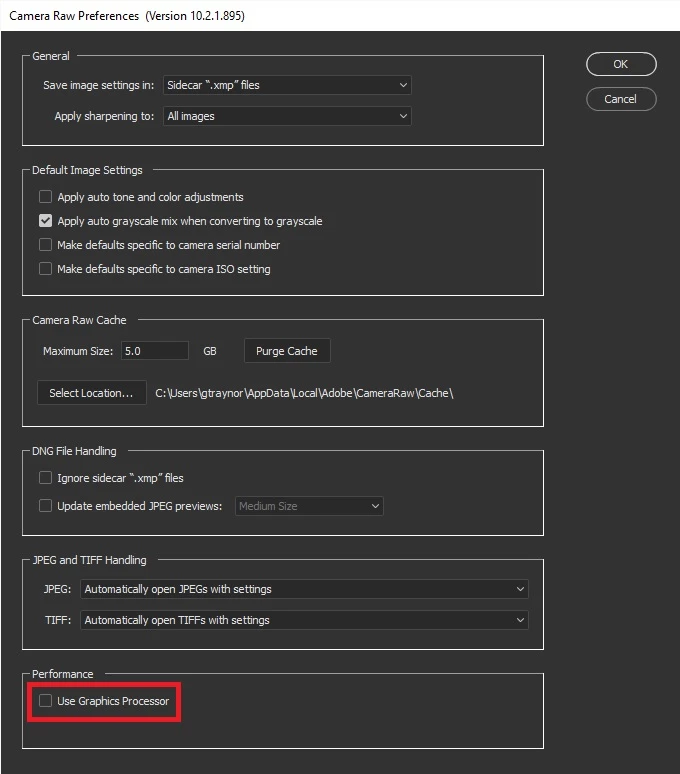
Have you tried disabling Use Graphics Processor in Camera Raw preference

In Photoshop go to Edit > Preferences > Camera Raw and disable this option, restart Photoshop

Looks like it's GPU related

Troubleshoot Photoshop graphics processor (GPU) and graphics driver issues

1 reply

Correct answer
May 28, 2018

Hi

Have you tried disabling Use Graphics Processor in Camera Raw preference

In Photoshop go to Edit > Preferences > Camera Raw and disable this option, restart Photoshop

Looks like it's GPU related

Troubleshoot Photoshop graphics processor (GPU) and graphics driver issues

rab83Author
Participating Frequently
May 28, 2018

I tried to disable it in PS but it didn't work.

I just tried to do it in CR and it works fine

But, i'd like to know, which could be the problem? the GPU is a nvidia 980Ti with 6gb of ram.

I tried to follow the istruction to set some options in the GPU control panel but it doesn't work...