Participating Frequently
April 9, 2018
Answered

Camera Raw Version 10.3 won't show "apply preset" anywhere...

  • April 9, 2018
  • 1 reply
  • 1556 views

I had to uninstall Bridge the other day due to some computer issues and since doing that and reinstalling I can't access my presets or create any.

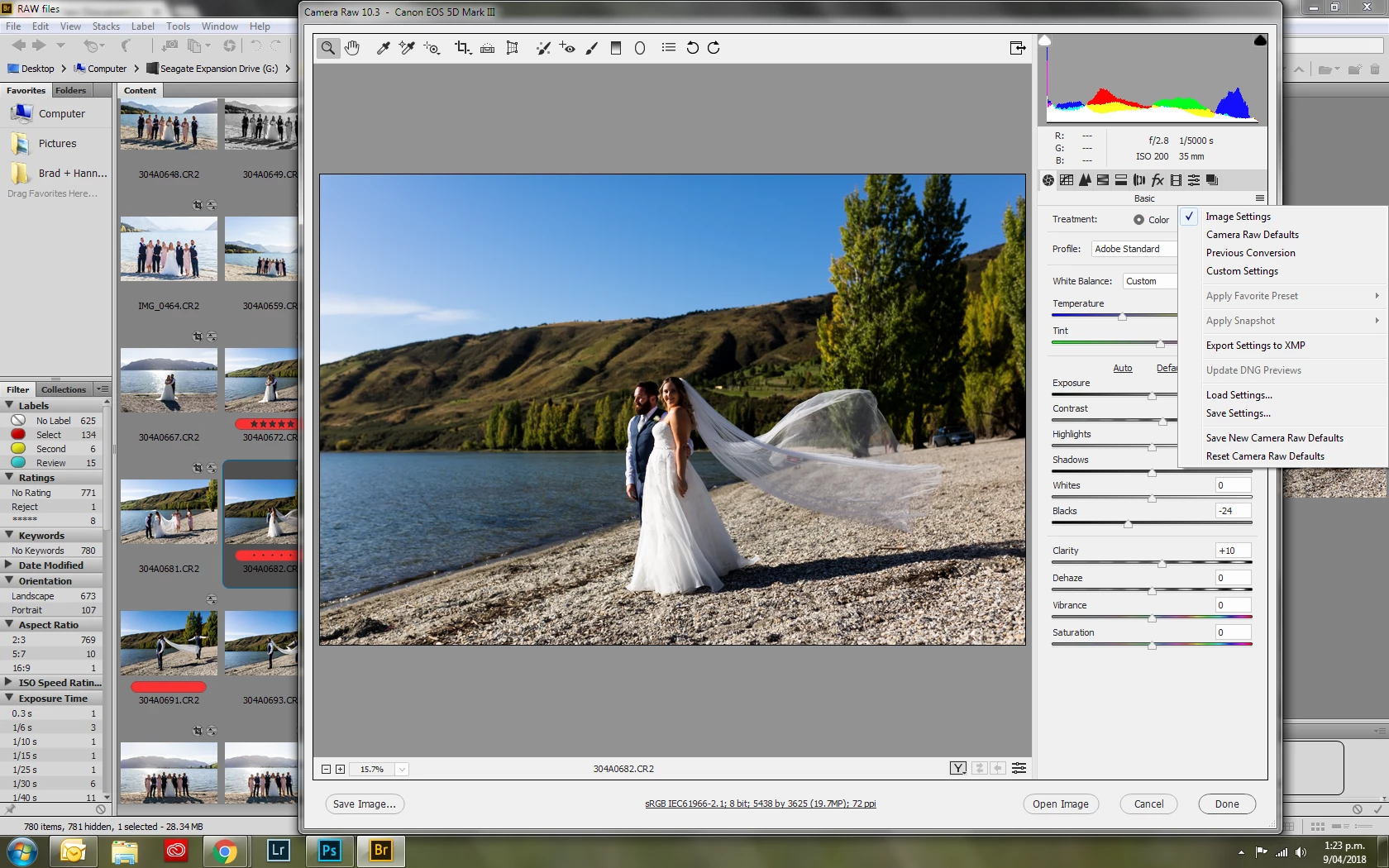
Within Camera Raw it is greyed out to right:
Under Edit/Develop Settings the "Apply Preset" option is no longer there:
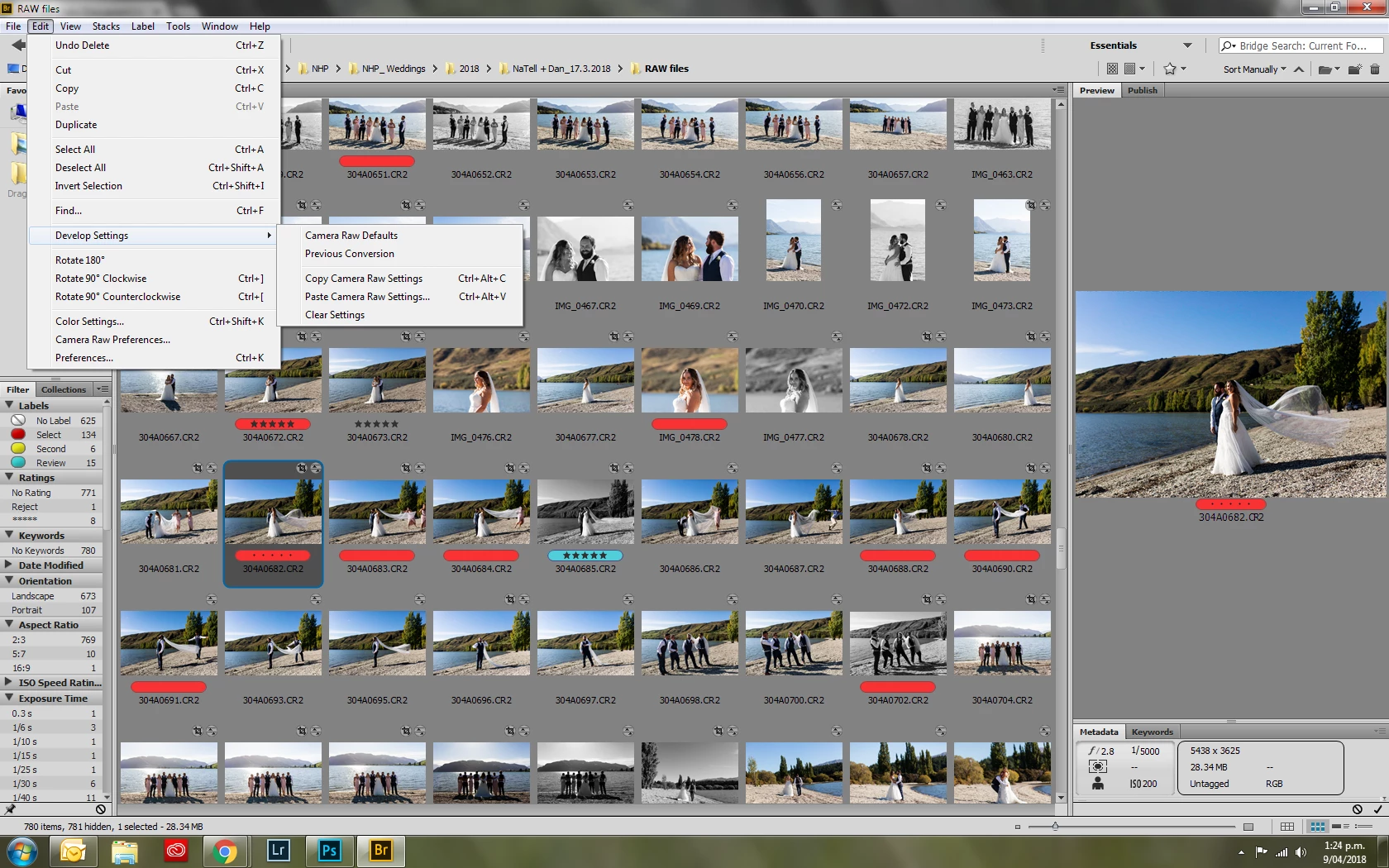
And when right clicking on image it's not there under "Develop settings" like it used to be.

All three of these options used to give me the option to apply the preset.

I've looked all over this forum and the internet trying to find an answer but can't seem to.

Any ideas???

Thanks!
    This topic has been closed for replies.
    Correct answer Earth Oliver

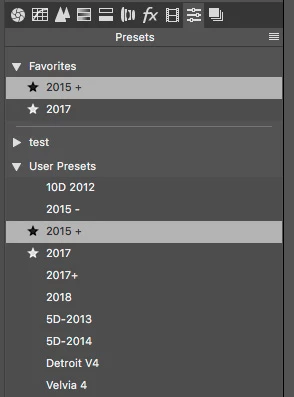
    In your Preset tab in ACR, you need to add a Preset to Favorites by clicking on the star next to the name.


    I think that only the Favorites being available might be a bug... i'll ask someone at Adobe to find out if this is intended.

    1 reply

    Earth Oliver
    Legend
    April 9, 2018

    What happens when you go to the Preset Tab in ACR and add a few Presets to Favorites?

    Participating Frequently
    April 9, 2018

    Hi, thanks for your message. I can't access it. That's the problem. So even if I save a preset, I can't then access it.  There seems to be a change with the new version of Bridge installed.  So when I open within Camera Raw the preset area is greyed out (see screenshot). I can go to "load settings" which navigates to where I saved my basic preset I apply upon opening but I don't know if that is just the way it is meant to be now?!? Thank you!

    Earth Oliver
    Earth OliverCorrect answer
    Legend
    April 9, 2018

    In your Preset tab in ACR, you need to add a Preset to Favorites by clicking on the star next to the name.


    I think that only the Favorites being available might be a bug... i'll ask someone at Adobe to find out if this is intended.