


Participant
April 22, 2018
Question

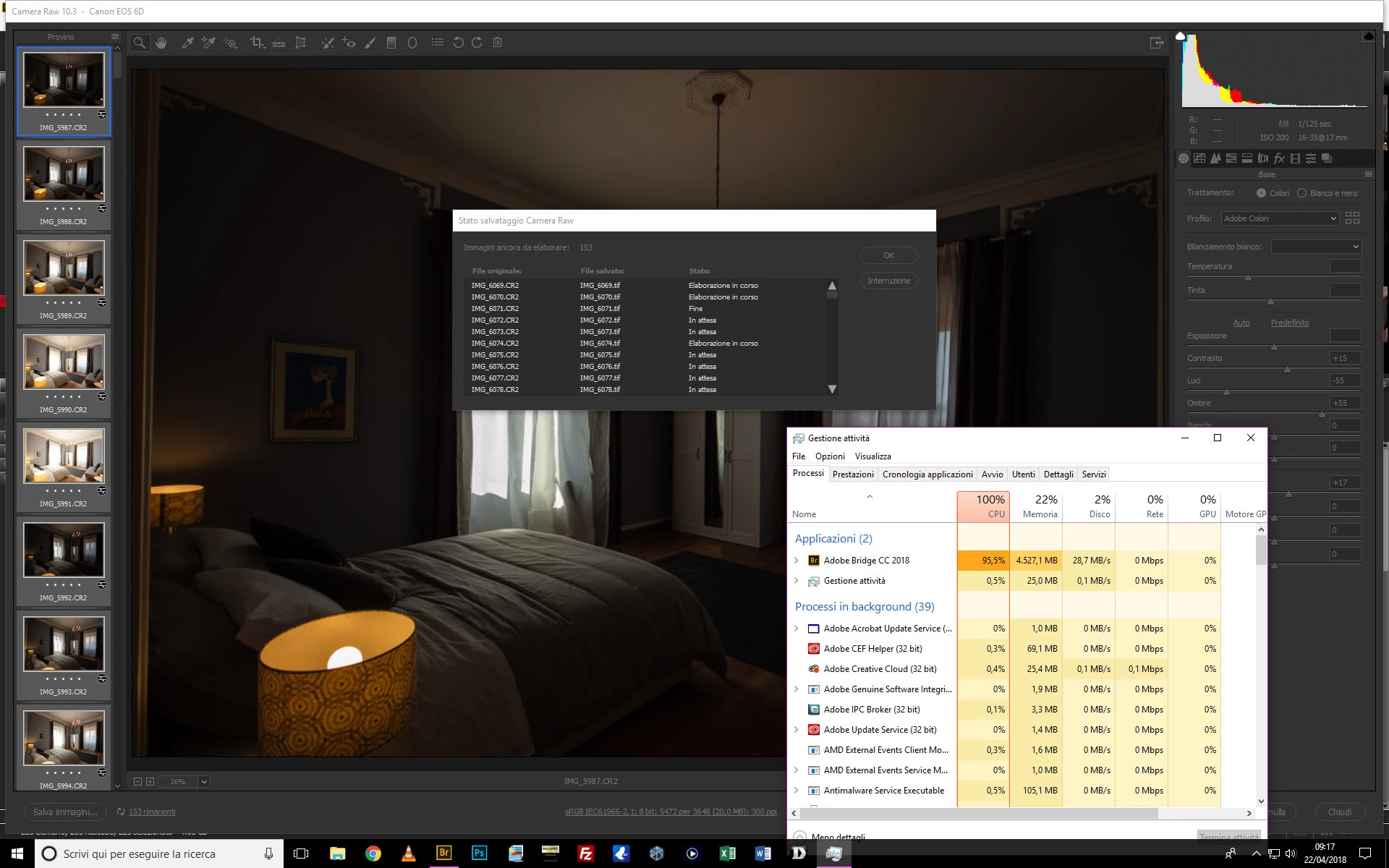
Camera Raw when saving files use 100% CPU

  • April 22, 2018
  • 4 replies
  • 2425 views

Hi Guys,

i hope someone have the solution for this.

Since the first cc version when saving files from camera raw (opened from bridge) the CPU usage goes up to 100%, it took 20minutes to save 1000 raw files, and that's fine, but i can just look at him saving, not even listen to some music because it lag.

i have a i7 4770k, 32gb ram, and so on. I think it is a bad Adobe optimization, but if someone has a solution, i will be absolutely grateful.

Thank you
    This topic has been closed for replies.

    4 replies

    Inspiring
    April 24, 2018

    I have mostly the same problem, except my CPU usage is low. I have an i7 8700k, 32GB RAM, GTX 1080 ti, and Samsung 960 Pro SSDs. It takes about 30 seconds per image when I open a batch of them in Photoshop from ACR, just like you are doing. It used to take about 5 seconds on a slower machine I had last week.

    I have not yet found a solution but have been searching everywhere for some kind of fix.

    Participant
    April 23, 2018

    Hi Richard,

    Thank you for your answer.

    Unfortunately lower the process priority in my case doesn't fix the problem, it was the only "solution" i found searching online. Limit the cpu core is always a trick external to adobe software. Maybe it could be nice to see the cpu usage, when converting raw file from camera raw, with a 6/8 or more core cpu.

    And also under this thread the cpu usage of many of us, saving from camera raw, with the cpu model.

    To have a list that we can send to Adobe, and have their answer, or maybe instead of update the photoshop icons, or add the visual guide for each photoshop function, they will do a real update that fix a problem.

    The things i have seen is that there is not this issue with my macbook air (that is nothing compared to to pc) but on apple for example camera raw saves less files at the same time, slowly, so it doesn't use the 100% of the cpu.

    Like they have a better optimization on apple computers.

    Sorry for the long message!

    Thanks

    Inspiring
    April 22, 2018

    You can lower the process priority for Bridge.exe, so that another program will have higher priority.  You can do this temporarily on a running process, will reset back to normal when you quit the application.

    Set CPU Priority Level of Processes in Windows 8.1 / Windows 10

    Also you can limit the cpu cores for an application.

    https://www.technorms.com/46600/regulate-cpu-usage-in-windows-10

    Be careful.

    Richard Southworth

    kglad
    Community Expert
    Community Expert
    April 22, 2018