


Participant
October 25, 2021
Question

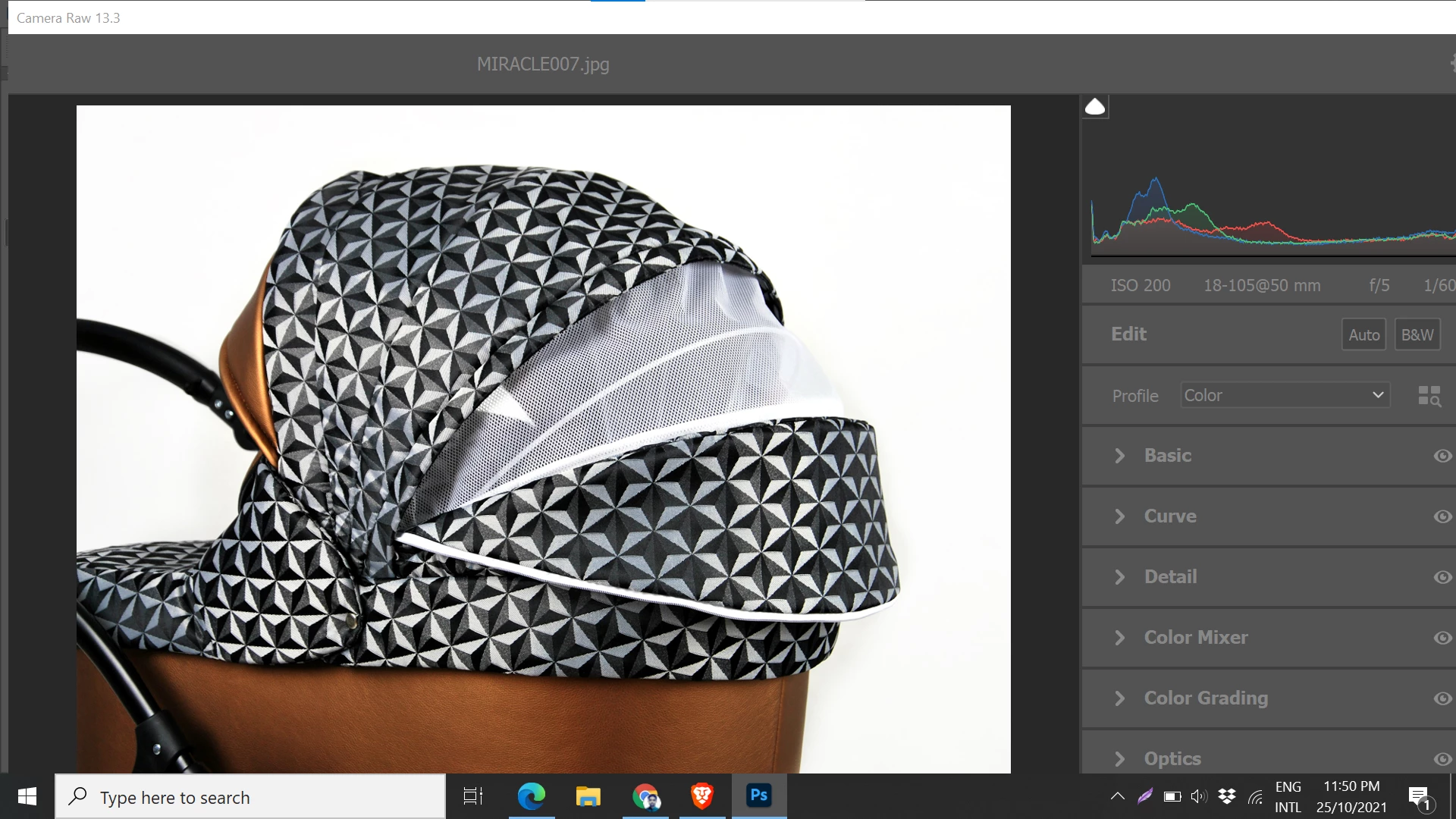
Can not fit camera raw filter window to screen

  • October 25, 2021
  • 2 replies
  • 1355 views

Hi there, 

I am Using PS 2021 .

When I opened camera raw filter the window or tab seem too large and not fit with screen. I tried to fit by holding and drag side and corner but it not work because has a limitation. I Just need to see all option with small tab\window on my screen to work more eassier.


Can any one help me out please?
This topic has been closed for replies.

2 replies

Chuck Uebele
Community Expert
Community Expert
November 1, 2022

Moved to the Camera Raw forum, from the Photoshop forum.

Rikk Flohr_Photography
Community Manager
Community Manager
December 13, 2022

Scalable UI was released in Camera Raw 15.1. Please give it a try and see if it fixes your issue. 

Rikk Flohr: Adobe Photography Org
Legend
October 25, 2021

You'll need to lower the scale percentage in the OS. 


See: https://helpx.adobe.com/photoshop/kb/hidpi-retina.html


"Photoshop supports a minimum screen resolution of 1024 x 768 at 100% user interface scaling. The minumum screen resolution needs to increase as the UI scaling factor is increased. For example, you would need a screen resolution of 1920 x 1080 to scale comfortably to 150% or a screen resolution of 2880 x 1800 to scale comfortably to 200%.

See System Requirements for complete minimum technical specifications to run and use Photoshop."

Participant
November 1, 2022

@J453 I have the same problem and adjusting the screen scale from the system recommended 150% to a lower 125% works. But it feels strange to change the screen scale _just_ because of this one plugin. All other windows in other SW work just fine with the higher system-recommended scale. So it seems there's something funky in that RAW Filter implementation...