


kingofpower
Participant
February 13, 2017
Answered

Can't open raw (*.cr2) correctly

  • February 13, 2017
  • 1 reply
  • 767 views

MS Windows 7 Pro

Full Adobe package last version

Especially Bidge 7 and

Photoshop Version: 2017.0.1 20161130.r.29 2016/11/30:23:00:00 CL 1099099 x64.

I have Cannon 5D Mark II. I checked that you support this camera.

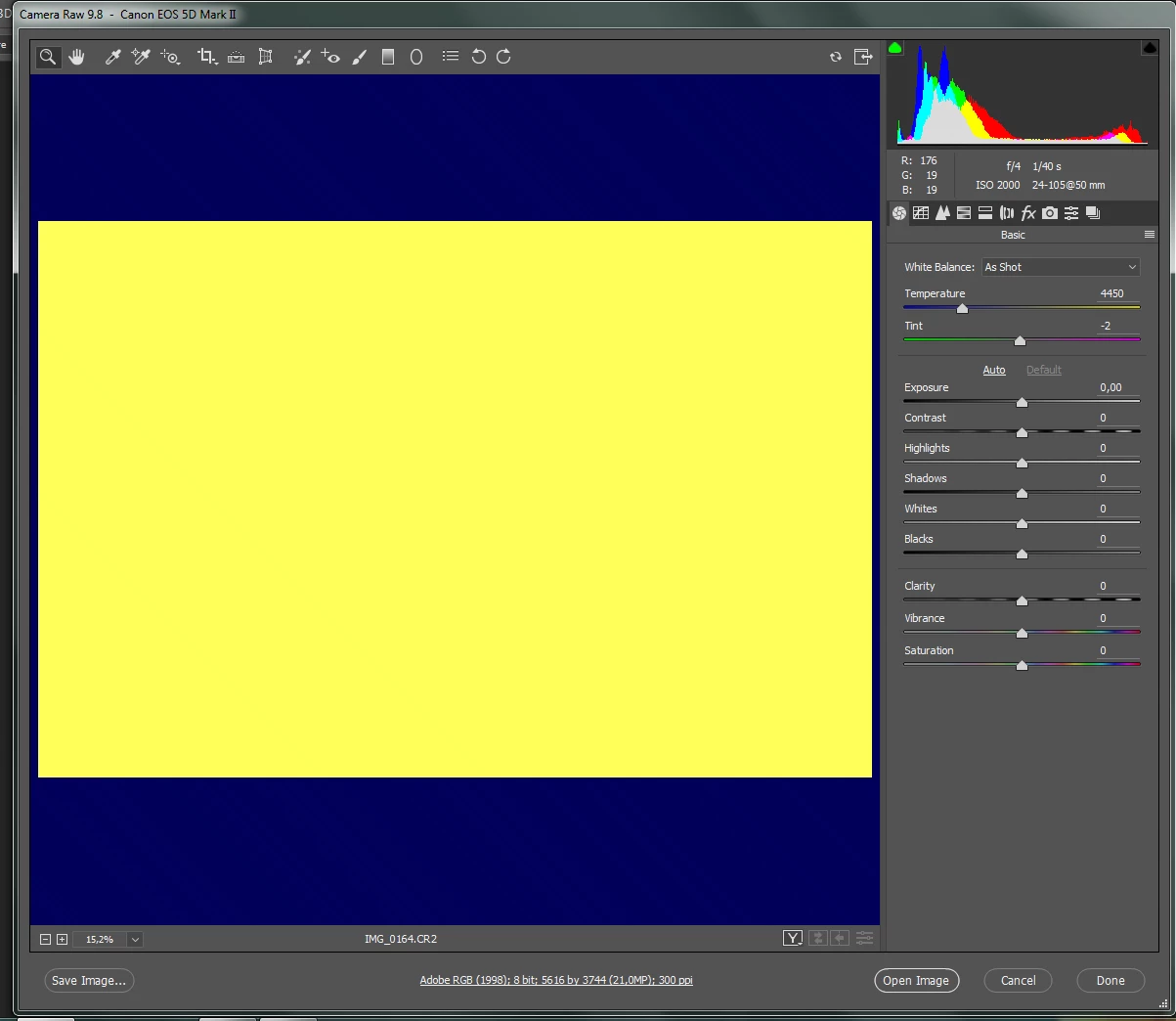
In Bridge I can see completed icons of my photo files (cr2), trying to open it in Camera Raw 9.8 but can not see it correcly - I always see onle yellow on darkblue space(
    This topic has been closed for replies.
    Correct answer John Waller
    1. Update your video card driver, or
    2. In Camera Raw, Edit > Preferences > Uncheck Use Graphics Processor.

    Camera Raw: Cannot open properly images. I only get big yellow and blue image. Windows 10 (video card driver) | Photosh…

    Adobe Camera Raw graphics processor (GPU) FAQ and troubleshooting

    1 reply

    John Waller
    Community Expert
    John WallerCommunity ExpertCorrect answer
    Community Expert
    February 13, 2017
    kingofpower
    Participant
    February 14, 2017

    Thanks a lot. It helped me