


Participant
February 4, 2025
Answered

Can we remove a lens profile from camera raw?

  • February 4, 2025
  • 1 reply
  • 557 views

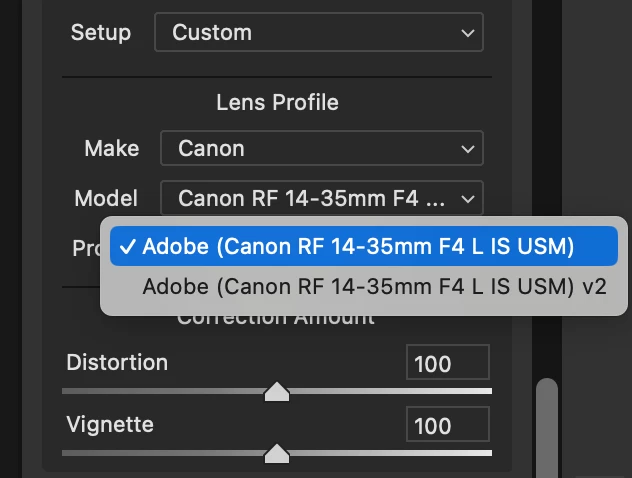
There are 2 lens profiles for Canon RF 14-35 F4 lens. One is fine, the second one (V2), is expanding the crop, so it's not what the photographer saw in camera. Is there a way to remove the second profile so that it is not used in error by our editors?
 

Correct answer Per Berntsen

Doesn't look like anyone is 😞 

How to get a reply from Adobe on this?


On Windows, lens profiles are stored in C:\ProgramData\Adobe\CameraRaw\LensProfiles\1.0

I don't know the location on a Mac.

You can delete lens profiles, but they will reappear when you update Camera Raw or Lightroom/Lightroom Classic.

I use Lightroom Classic, where I have presets that I use to apply lens profiles to some lenses. Not sure if you can do the same thing in Camera Raw.

1 reply

kglad
Community Expert
Community Expert
February 4, 2025

in the future, to find the best place to post your message, use the list here, https://community.adobe.com/

p.s. i don't think the adobe website, and forums in particular, are easy to navigate, so don't spend a lot of time searching that forum list. do your best and we'll move the post (like this one has already been moved) if it helps you get responses.


<"moved from using the community">
Participant
February 4, 2025

Ok, thank you. For a minute there I thought I had someone answer my question already! Ha ha!

kglad
Community Expert
Community Expert
February 4, 2025

you're welcome (and sorry, i'm not a camera raw expert.)