


Cannot find the way to RESET a tab from the ACR menu panels
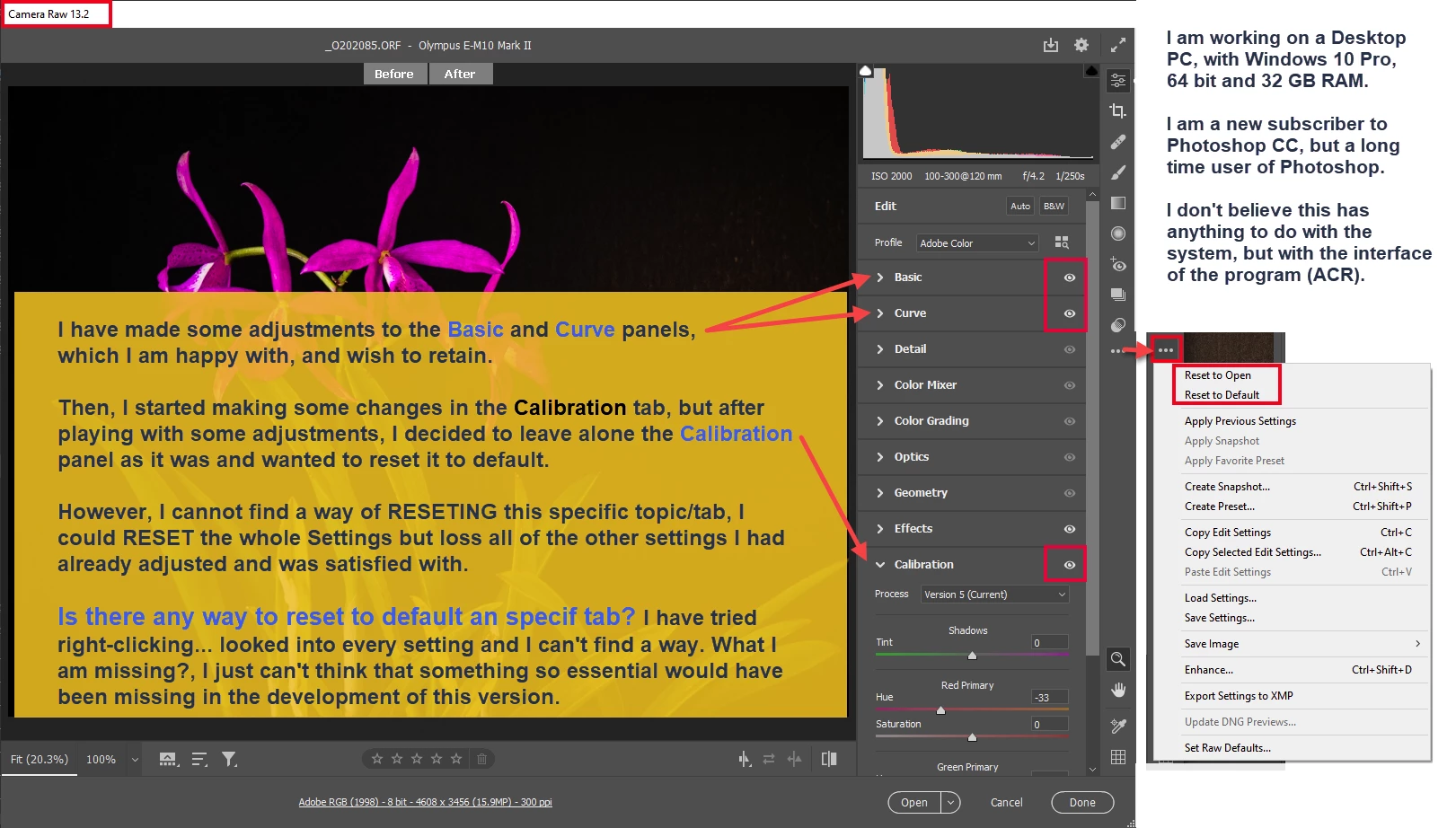
Hello members, I am a recent subsriber of Photoshop CC, but a long time user of Photoshop and I am now trying to become familiar with all the functions and interface of ACR and Photoshop CC 2021. This question is regarding the difficulty I am having in finding a way to reset A TAB from the panels to the default setup. I have tried everything I can imagine (right-clicking on the tab, looking all over the panel, including the 3 dot-dot-dot, where you can find the reset the imagen to the orignal as open (in which case I will loose other settings I was satisifed with).
So I am looking for some guidence here between the more expert and experienced users to please help me out to find how to reset an specific TAB.
Here is an image in which I tried to explain:
Thank you for reding this plea, and suggesting some solutions.
Rocio LB

 AdChoices