


Alami08
Known Participant
February 12, 2022
Answered

Cannot see 'Save as' after processing RAW files in Camera Raw

  • February 12, 2022
  • 1 reply
  • 375 views

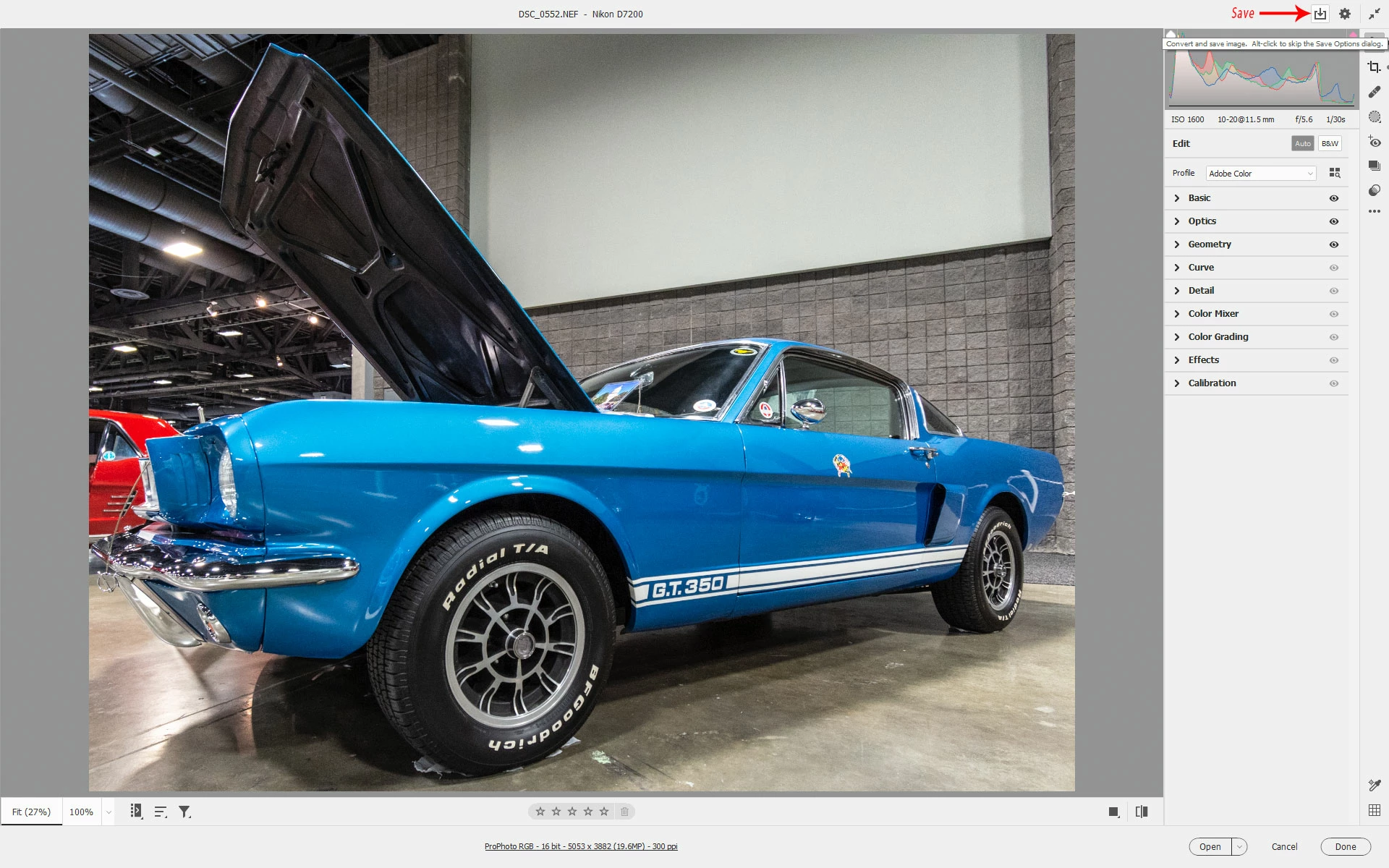
I've just started using Photoshop, Bridge & Camera Raw after using an old version of CS5 for a long time. After processing RAW files in Camera Raw I simply cannot see any 'Save As' button to save the files as JPGs. I feel like I'm going crazy, as every Google page I go to says the 'save as' option is in the 'bottom left' of the window, but there is absolutely nothing there. This was the simplest part of the process in my old CS5! The whole interface is more confusing and un-user friendly, but I expected this to be obvious, as conversion to JPG is what almost everyone does after adjusting the RAW files. Please can someone tell me I'm just missing something obvious! Thanks.

This topic has been closed for replies.
Correct answer Jeff Arola

Adobe has revamped the camera raw interface since cs5, so now the Save options are located up in the top right corner.


https://helpx.adobe.com/camera-raw/using/whats-new.html


1 reply

Jeff Arola
Community Expert
Jeff ArolaCommunity ExpertCorrect answer
Community Expert
February 12, 2022

Adobe has revamped the camera raw interface since cs5, so now the Save options are located up in the top right corner.


https://helpx.adobe.com/camera-raw/using/whats-new.html


Alami08
Alami08Author
Known Participant
February 13, 2022

Thanks Jeff,
Got it! Still struggling a bit with the locations of files etc - e.g. not sure what this folder is called '103ND750' which seems to contain duplicates of the RAW files I uploaded - but I guess I'll get used to it!