


Participating Frequently
January 1, 2025
Answered

Canon CR2 files are garbled when opening in PS They WILL open in LR

  • January 1, 2025
  • 8 replies
  • 1049 views

Mac 8 core i9

Mac OS 14.4.1
Photoshop 2025 AND Beta
Lightroom Version 8.1
Adobe Camera Raw Version 17.1

Canon 5D Mark IV (NEW to Canon, used to shoot Olympus and had none of these issues)


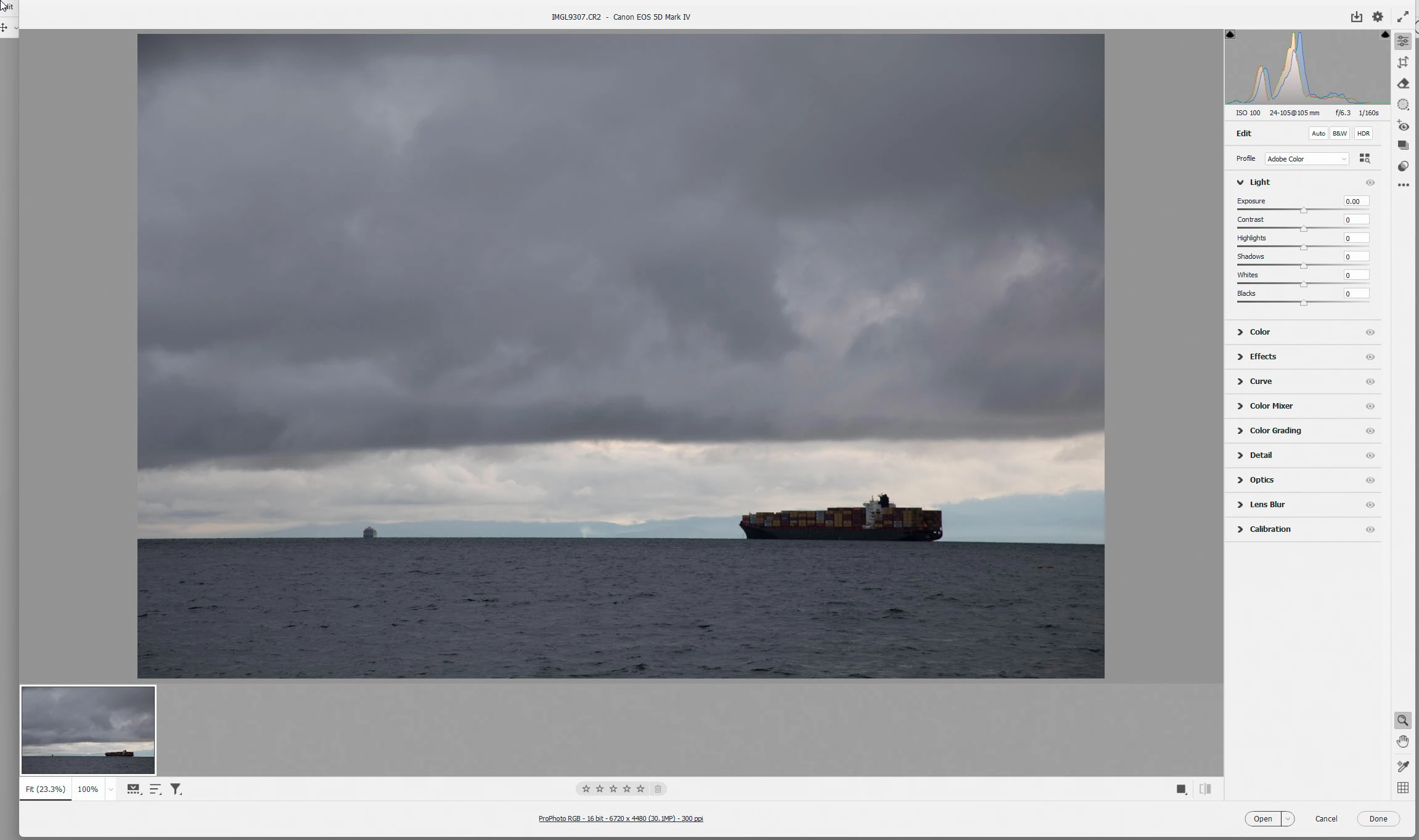
When I try to open CR2 files in Photoshop (both 2025 AND Beta) shot on my 5D mkiv, the image appears garbeled. Previews and jpegs are fine.
I've tried CF and SD cards (multiples of each). I've reinstalled Adobe Camera Raw twice.
These Raw files WILL open in Lightroom and I can edit them there. Furthermore, from Lightroom I can File>Edit in Photoshop and they WILL open properly in PS, but the photo must first be processed in LR.
Lightroom isn't part of my workflow and I don't want to have to upend my workflow as a workaround - I'd really just like to be able to open the RAW files in Photoshop, process them in Camera Raw and then continue processing in PS. 
I HAVE NOT yet tried downloading Canon's software, but again that would just add a few more steps to a workflow that SHOULDN'T be needed.
Has anyone else found these problems? Solution? Thanks in advance!

Correct answer davescm

Hi
I got your CR2 via file transfer and using File > Open in Photoshop 26.2 it opened straight into Camera Raw 17.1.0.2 without issue.

So that rules out an issue with the file.


If you go to Preferences > Camera Raw >Performance and turn off Use Graphics Processor does it have any effect on the issue?

I am using a Windows system here so cannot test with Sonama on a Mac. I'll move the thread to the Camera Raw forum where some-one may be able to confirm whether there are any issues on that version.


Dave


8 replies

Participating Frequently
January 2, 2025

OK - So changing "Use Graphics Processor:" from "Auto" to "Custom" and then toggling "Use GPU for Open and Save" AND "Use GPU for image processing (Process Version 5 or higher)" OFF did the trick!!
Can't thank you enough for jumping in and helping me with this Dave - i would NEVER have thought to look there!
I think this may turn out to be a useful thread for others as I've seen MANY queries for similar issues, with NO successful fix!
Thanks again for your help!

Ryan

davescm
Community Expert
Community Expert
January 2, 2025

As updates for both Sonama and Camera Raw are released it will be worth trying to switch them back on again, as you may see a performance improvement with them, but at least you can now work and process your images.

Glad I could help.


Dave

Participating Frequently
January 2, 2025

I will definitely stay on top of that, again – thank you so much for taking the time to help!


Participating Frequently
January 2, 2025

Thank you Dave foe taking the time to test and help me with this I greatly appreciate it!!

davescm
Community Expert
davescmCommunity ExpertCorrect answer
Community Expert
January 2, 2025

Hi
I got your CR2 via file transfer and using File > Open in Photoshop 26.2 it opened straight into Camera Raw 17.1.0.2 without issue.

So that rules out an issue with the file.


If you go to Preferences > Camera Raw >Performance and turn off Use Graphics Processor does it have any effect on the issue?

I am using a Windows system here so cannot test with Sonama on a Mac. I'll move the thread to the Camera Raw forum where some-one may be able to confirm whether there are any issues on that version.


Dave


Participating Frequently
January 2, 2025

Thank you Dave - that's awfully kid of you to offer, that would be great!
Wetransfer sounds like a great option, I think I need your email address for that so I'll PM you to start that process - thanks again!
Ryan

davescm
Community Expert
Community Expert
January 2, 2025

Can you attach a CR2 file and I'll try it here (PM me if you prefer, you may need to use a file transer servive like WeTransfer or similar))

Dave

Participating Frequently
January 1, 2025

Thanks for your suggestions Dave. I've tried opening the file many different ways from double clicking it to dragging it on to the icons for both PS Beta and PS 2025, and yes, I've also tried using the file open method both from a local hard disc and from the CF anc SD cards. Same result.
I have also tried resetting the prefs multiple times - same result.


davescm
Community Expert
Community Expert
January 1, 2025

I use the same camera and have no issues opening CR2 files in Lightroom or ACR (Photoshop opens raw files in ACR).

How are you opening them? In Photoshop if I use File > Open and navigate to a CR2 file, from the 5D MkIV, it opens perfectly in Camera Raw.

If this is not happening for you, try resetting Camera Raw Preferences and Photoshop Preferences. Both sets contain more than just the user settings and corruption can lead to strange issues.


Dave


Participating Frequently
January 1, 2025

I have tried opeing these files from the cards, moved from the cards to the HD and tried from there, both from a NAS and a local HD - same problem