Known Participant
May 29, 2020
Answered

Changing Camera Raw Import Defaults

  • May 29, 2020
  • 3 replies
  • 1692 views

When I first open a Nikon raw file in Photoshop, it begins with the Camera Raw application. I'd like both checkboxes under Lens Corrections to be automatically selected, by default. I always use Adobe's lens corrections, and it's frustrating to have to switch to that pane and turn those options on every single time I open a camera raw file.


How do I save that setup as the default when opening raw files?


Thanks for any help.

This topic has been closed for replies.
Correct answer Stephen Marsh

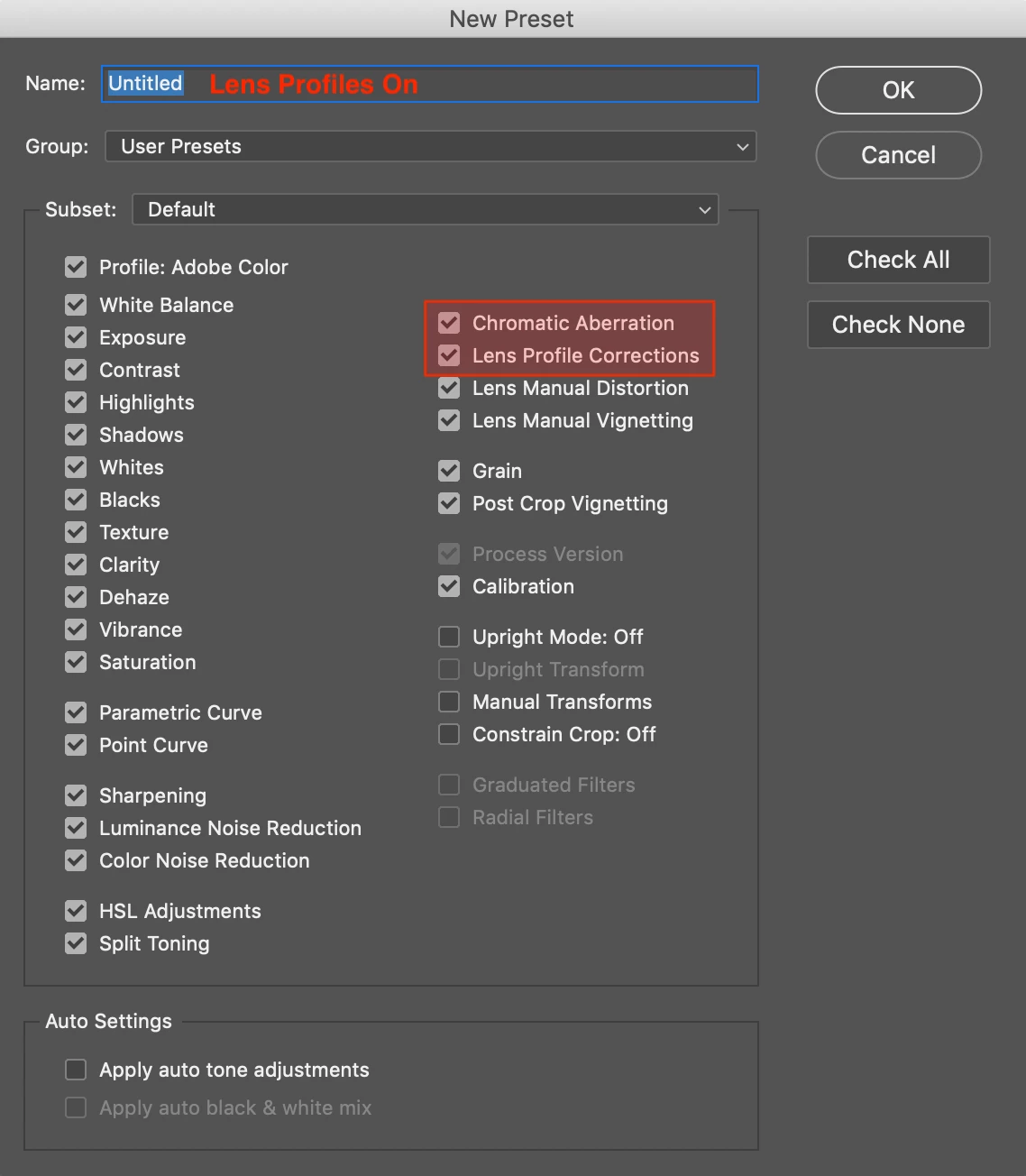
I would make a preset that includes checking these profile boxes:


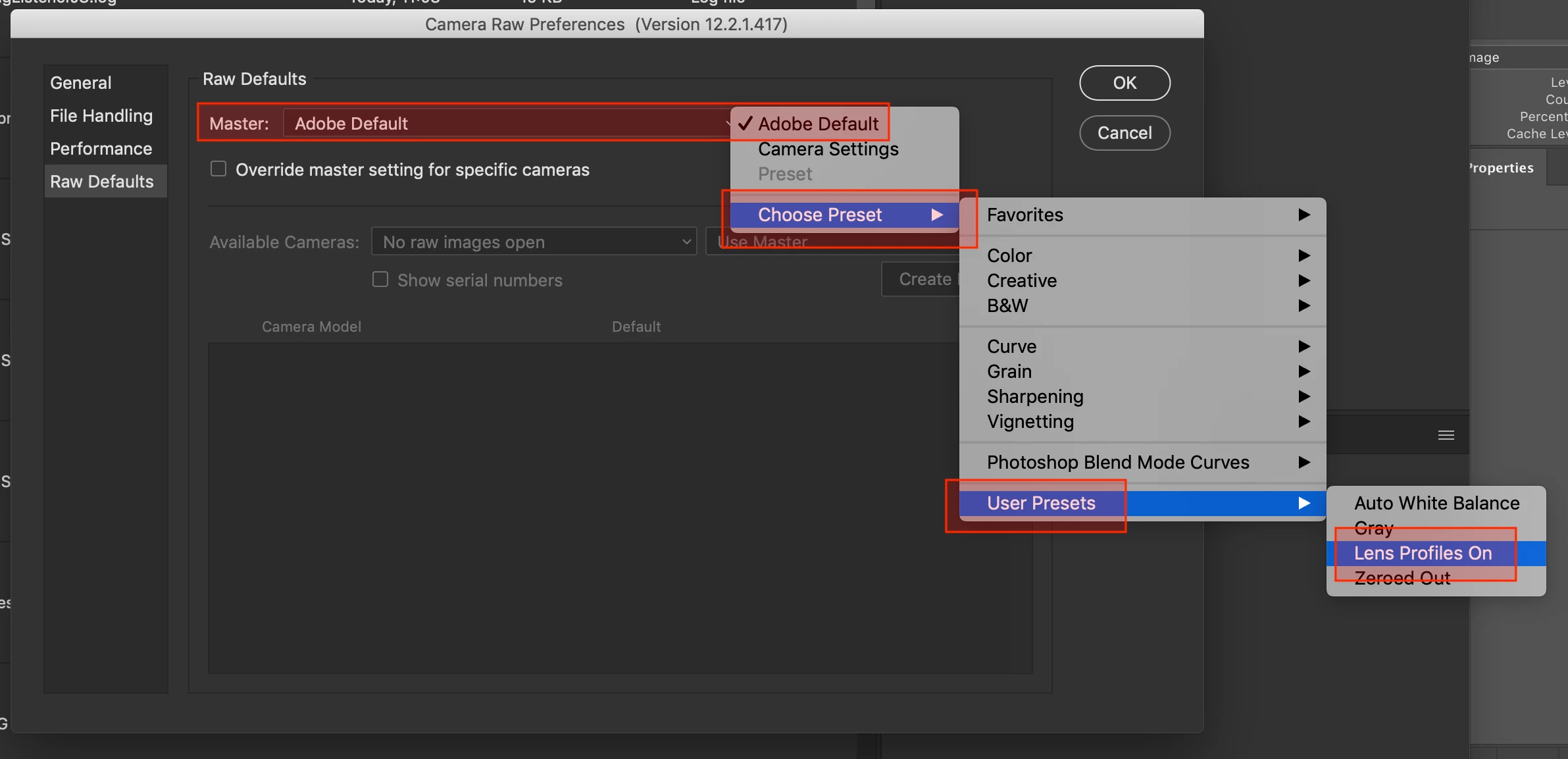
Then under Preferences > Camera Raw select the preset as below in Raw Defaults:


3 replies

Known Participant
May 30, 2020

Yes, that worked great.


I would add one additional step: When setting the Lens Corrections before saving, I had checked the Setup: Custom box rather than Setup: Auto, so the settings were saved for that particular lens, rather than for the lens used in each raw file I would open.


Chuck Uebele
Community Expert
Community Expert
May 30, 2020

Moved to the Camera Raw forum, from the Photoshop forum.

Stephen Marsh
Community Expert
Stephen MarshCommunity ExpertCorrect answer
Community Expert
May 30, 2020

I would make a preset that includes checking these profile boxes:


Then under Preferences > Camera Raw select the preset as below in Raw Defaults:


Known Participant
May 30, 2020

Excellent! Thanks -- I'll do that.