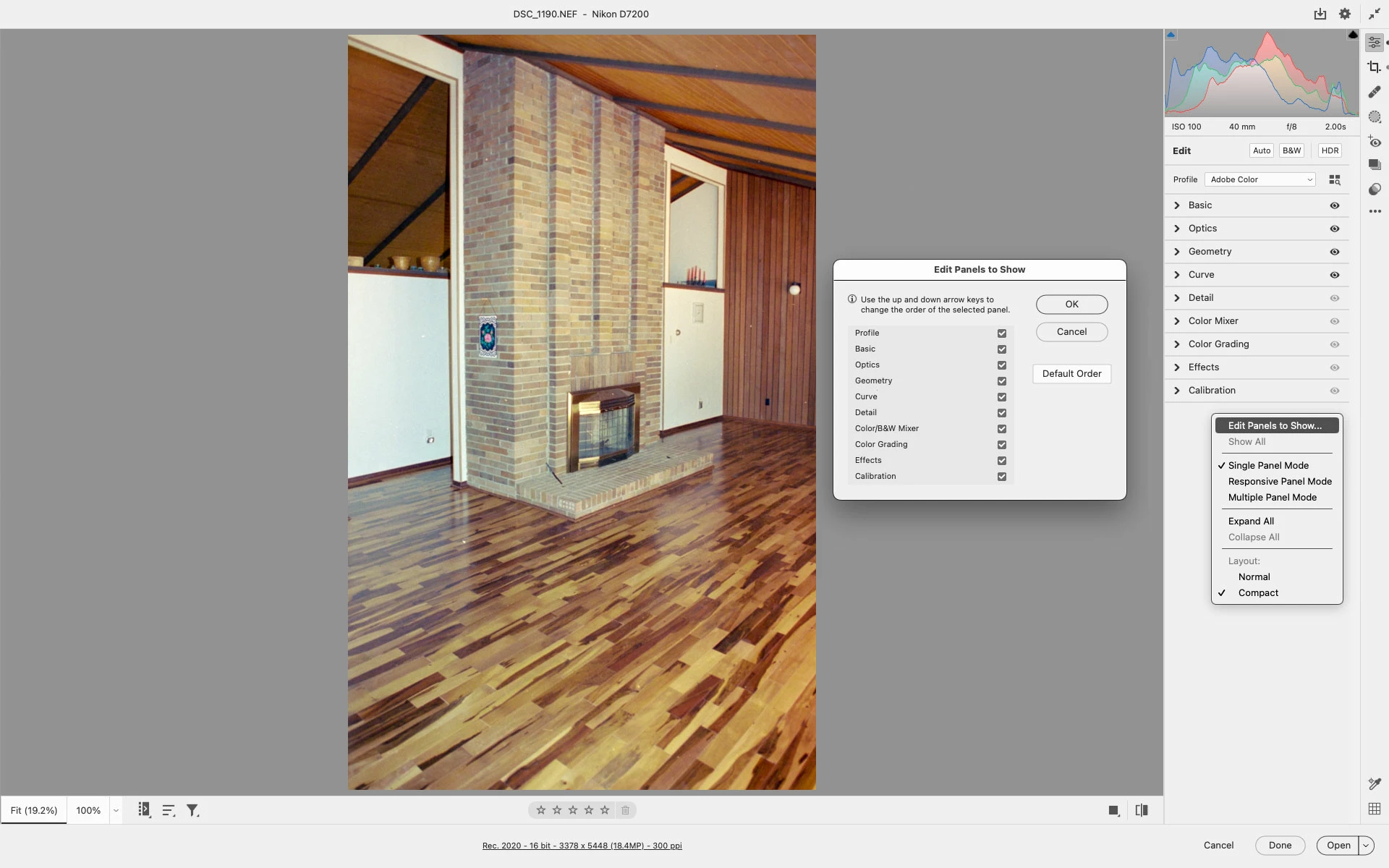
I haven't tested it on 15.5 yet (too busy to disrupt my 14.5 workflow at the moment) - but I was able to get that pop-up menu in 14.5 with a control-click, and it does show the "profiles" item, which is check-marked "on" in 14.5
So it will probably do the same on 15.5. As soon as I can verify that on my Mac, I'll mark this solved.
Perhaps resetting the Camera Raw preferences will solve the issue:
Hold down the Command key and select Photoshop > Preferences > Camera Raw (macOS) or hold down the Ctrl key and select Edit > Preferences > Camera Raw (Windows).
Click Yes in the dialog that asks "Delete the Camera Raw Preferences?"
Thanks, Jeff - but at this point 15.5 is no longer available on my machine and won't reinstall.
Since my original-original post is now filed under "Photoshop Ecosystem > Bugs" - I'll wait and see what the Adobe tech-mavens themselves have to say omce we are past the weekend...
Adobe asked me if I'd ever gotten a CORRECT answer to this post - the answer is NO, I have not.
To repeat - NO CORRECT ANSWER for me to choose here.
I have downloaded Camera Raw 15.5 again, and it is still missing the menu under the EDIT column for choosing a color profile. And there is nothing in the Preferences that brings it back.
Continuing to just use Camera Raw 14.5, since I really need that feature.
Still hoping for a response from an Adobe representative to explain what is going on.
System info
Mac Studio Max.
Mac OS Ventura 13.3.1(a)
Adobe Photoshop 24.7.0
Problem: Menu item is no longer available under ACR EDIT tools, in ACR version 15.4/5, when opening original camera files in .DNG format (as produced by Leica products).
See snapshot of the problem in the original post above.
Steps to reproduce: Open a raw file created by a camera that saves raw files directly in the Adobe .DNG format (Such as Leica M8/9/10 cameras), in ACR 15.4 or 15.5
No menu is now available for choosing which color profile to use with such pictures.
Sample .DNG file from Leica M10 attached to this new post.




 AdChoices