TomBPhoto
Known Participant
February 25, 2023
Answered

Colour in ACR different from Bridge, PS, LR

  • February 25, 2023
  • 1 reply
  • 2373 views

Hi All, seem to be in a bad run of luck with my set up this week! 

I'm getting inconsistent colours from ACR, higher saturation than in Bridge previews, photoshop and Lightroom. Bridge, PS and Lightroom all look the same, if there are any differences between those three they are subtle enough that I've not spotted them.

Last time I had a similar issue to this it was a monitor calibration issue. I've re-calibrated, set to defaults, removed old profiles, but still encounter this issue.
I didn't change anything in PS prior to discovering this, other than GPU performance settings as I've encountered a crash issue there also. Not sure if these are related.


usually, the most obvious difference to spot is on the legs, where the saturation is already very high. hopefully the included screen captures show the issue. I've tried my best to keep the images the same size to avoid any other colour shifts. 

I typically do all my colour and tone work in ACR so other than moving over to LR, is there anything that can be done to get ACR to match the rest? 

LR is 12.2

PS is 24.2.0

Br is 13.0.2.636


Any help would be greatly appreciated! 
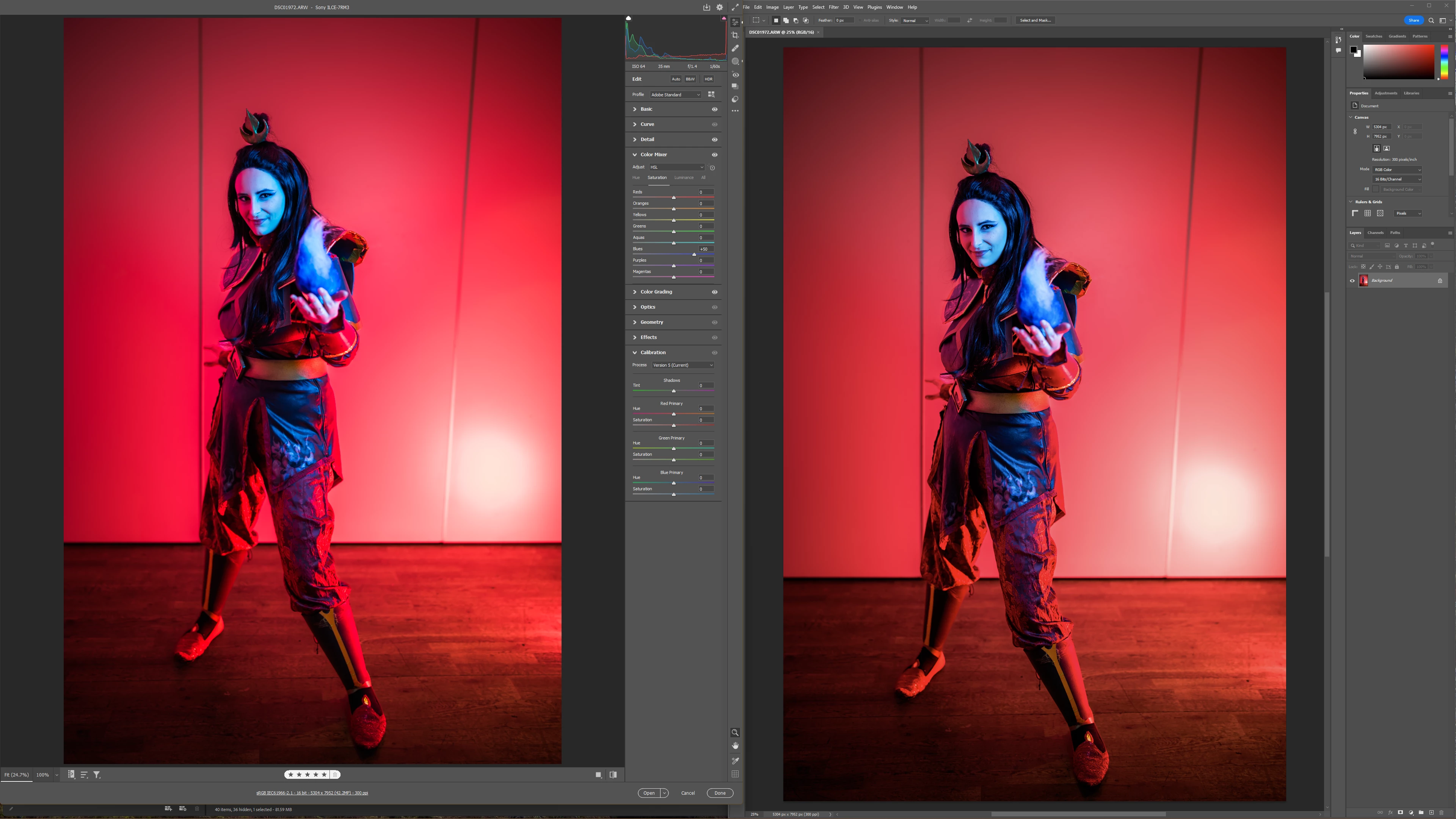
 

ACR vs PS - miss
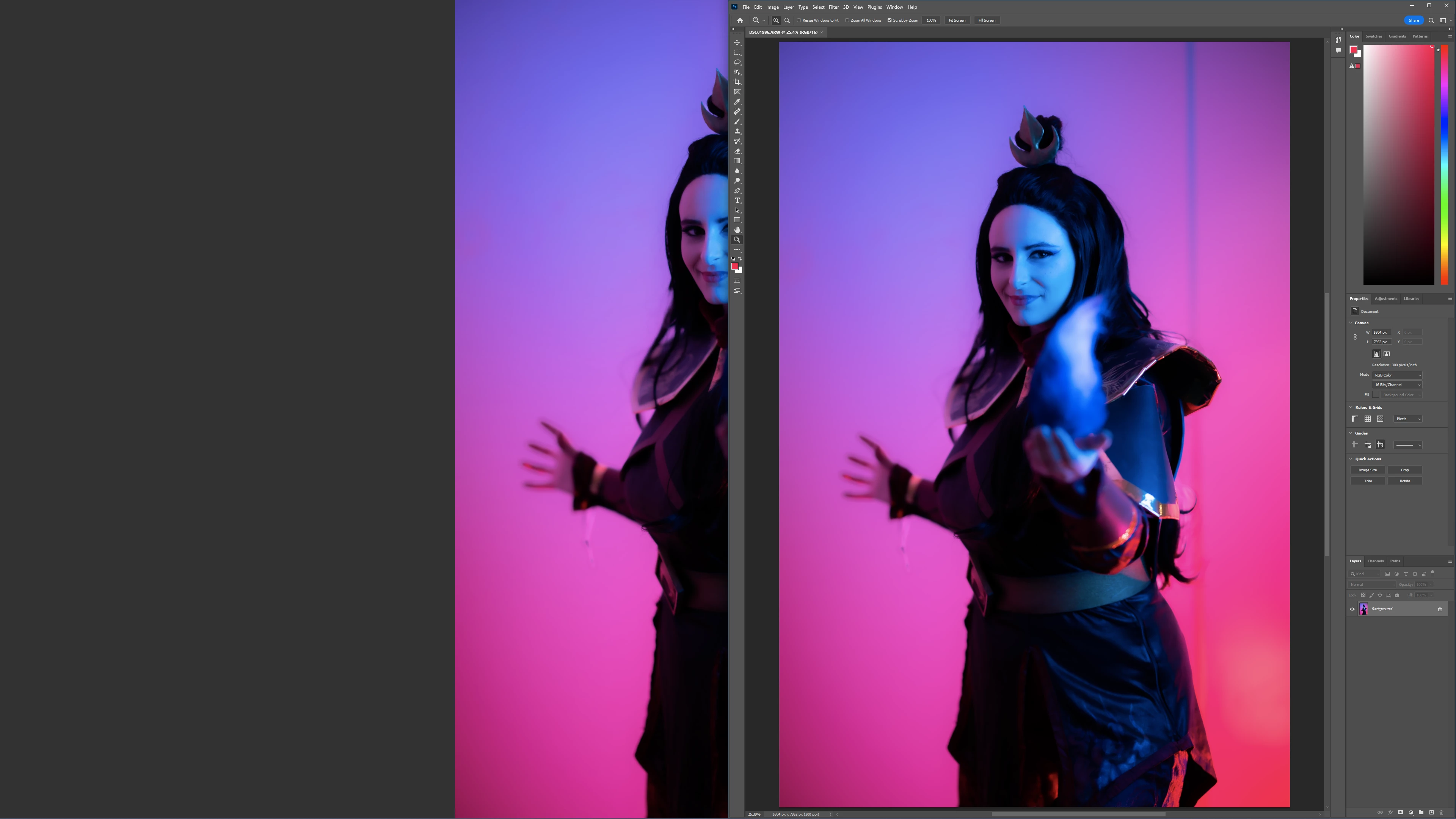


Bridge vs PS - match
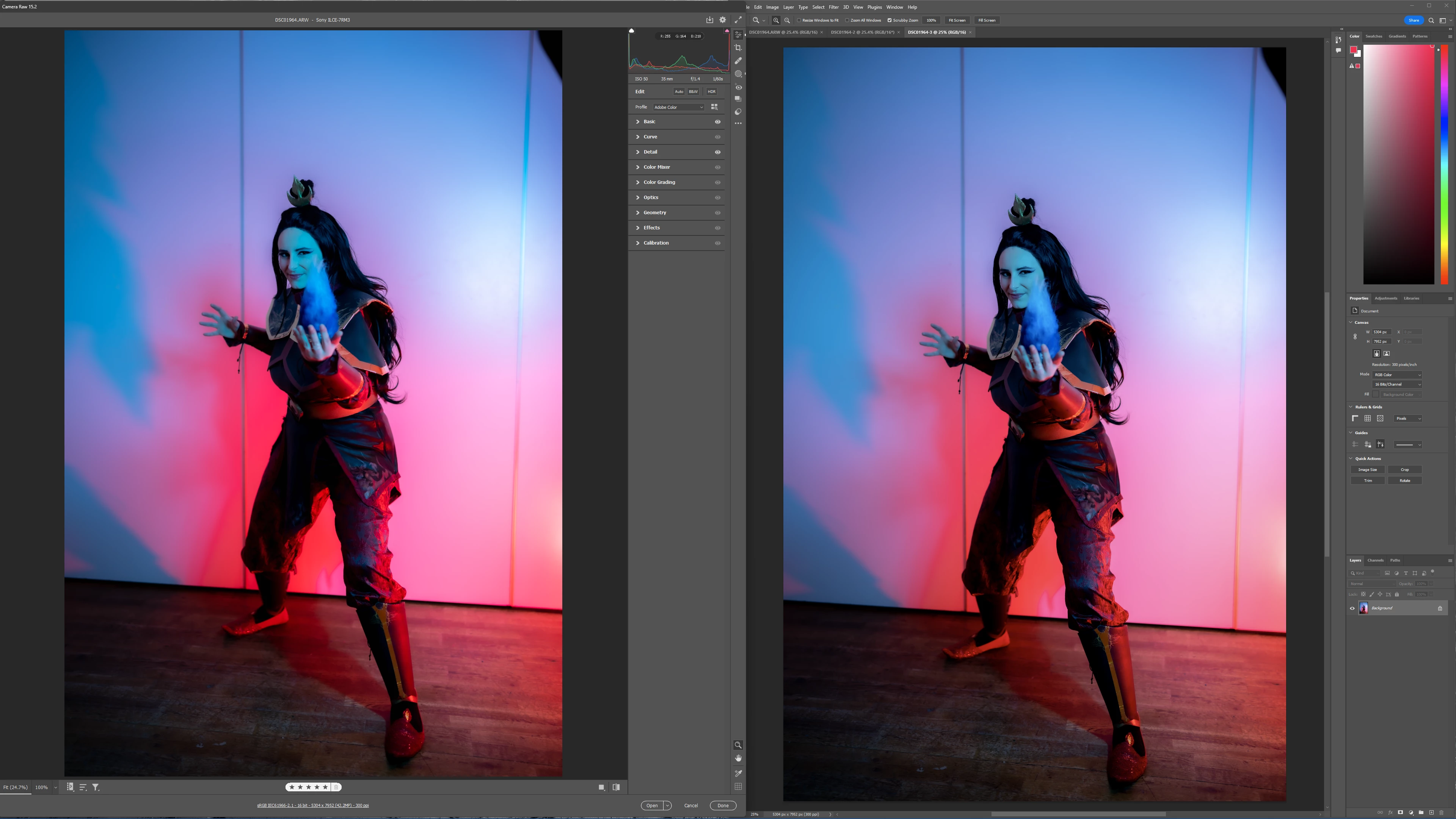

ACR vs PS - miss
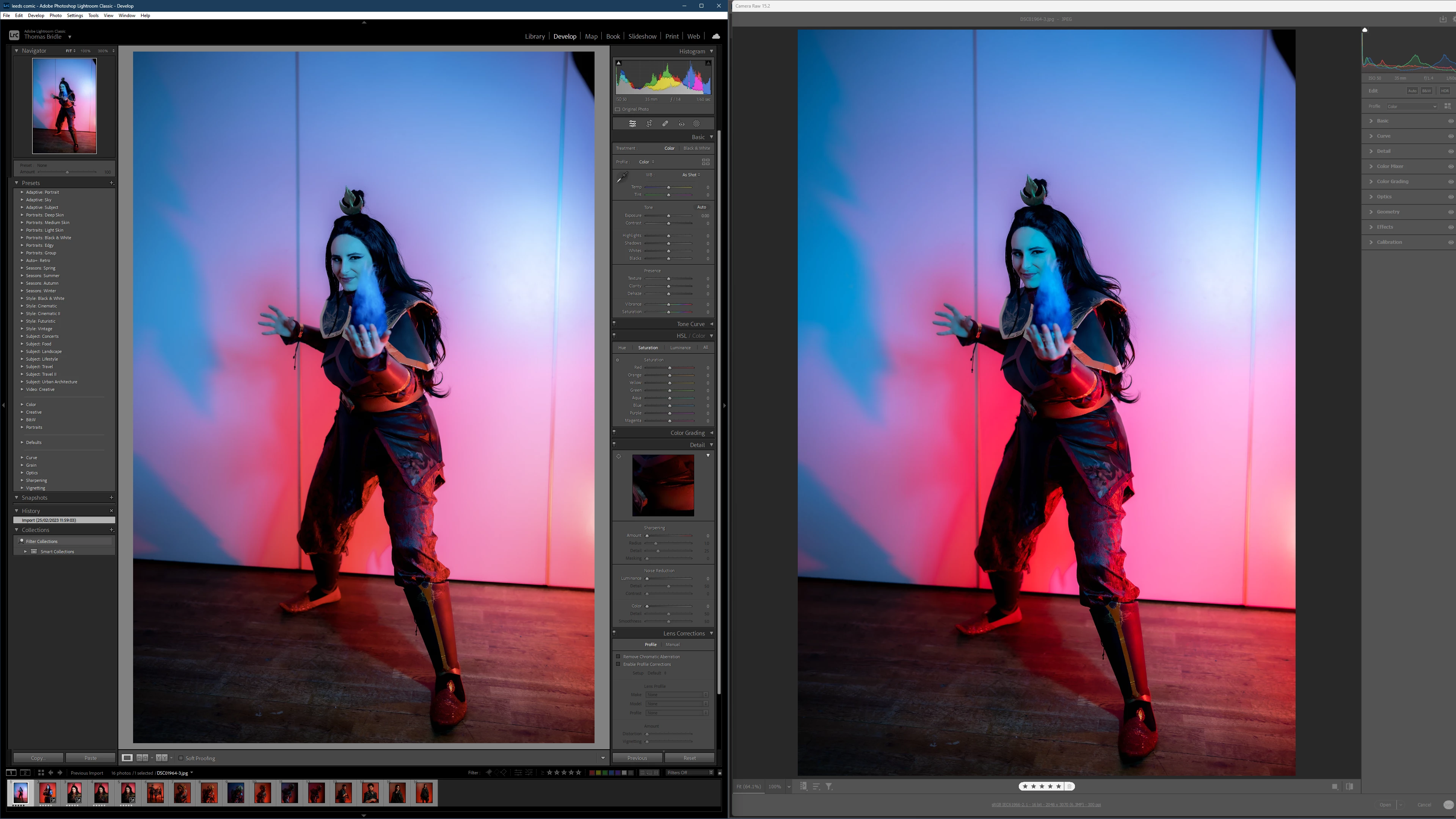

LR vs ACR - miss
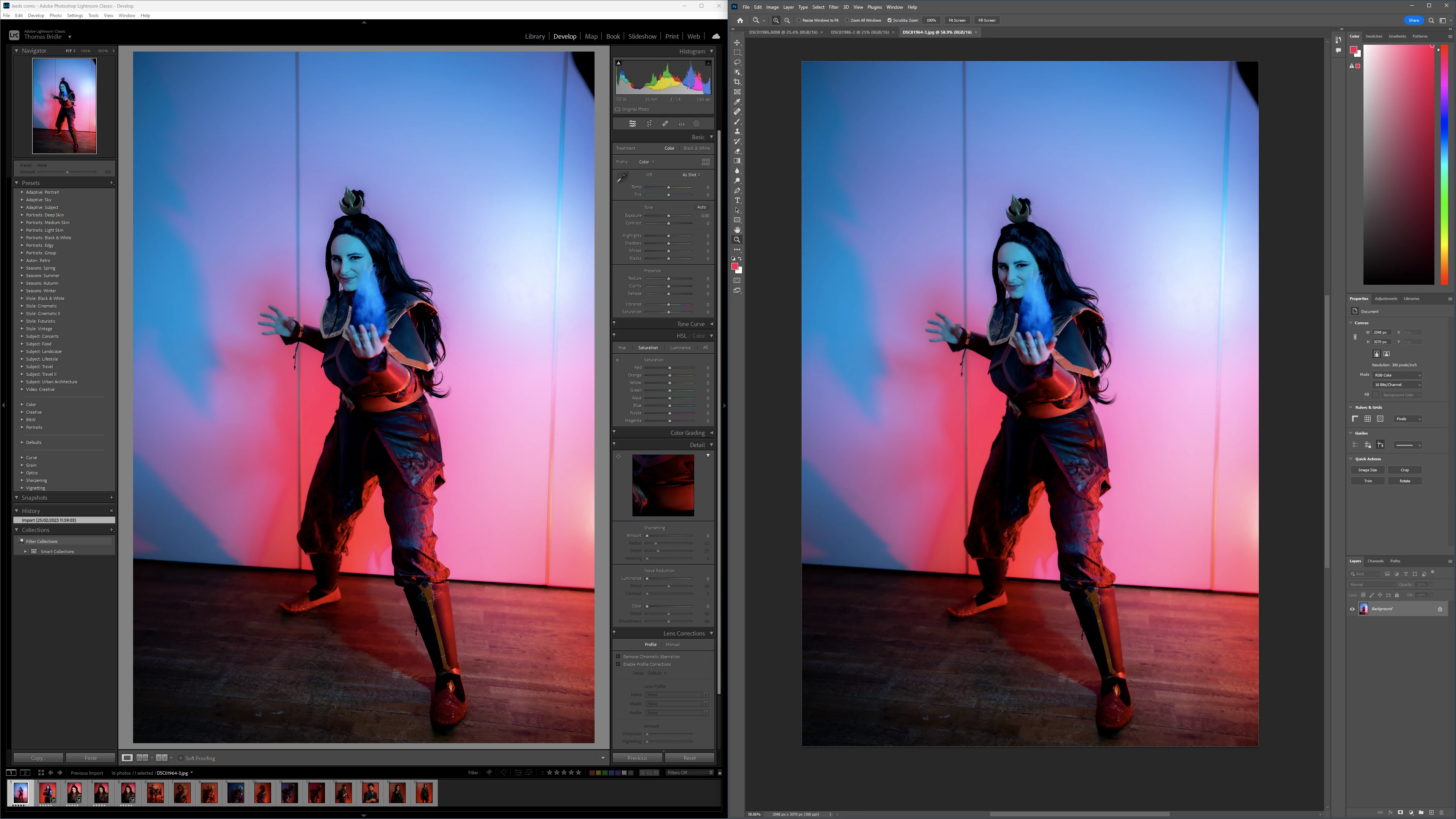
 LR vs PS - match

This topic has been closed for replies.
Correct answer David Franzen at Work

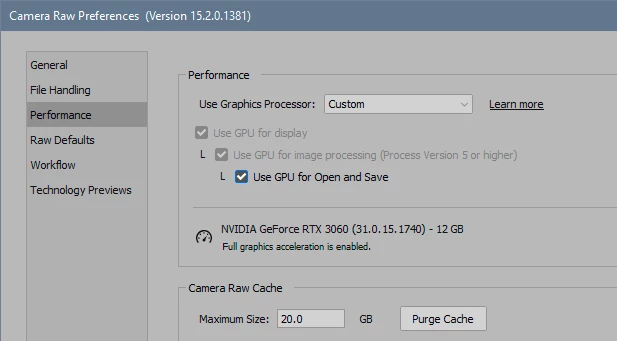
You can try to uncheck the top two levels of GPU usage here:

(although I suspect they will already be unchecked).


At present, I don't think you lose a lot of basic functionality with GPU disabled in ACR. Enhance/super resolution most likely, maybe a few other things. In Photoshop the impact would be much bigger.


The problem is that more and more functions are moved to the GPU, and you will inevitably fall further and further behind.


I think this is a known issue with the the HDR Output (HDRO) technology preview on Windows in 15.2. I see the "HDR" button in some of the screenshots showing the problem. The bug occurs when the tech preview is on even when Camera Raw is displaying SDR images.


To see if the HDR Output tech preview is on, look at the Technology Preview tab in the Camera Raw Preferences dialog. Please try turning it off, turning GPU back on and next, and this is important with this tech preview, quit and relaunch Photoshop and Bridge; the tech preview does not turn on/off w/o a relaunch of the host app. With GPU on and the HDRO tech preview off on Windows, I don't think you will see the oversaturation. This will be fixed in a future release of the HDRO tech preview. I think turning off the tech preview is a better workaround than going back to 14.5 or turning off GPU. 

Thanks,

David

1 reply

TheDigitalDog
Inspiring
February 25, 2023

Short answer: Part of this is a Bridge issue and the color space of its previews. Been discussed in the past. LR/ACR and Photoshop, all correct. You might make a post in the Bridge forum about this. 

The other thing to do is examine how your display profile is being created. Do not use Version 4 (V4) spec display profiles, only V2. 

Lastly you must compare all previews at 1:1 (100% zoom) as they all subsample a bit differently. Previews in Lightroom Classic must be done this way in Develop module (other modules use a different preview architecture).

Author “Color Management for Photographers" & "Photoshop CC Color Management/pluralsight"
TomBPhoto
TomBPhotoAuthor
Known Participant
February 25, 2023

Hi @TheDigitalDog I'm a little confused by your answer, as Bridge, Lr and Ps all display the same and its ACR which is the odd one out, if that makes sense?

TheDigitalDog
Inspiring
February 25, 2023

I've found Bridge previews don't match depending on the color space of the original images. I believe the previews are a smaller color gamut than what is viewed in LR's Develop module. 

ACR, LR and PS should all match IF you view at 1:1 aside from the possible glitch with V4 ICC display profiles. 

You could try disabling GPU in Adobe Camera Raw preferences too, but usually a GPU issue makes the previews look really strange. 

Author “Color Management for Photographers" & "Photoshop CC Color Management/pluralsight"