


donnal91233848
Participant
July 15, 2017
Question

Corruption of photos when imported into Camera Raw

  • July 15, 2017
  • 2 replies
  • 871 views

I am having an issue with trying to open my raw photos in Photoshop and Camera Raw. The photos look fine in the thumbnail, but when I go to open them in Camera Raw, there is a neon band of color across sections of the photo and the file is corrupted. Anyone else have this problem?Screen shot of file from folder - no corruptionFile after opening in Camera Raw
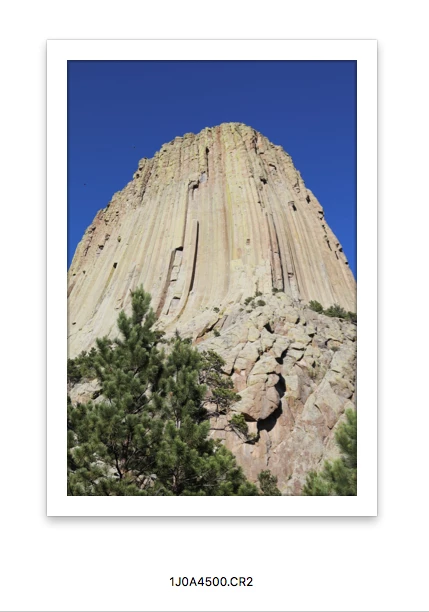
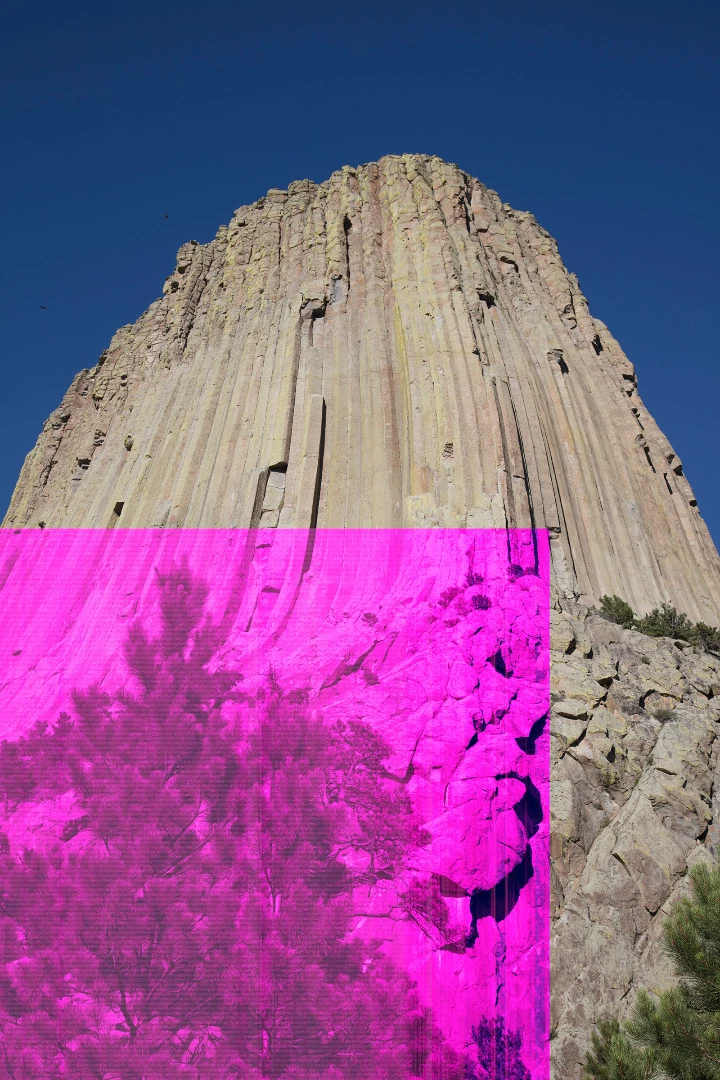
This has happened on multiple photos, but not all the photos from the same Compact Flash cards.

Anyone have any idea what is going on?

Much thanks,

Donna

This topic has been closed for replies.

2 replies

JP Hess
Inspiring
July 16, 2017

This kind of problem usually indicates some kind of a hardware problem. It could be a problem with the card, the card reader or cable, the video card, the hard drive, but somewhere in the hardware chain something isn't right. I know it's easy to argue that the thumbnail looks right, or that the image looks right in the camera. But the camera shows the JPEG preview, not the raw image data. Can you try looking at the images on another computer and see if you get the same results?

donnal91233848
Participant
July 17, 2017

Thanks! I will give that a try...fortunately, my camera shoots to two cards - a SD and a CF, so I have the images in jpg format. I will take a look on my laptop and see if it is the same issue with the raw files.

I appreciate the feedback.

Steve Werner
Community Expert
Community Expert
July 15, 2017

Moving to Camera Raw forum