Participant
December 8, 2021
Answered

.cr2 Files von Lightroom in Photoshop bzw. Camera Raw bearbeiten

  • December 8, 2021
  • 1 reply
  • 1202 views

Hello,

I noticed today that as soon as I send a RAW file (.cr2) from Lightroom to Photoshop for editing (Photo -> Edit in -> Edit in Adobe Photoshop CC 2022), it always has a blue tint. The same happens when I directly try to open a RAW file in Photoshop and Camera Raw is opened there.

The pictures were taken with a Canon EOS 60 D. Photoshop, Lightroom and Camera Raw are up to date (versions 23.0.2, 11.0.1, 14.0.1, on Windows 10). I should also mention that the problem no longer exists after conversion to a TIFF. 

Does anyone perhaps have the same phenomenon and could tell me if I may have accidentally set a preset somewhere? However, I am not aware of anything except that there had been an update from Adobe in the last few days. But a downgrade from Photoshop and Lightroom to the previous version also showed no change. So this is either a user error or a problem in Camera Raw, which unfortunately cannot be reset to a previous version.

Attached are three images for comparison and the transfer settings from Lightroom.


Thx for your help,

Su

This topic has been closed for replies.
Correct answer TheDigitalDog

The suggestion to export to TIFF or JPEG was to understand if the result had the blue color.


I tried to download the DNG, it came to me as a TIFF. You may need to ZIP the DNG and upload again, not sure why it's a TIFF. Again, the DNG if exported from LR should have all your edits, a camera profile etc. That allows us to import it into LR or open in ACR to see if the blue color you show results. The CR2 is as raw as what came out of the camera so it doesn't have any edits etc, I don't think that's a useful document to look at.

IF the DNG with edits shows no blue, then it may be your GPU (you can try disabling it in preferences) or maybe a corrupted display profile.


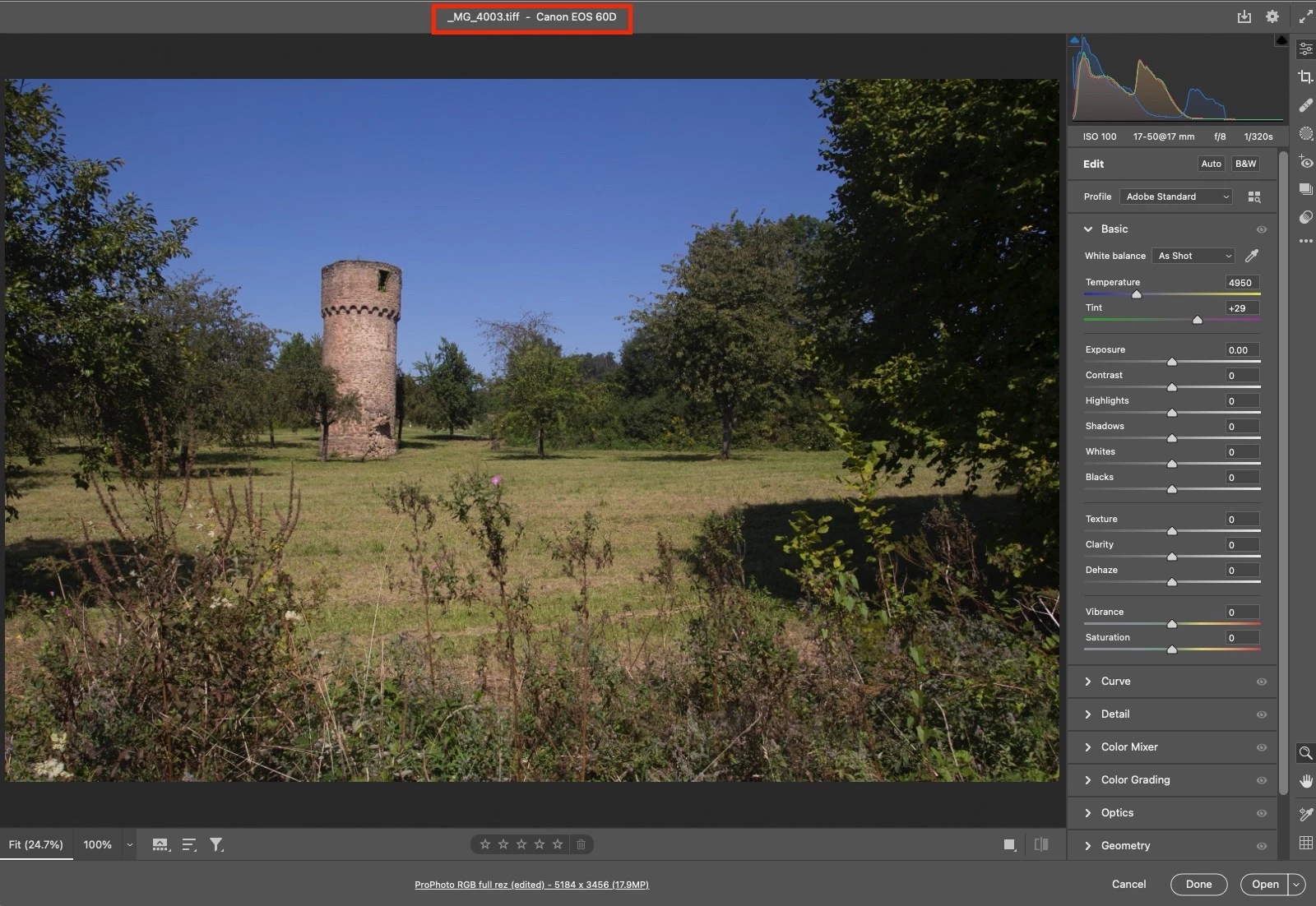
Weird, the document shows TIFF, the name (extension) shows TIFF, but ACR opens it without me forcing it to do so, it must be a DNG.


In ACR, I see no blue color cast:

Questions:

1. When you open in ACR, you see this as a blue cast unlike what I see above?

2. Do you see the same camera profile and say, color temp values I see above? You should.

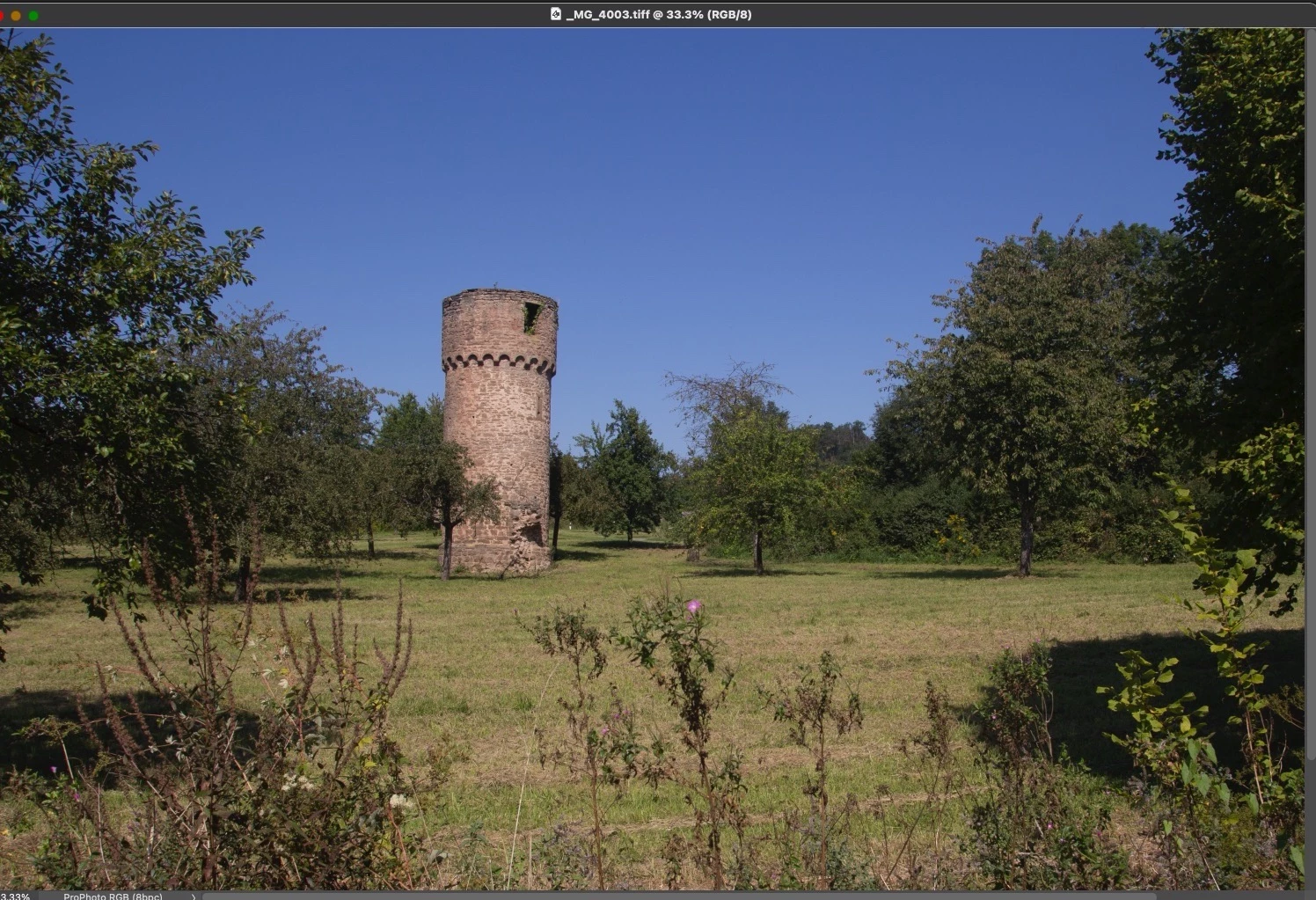
I open (click Open button), it opens in Photoshop, no blue:

First, try disabling GPU in the preferences (Preformance tab). Any better?
If not, go to Preferences > Technology Previews... and check "Disable Native Canvas" - then restart Photoshop. Better?
If not, recalibrate and build a new ICC display profile, the old one might be corrupted.
If you are using software/hardware for this task, be sure the software is set to build a matrix not LUT profile, Version 2 not Version 4 profile.
If turning OFF GPU works, it's a GPU bug and you need to contact the manufacturer or find out if there's an updated driver for it. 
Also see: https://helpx.adobe.com/photoshop/kb/acr-gpu-faq.html

1 reply

TheDigitalDog
Inspiring
December 8, 2021

And if you use Export (in Lightroom Classic) to a TIFF or JPEG instead? 

You may need to package up a DNG (you would use Export to DNG) which would bake in any edits, then upload for others to examine. Use something like Dropbox.

Author “Color Management for Photographers" & "Photoshop CC Color Management/pluralsight"
Participant
December 8, 2021

Thank you for your reply.

How I wrote TIFF or JPG are not the problem. Of course, I can export the images as TIFF or DNG and then edit them in Photoshop. But that's an extra step and slows down my editing workflow. The transfer from LR to PS feature was designed for a smooth handover. It's not essential, but one of my most used features.

And this phenomenon doesn't just affect new images, it affects all of my cr2 files (at least, I'm afraid so, I've tested a couple of images, taken in the last 10 years). So even files that have already worked.

I attached links to the same photo, once in cr2 and then in dng format. It's the original file without any edits because the problem always occurs.

Hope google drive is ok.

In Germany it' now time for bed ;). 

Have a good night.

Su


CR2-File

DNG-File


TheDigitalDog
Inspiring
December 9, 2021

The suggestion to export to TIFF or JPEG was to understand if the result had the blue color.


I tried to download the DNG, it came to me as a TIFF. You may need to ZIP the DNG and upload again, not sure why it's a TIFF. Again, the DNG if exported from LR should have all your edits, a camera profile etc. That allows us to import it into LR or open in ACR to see if the blue color you show results. The CR2 is as raw as what came out of the camera so it doesn't have any edits etc, I don't think that's a useful document to look at.

IF the DNG with edits shows no blue, then it may be your GPU (you can try disabling it in preferences) or maybe a corrupted display profile.

Author “Color Management for Photographers" & "Photoshop CC Color Management/pluralsight"