



Perfect_Nemus
Known Participant
November 5, 2025
Question

CRAW filter mask generation is stucked to the original layer it has been applied to

  • November 5, 2025
  • 1 reply
  • 51 views

OS: MACOS, W10

Camera RAW smart filter (PS): 17.5.0.2318

PS: 26.11.0


STEP TO REPRODUCE:

I copy a camera raw smart filter with subject masks in it to a new file (to copy editings from a file to another),

ACTUAL RESULT:

when I try to create new mask for the new subject to apply the edits, it always recreate the old masks from the source file

EXPECTED RESULT:

when I try to create new mask for the new subject to apply the edits, it generate a new mask based on the actual layer where the filter has been applied
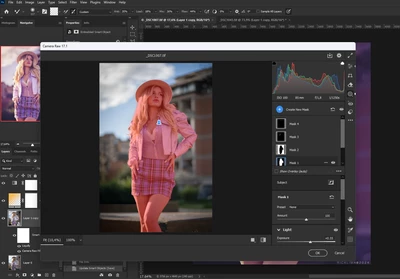
 

source file
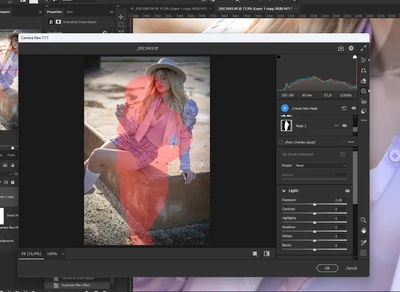
 

target file


This is very annoying as it slows my workflow. Can you fix it as it was in the old PS version? TY.

1 reply

Perfect_Nemus
Known Participant
November 5, 2025

why this has been moved to "discussion"?

Rikk Flohr_Photography
Community Manager
Community Manager
November 5, 2025

Please Read: https://community.adobe.com/t5/camera-raw-bugs/p-how-do-i-write-a-bug-report/idi-p/12386400
and
https://community.adobe.com/t5/camera-raw-discussions/p-do-i-post-in-discussions-or-bugs/m-p/13691889
and

You list your current version of Camera Raw as 17.5.0.2318 - the current version is 18.x. Bugs are not accepted for out-of-date versions. 

Rikk Flohr: Adobe Photography Org
Perfect_Nemus
Known Participant
November 6, 2025

I updated CRAW to the latest version and the bug is still there.

I followed the template bug discussion, and I do believe this is a real bug, because the older version of PS does not have it, so please can you move it to the bus section?