


Question
Ctrl+1 doesn't work in Camera Raw when Masking mode is selcted.
DO NOT JOIN WITH A PANEL RELATED THREAD (ex. this). Thx! It's a totally different thing.
Version of the app: Camera Raw 16.0
Platform and OS version: Windows 10 x64
Basic steps to reproduce the problem:
- Open a RAW file in Camera Raw.
- Activate "Healing" mode (press "B" or click on the icon). (or any other mode except the Masking mode)
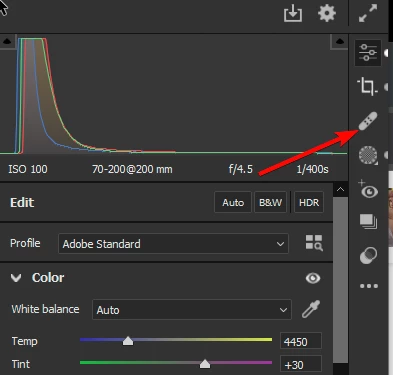
- Press Ctrl+1 (on Windows) to switch to the first tab in the edit mode.
- The edit mode is activated and Color Panel displayed. This is expected.
- Activate the Masking mode (press M or click on the icon)
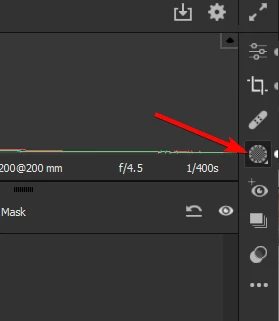
- Press Ctrl+1 (on Windows) - nothing happens. Also nothing happens for Ctrl+2, Ctrl+3, etc.
Expected result: after pressing Ctrl+1 (on Windows) the Edit mode is activated and Color Panel displayed.
This was working as expected in previous versions of Camera Raw.
 AdChoices