In photoshop hold down Shift+Ctrl+Alt while clicking on File>Open Recent, clicking on one of your raw files and keeping holding the keys until you get the reset dialog.
.png)
SOLVED
Thanks, but the key combination above allowed the resetting of preferences only when I open the file using the Open Recent option, not when opening in the usual way. In any case, it doesn't solve the date problem.
The issue is to do with how I've been constructing the file's name. I use a name, date and serial number. These are separated by spaces and hyphens. Here's a way to do it which doesn't work:
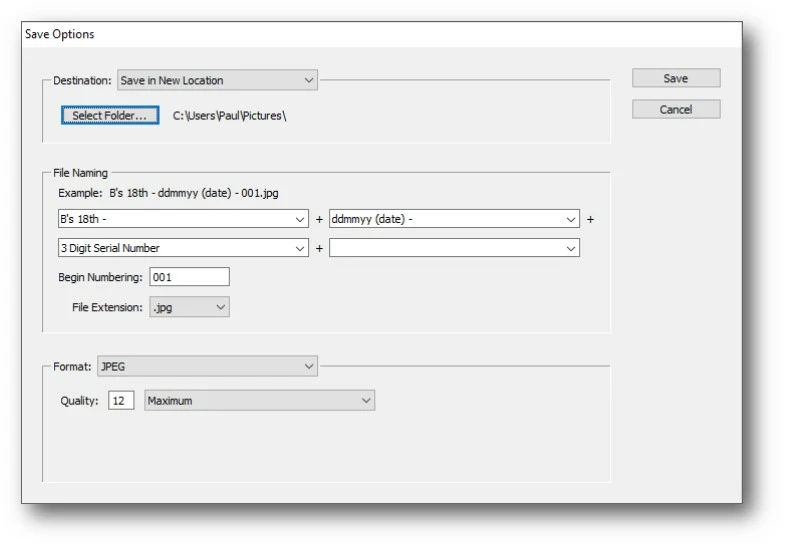
It was only through changing the way I entered the fields I discovered that if you insert any text in an automatic field like date or serial number, it converts the whole field to text. So now I build the fields this way:
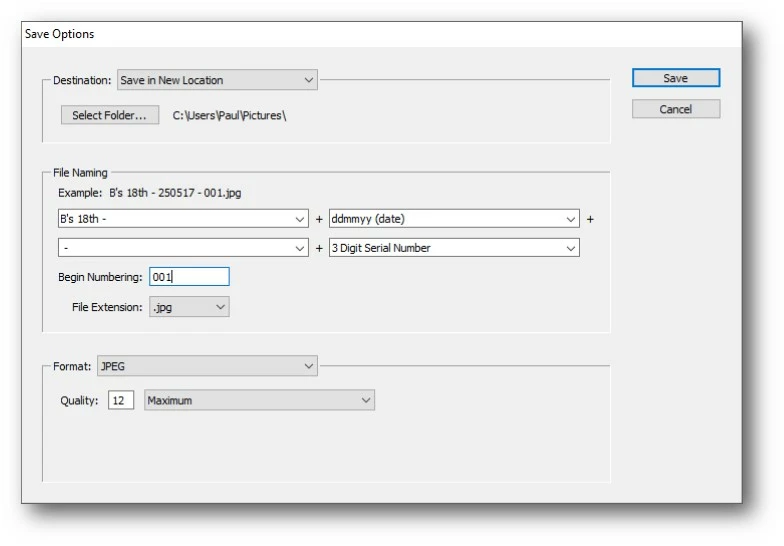
So although I can insert spaces and a hyphen in the first file-name field - because it's text - the same elements between the date and serial number fields have to be in their own [text] field.
I wrote all this only because there may be someone else who likes to format the file's name in this way.



 AdChoices