

Inspiring
March 23, 2023
Answered

Dhaze missing?

  • March 23, 2023
  • 2 replies
  • 1527 views

I opend/ retouched a couple of images -- used dehaze.. ACR  15.2
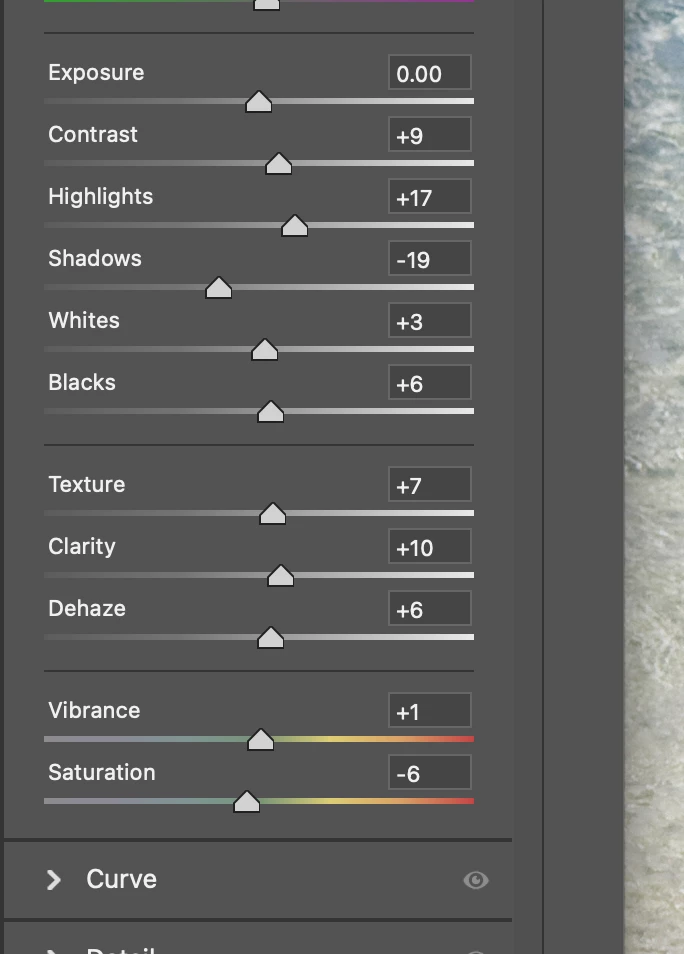
 

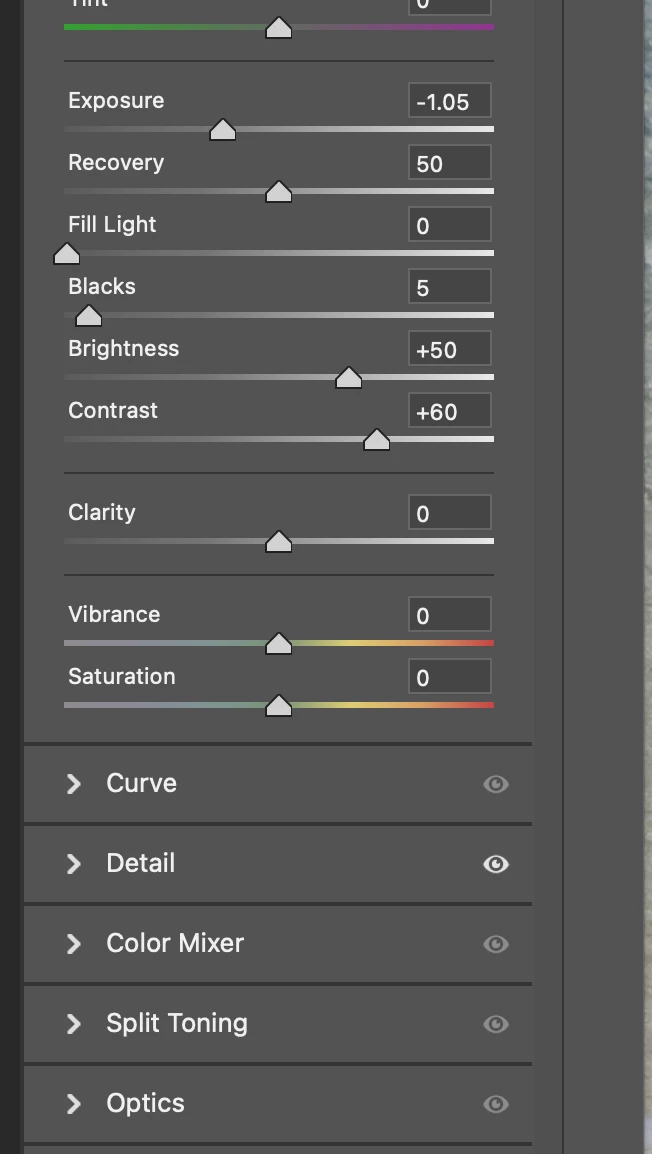
And then I opened another image, also says 15.2, and no dehaze.. Curious on that, thanks.
 

This topic has been closed for replies.
Correct answer Erik Bloodaxe

If you originally processed an image using an older version of Camera Raw then it more than likely was done using an old Process Version. The version used can be seen in the image metadata in Bridge in the Camera Raw section.

If you open such an image in Camera Raw, you should see a small triangle containing an exclamation mark in the bottom right corner of the image window. Hover over this and you will see "Update to Current Process (Version 5)". Clicking on the triangle will initiate the update then you should have all of today's adjustment panels available including the elusive "Dehaze".

2 replies

Erik Bloodaxe
Erik BloodaxeCorrect answer
Legend
March 24, 2023

If you originally processed an image using an older version of Camera Raw then it more than likely was done using an old Process Version. The version used can be seen in the image metadata in Bridge in the Camera Raw section.

If you open such an image in Camera Raw, you should see a small triangle containing an exclamation mark in the bottom right corner of the image window. Hover over this and you will see "Update to Current Process (Version 5)". Clicking on the triangle will initiate the update then you should have all of today's adjustment panels available including the elusive "Dehaze".

larry45Author
Inspiring
March 24, 2023

Eirk whew!  Bless you. That explains it well.


Ok just reopened the image without the dehaze option, but don't see the 


xclamation mark in the bottom right corner of the image window. Hover over this and you will see "Update to Current Process (Version 5)".


Did I miss it?


there is an exclamation, not yellow and when click on that, just seems to apply some changes, I think, not solve update process


Then even that goes away, still same/ stuck, no yellow one


Erik Bloodaxe
Legend
March 24, 2023

Your first screenshot shows the triangle I referred to.

Your second screenshot now shows the triangle has disappeared because you have updated.

The updated panels are in place and the Dehaze slider where it should be!

Not sure what you are not seeing?

TheDigitalDog
Inspiring
March 24, 2023

Check the Process Version. It may be too old and set for a certain raw. 

Author “Color Management for Photographers" & "Photoshop CC Color Management/pluralsight"
larry45Author
Inspiring
March 24, 2023

Thanks Andrew,  every image has a process version?  I have idea where to check that; but I'll take your word that some imamges Raw will get a differnt menu choice than other raws.. had no idea.

TheDigitalDog
Inspiring
March 24, 2023

See the difference depending on the PV set below:

Was that the issue? 

Author “Color Management for Photographers" & "Photoshop CC Color Management/pluralsight"

