


hervép41973601
Participant
February 15, 2024
Answered

Différence de qualité d'image entre Camera raw et Photoshop

  • February 15, 2024
  • 1 reply
  • 368 views

Bonjour,

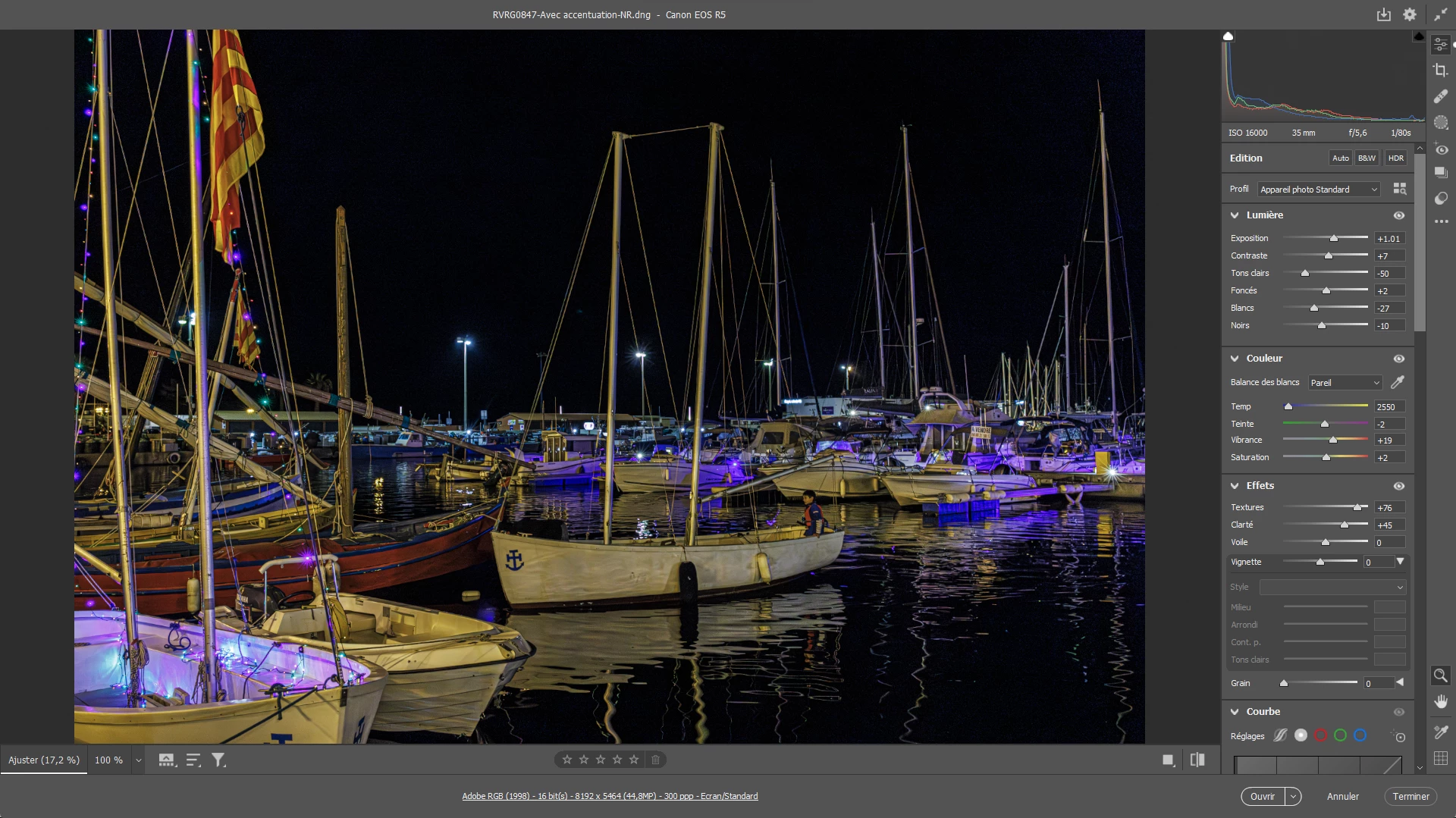
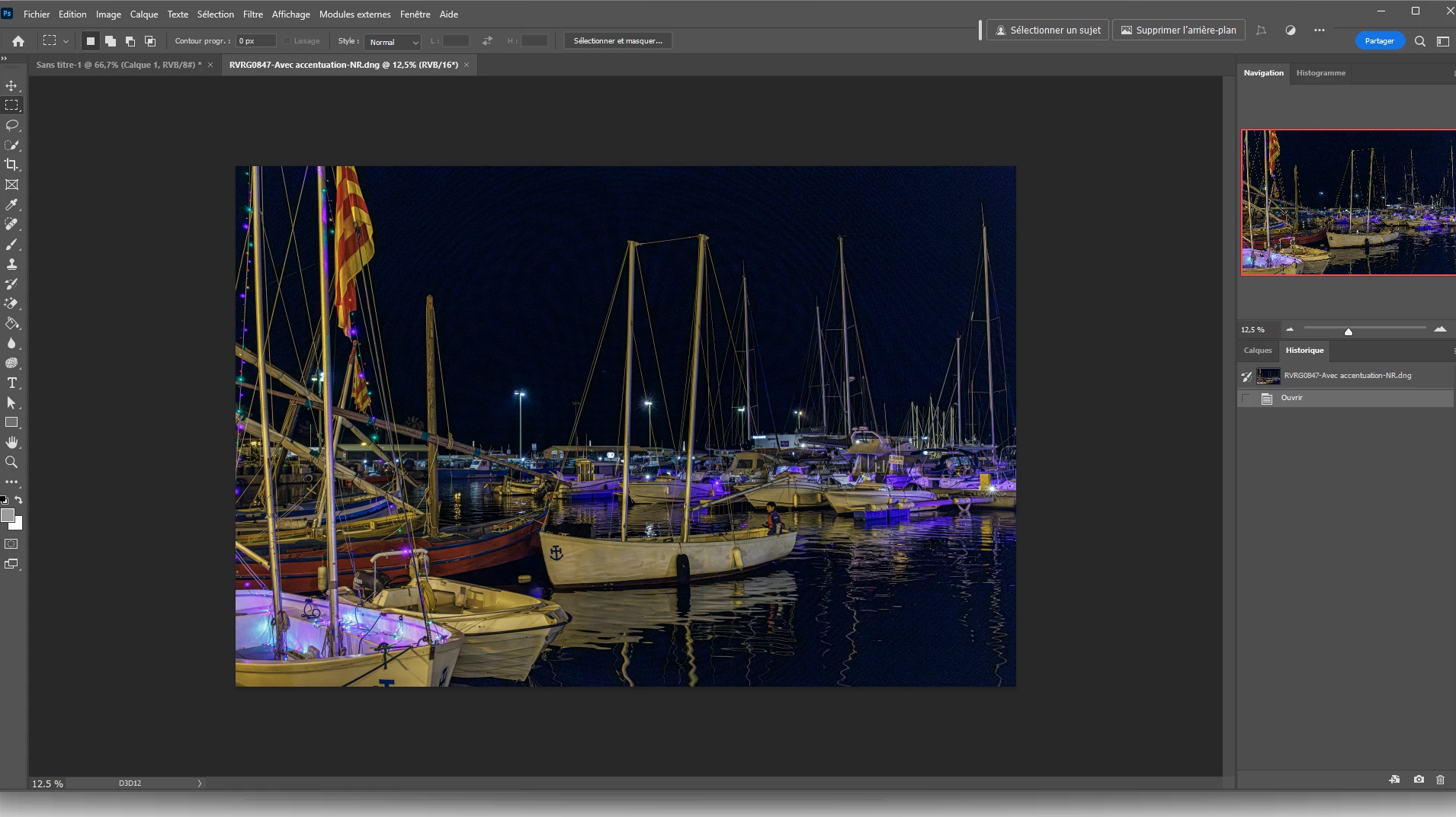
Quand je traite le fichier raw d'une photo prise avec des ISO élevés, de nuit par exemple, un résultat correct affiché dans Camera raw 16.1 (ou Lightroom) s'avère affreux dès son affichage dans Photoshop 25 ou son enregistrement en JPG ou TIFF. Des artefacts en réseau de lignes courbes aparaissent dans les zones sombres. J'ai testé des fichiers sur 4 ordinateurs différents avec le même mauvais résultat.

Le traitement par DPP4 de Canon de ce fichier raw génère un DNG qui, ouvert et traité au final par Camera raw, reste fidèle au passage vers Photoshop.

Peut-on expliquer cette distortion ?
This topic has been closed for replies.
Correct answer Per Berntsen
quote
Difference in image quality between Camera raw and Photoshop


Hello

When I process the raw file of a photo taken with high ISOs, at night for example, a decent result displayed in Camera raw 16.1 (or Lightroom) turns out to be awful as soon as it is displayed in Photoshop 25 or saved in JPG or TIFF. Artifacts in a network of curved lines appear in dark areas. I tested files on 4 different computers with the same bad result.

Canon's DPP4 processing of this raw file generates a DNG which, when opened and processed by Camera raw, remains faithful to the transition to Photoshop.

Can this distortion be explained?

By @hervép41973601


When working with image detail like sharpness/sharpening and noise/noise reduction, you must view the image at 100%. Any other view will be inaccurate and misleading because the image has been scaled. At 100% view, one screen pixel is used to display one image pixel, and this is the only view that presents you with a true representation of the image.

(if you have a 4k or higher monitor, use 200%)


Your screenshots show that you are viewing the image at 17.2 % in Camera Raw, and at 12.5 % in Photoshop.

At 100%, they should display identically.

1 reply

Per Berntsen
Community Expert
Per BerntsenCommunity ExpertCorrect answer
Community Expert
February 15, 2024
quote
Difference in image quality between Camera raw and Photoshop


Hello

When I process the raw file of a photo taken with high ISOs, at night for example, a decent result displayed in Camera raw 16.1 (or Lightroom) turns out to be awful as soon as it is displayed in Photoshop 25 or saved in JPG or TIFF. Artifacts in a network of curved lines appear in dark areas. I tested files on 4 different computers with the same bad result.

Canon's DPP4 processing of this raw file generates a DNG which, when opened and processed by Camera raw, remains faithful to the transition to Photoshop.

Can this distortion be explained?

By @hervép41973601


When working with image detail like sharpness/sharpening and noise/noise reduction, you must view the image at 100%. Any other view will be inaccurate and misleading because the image has been scaled. At 100% view, one screen pixel is used to display one image pixel, and this is the only view that presents you with a true representation of the image.

(if you have a 4k or higher monitor, use 200%)


Your screenshots show that you are viewing the image at 17.2 % in Camera Raw, and at 12.5 % in Photoshop.

At 100%, they should display identically.

hervép41973601
Participant
February 15, 2024

Many thanks Per Berntsen !