



DNG Profile Editor "Not enough neutral" error
Experimenting with creating DNG Profiles with DNG Profile Editor on Windows 10.
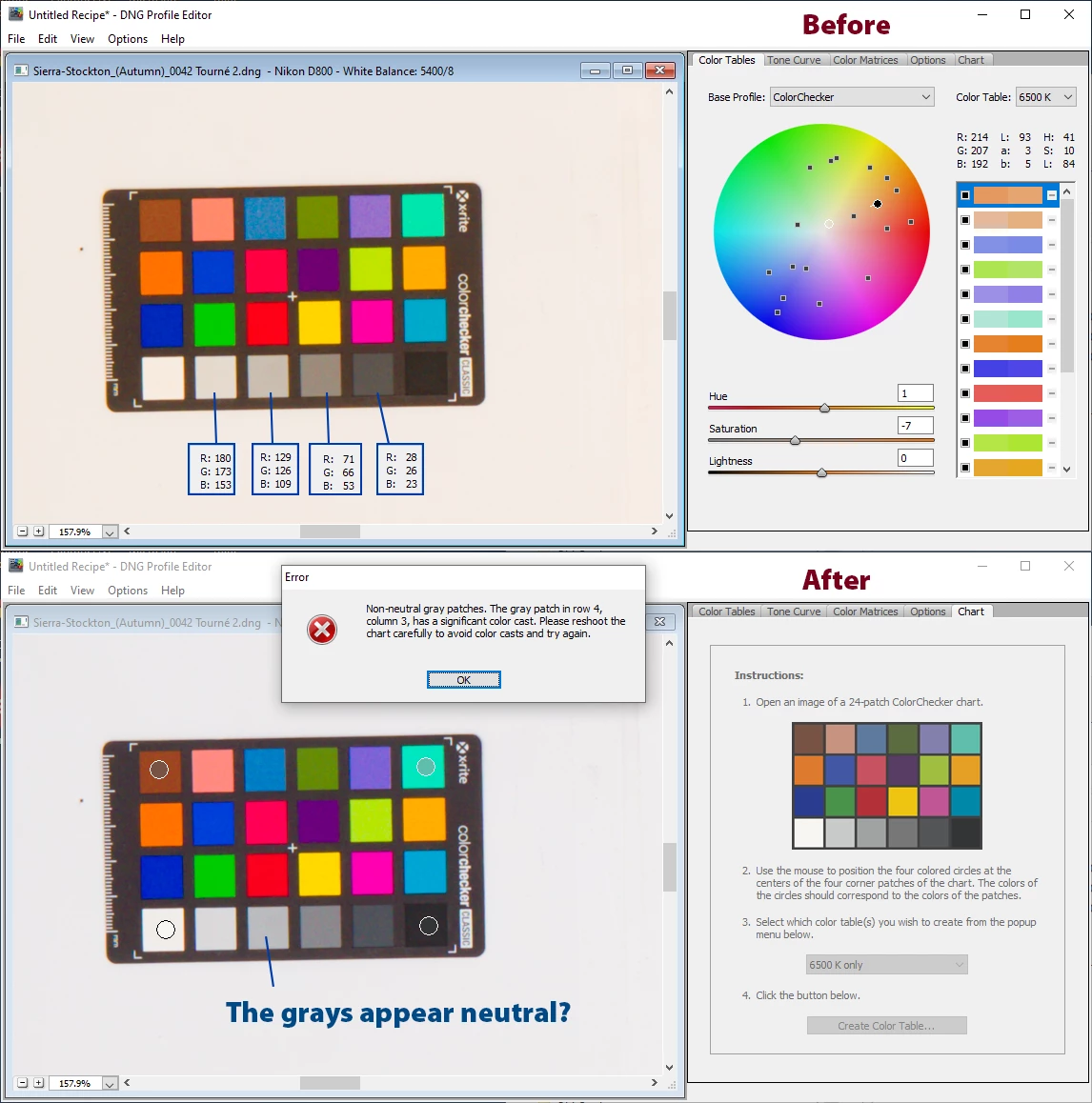
Would anyone know why the Profile Editor complains about "neutrality" below?
I loaded an exported DNG image from CameraRAW 13.0.2.
In the Color Tables tab, I selected 6500K only and hit the Create Tables button.
As you can see in the error message, seems Row 4 Column 3 (Munsell N8 patch) "has significant color cast"?
The only "significance" I see is that the Blue channel is lower than the Red and Green channel by a mere 27 code values, suggesting that the white balance was on the "warm" side.
Is there any way to work around this error to your knowledge?
Also, notice how only the chromatic patches of the Color Checker are picked up in the List of colors on the right?
Does not seem like Profile Editor wants to allow the user to edit gray scale mapping...
 AdChoices