



eGPU problems after update to Camera RAW 17.2
Bit of an odd one here...
Since updating to Camera RAW 17.2 I have a wierd problem whereby when opening images to edit in Camera Raw it IS NOT using the eGPU that I have installedwhen opening from Bridge (and in the settings the eGPU is not seen)... Before 17.2, it was...
But, to complicate matters, Camera RAW 17.2 IS using the eGPU when opening images directly in photoshop (using the "open" command in Photoshop)....
So handling of the eGPU is now seemingly different between Bridge and Photoshop (albeit I assume it is the same plugin)
When I access the camera raw settings through Bridge I cannot see my eGPU, only the on board GP, and certain settings are not available using the on board GPU (not powerful enough)... In earlier versions of CR, I could see my eGPU as the one being used...
On the flip side, when I access camera RAW settings from Photoshop, the graphics card support updates (first) and I can see the eGPU (and the functions work correctly).
Has eGPU support being ammended in 17.2 or is this a glitch...? Maybe the latest version of Bridge is not seeing the graphica card support and disabling my ability to use the eGPU even though it is clearly supported (as evidenced by being able to use it when opening directly into P shop)...
I can also see this glitch now in previous versions of Bridge (I have the last version installed as a fall back) so I think it is to do with the Camera RAW 17.2 element and how it is being implimented and not a glitch in Bridge (unless it is something to do with how the data/support is now looked up)
Any suggestions to remedy because this is a big deal for me when editing in Camera RAw from Bridge.
I am in an intel Mac Mini with an ePGU. Mac OS Sequoia 15.3.1 using the BlackmagicdesignRadeon 580 eGPU. Photoshop 26.3. Bridge 15.0.2. Camera Raw 17.2
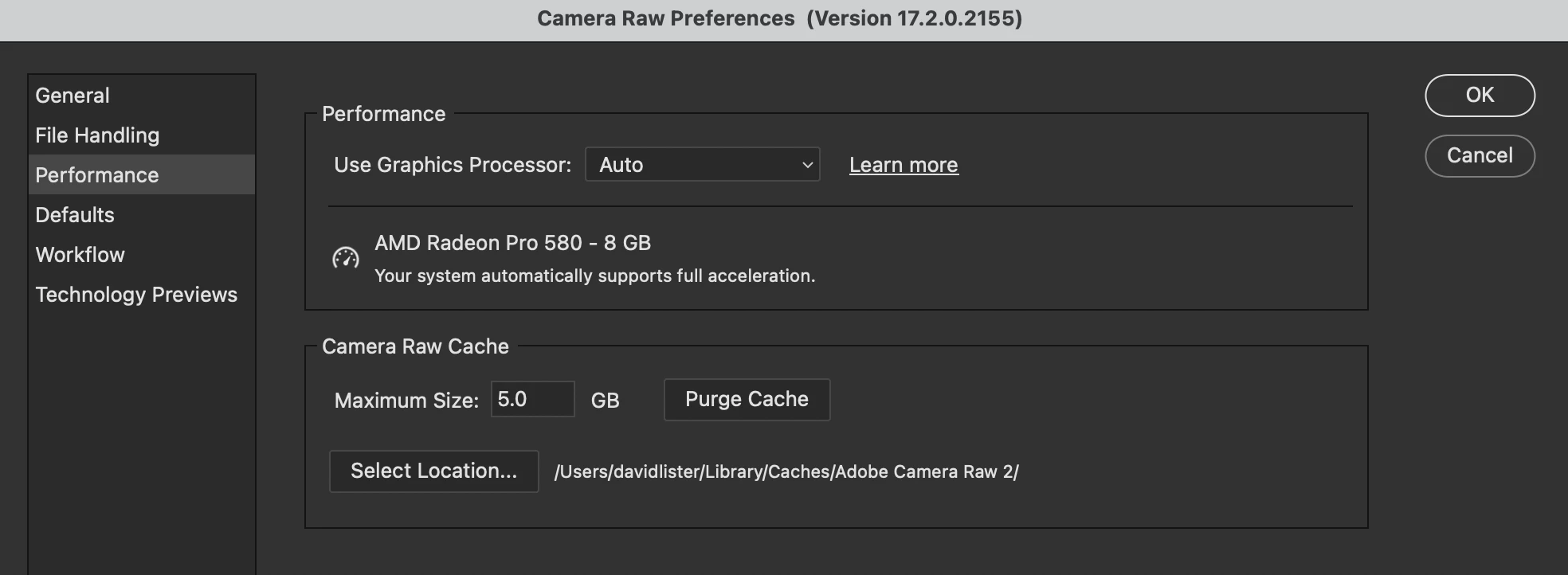
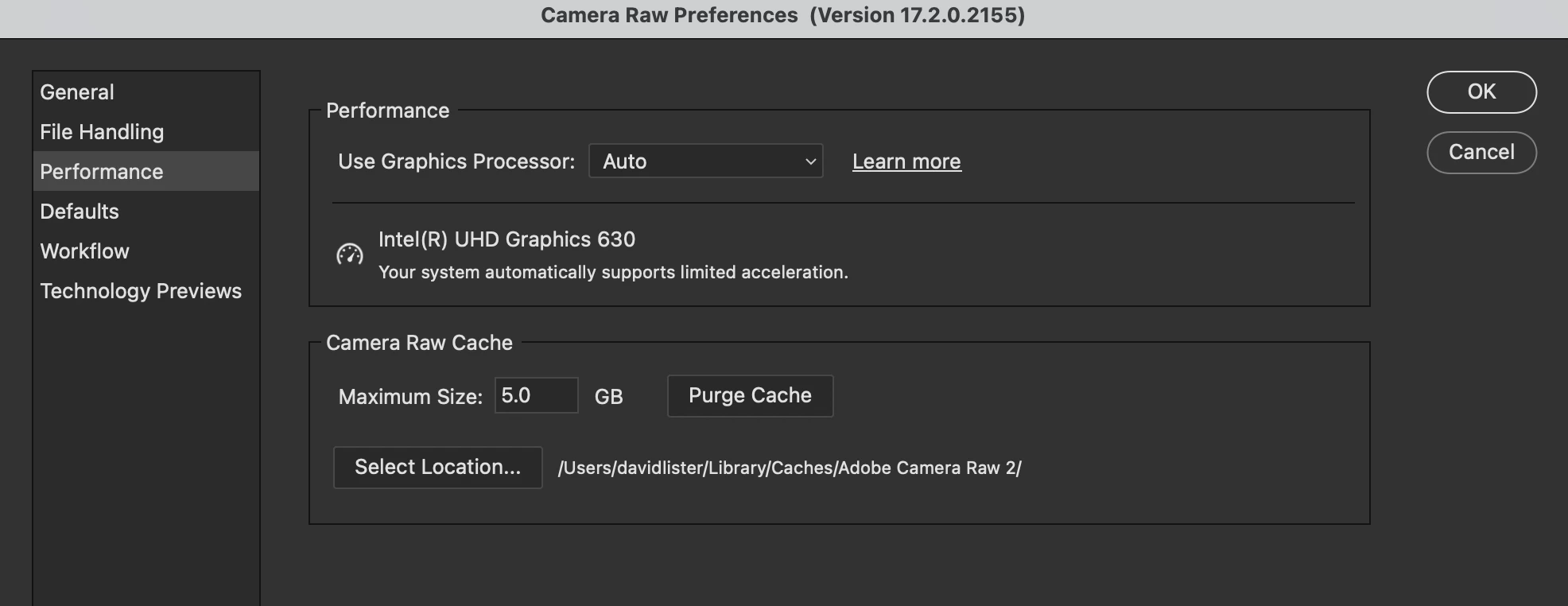
You can see the two preference panes I now have in the attached images... The one where my eGPU is seen (the 580 Radeon) is from the photoshop camera raw prefs pane and the other is from the bridge camera raw prefs pane...
Photshop Camera RAW Prefs Pane
Bridge Camera RAW Prefs Pane
I need Bridge to be able to open files in camera raw using my eGPU for acceleration...
 AdChoices