

October 21, 2021
Question

Enable lens profile corrections

  • October 21, 2021
  • 2 replies
  • 1427 views

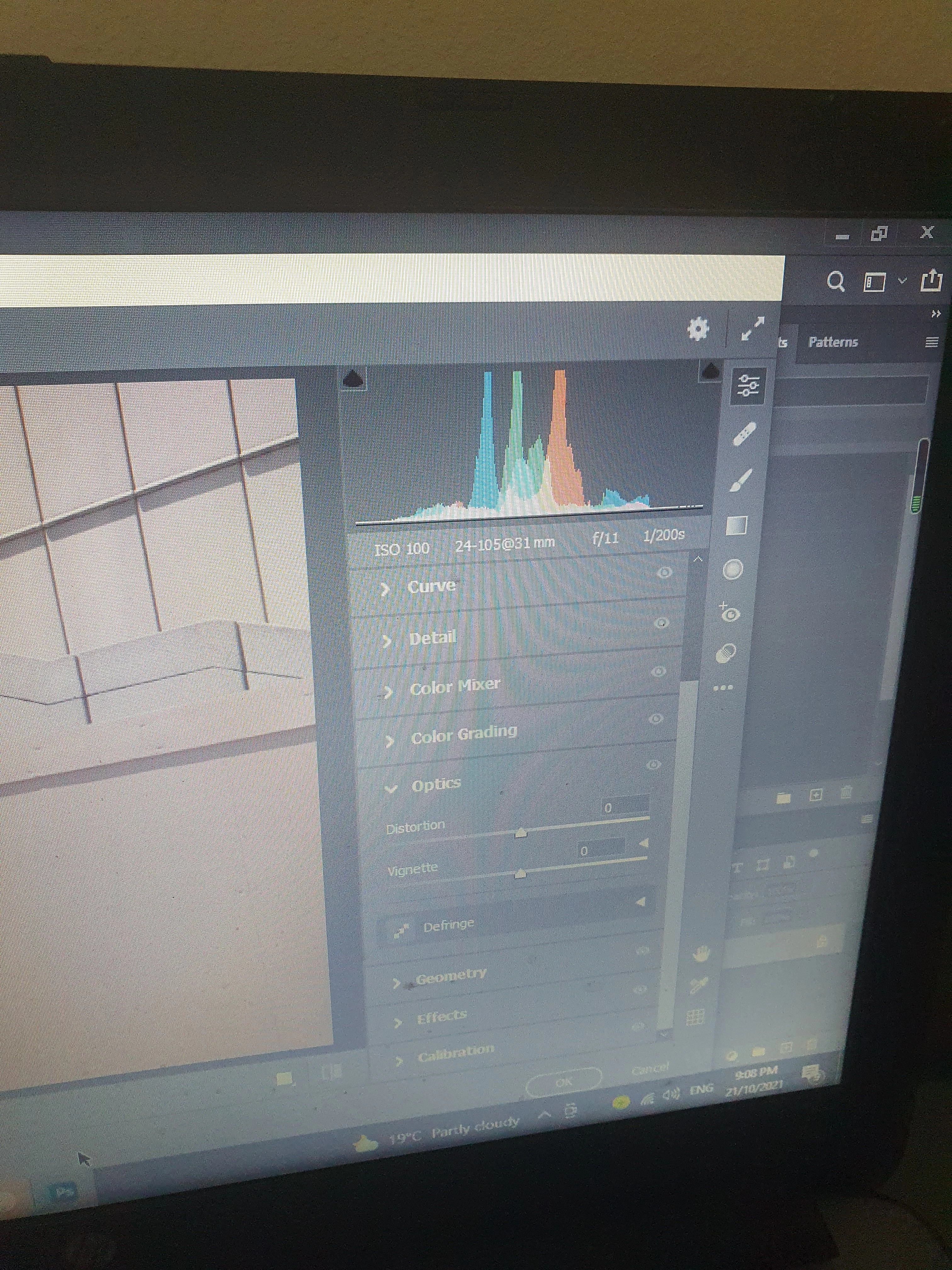
Where is the "nested profile tab of the lens corrections tab" located? 


 I can't find it anywhere. I have camera raw 13.0.2. 
This topic has been closed for replies.

2 replies

Jeff Arola
Community Expert
Community Expert
October 22, 2021

Looks like from your screenshot your using the Camera Raw filter in photoshop under Filter>Camera Raw, which doesn't have Lens Profile corrections. For that you need to use the Camera Raw you get from File>Open in photoshop or Bridge>Open in Camera Raw.

October 22, 2021

"For that you need to use the Camera Raw you get from File>Open in photoshop "


What do I click after File>Open?


Thanks, 

L. 

TheDigitalDog
Inspiring
October 22, 2021

The issue is whether you're working on a raw or a renderd image like a TIFF or JPEG. 

Photoshop simply can't open a raw itself, it needs ACR to render that and in ACR you can apply the lens correction. 

Photoshop can process a rendered image in ACR as a filter and no lens profile. 

So what is the data you're working on; raw or rendered? IF raw, it has to open in ACR and there, you can use the lens profile. 

Author “Color Management for Photographers" & "Photoshop CC Color Management/pluralsight"
Legend
October 21, 2021

Click on "Optics" on the right hand side.

October 21, 2021

As shown in the image I posted, nothing appears when I click on optics. 

TheDigitalDog
Inspiring
October 21, 2021


@21326654 wrote:

As shown in the image I posted, nothing appears when I click on optics. 


Try now clicking on those little triangles so they point down. What do you see?

Author “Color Management for Photographers" & "Photoshop CC Color Management/pluralsight"
