


Question
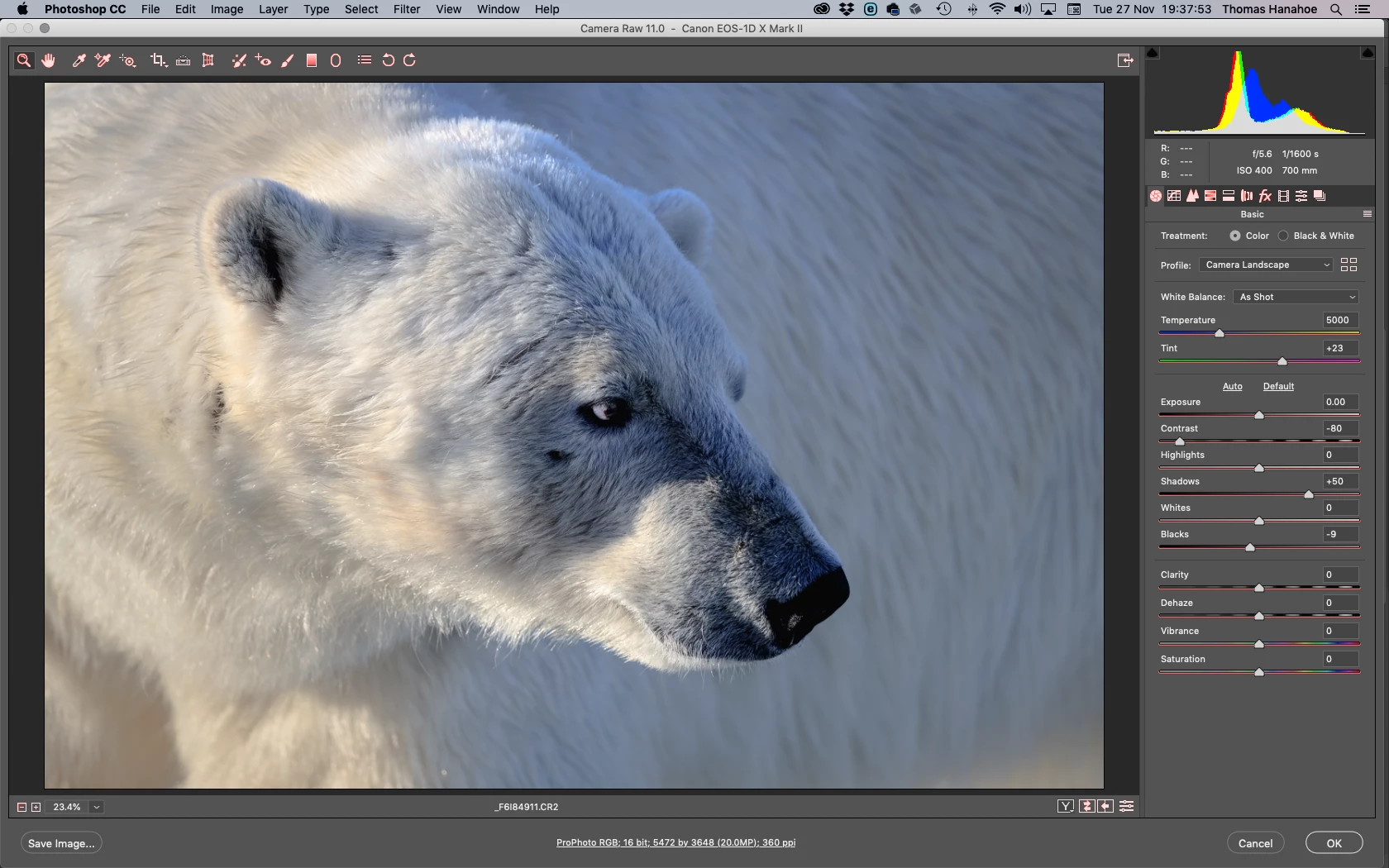
From time to time my ACR menu symbols and sliders appear in bright orange/red colours. why? (Mac OS Mojave, Mac Pro late 2013, two (old) Eizo screens)
The first screen shows an image in ACR with menu symbols and sliders in an orange/red colour. The second screen shows my Photoshop panels which appear ok; sometimes these symbols also show fancy colours. Of course there may be no correlation, but I also have a problem in Photoshop with 'Save As / JPEG': the saved JPEG file appears blurry and pixelated but opens up satisfactorily in other software programmes. Any comments greatly appreciated.
Thom.
.png)
 AdChoices